A Practical Guide to Risk Based Testing for Modern QA Teams
Implement risk based testing to focus your QA efforts. Learn a step-by-step process to identify, prioritize, and automate tests for critical user flows.
Discover how AI in automation testing is revolutionizing QA with smart test generation, self-healing scripts, and visual validation to accelerate workflows.
Automate and scale manual testing with AI ->
When we talk about using AI in automation testing, we’re really talking about making the whole process smarter. It’s about moving past old-school, rigid scripts and using artificial intelligence to help testing tools understand an application, adapt to changes on the fly, and even predict where bugs are likely to pop up.
For a long time, QA teams have depended on traditional automation frameworks. They get the job done, but it often feels like you’re building a massive Lego castle with a painfully precise instruction booklet. The moment one little piece changes—say, a button’s ID gets updated or a new field appears on a form—the whole instruction manual is useless. An engineer then has to go back and painstakingly rewrite it. That brittleness is a major bottleneck in how we build software today.
The real issue is that old-school test scripts aren’t intelligent. They just follow a strict set of commands without ever understanding the why behind the test. This traps teams in a frustrating, time-sucking cycle of writing a test, running it, watching it fail, and then fixing it. As applications get more complicated, that maintenance burden can become a nightmare, slowing down releases and burning out engineers.
AI offers a completely different way of thinking about automation testing. Instead of feeding the system a rigid set of instructions, you just show it the finished picture—the user outcome you’re trying to achieve. The AI then figures out the smartest way to get there, navigating the application dynamically, much like a real person would. This approach directly tackles some of the most persistent headaches in QA.
This isn’t just some far-off idea; it’s happening right now. The market for AI in test automation is expected to jump from USD 0.6 billion in 2023 to USD 3.4 billion by 2033. In fact, 78% of software testers are already using AI tools to get more done, all because of the constant pressure to deliver better experiences to customers. You can discover more about the growth of AI in QA frameworks from recent market analysis.
By shifting the focus from maintaining fragile scripts to defining successful user outcomes, AI lets teams think more strategically about quality. Testing stops being a reactive chore focused on repairs and becomes a proactive process that drives quality from the start.
At the end of the day, this new wave of tooling points to a much more efficient way to build high-quality software. It frees up developers and QA pros from the soul-crushing work of script maintenance, letting them focus on what really matters: shipping a product that just works.
To really get what makes AI in automation testing so different, you have to peek under the hood. It’s not magic—it’s just smart technology designed to think and adapt a bit like a person would. When you see how the pieces fit together, it becomes clear how AI tackles the frustrating, deep-rooted problems that plague traditional, script-based testing.
This diagram shows the fundamental shift in thinking. We’re moving away from rigid, brittle scripts that always seem to create bottlenecks and toward an intelligent, AI-driven process that smooths everything out.
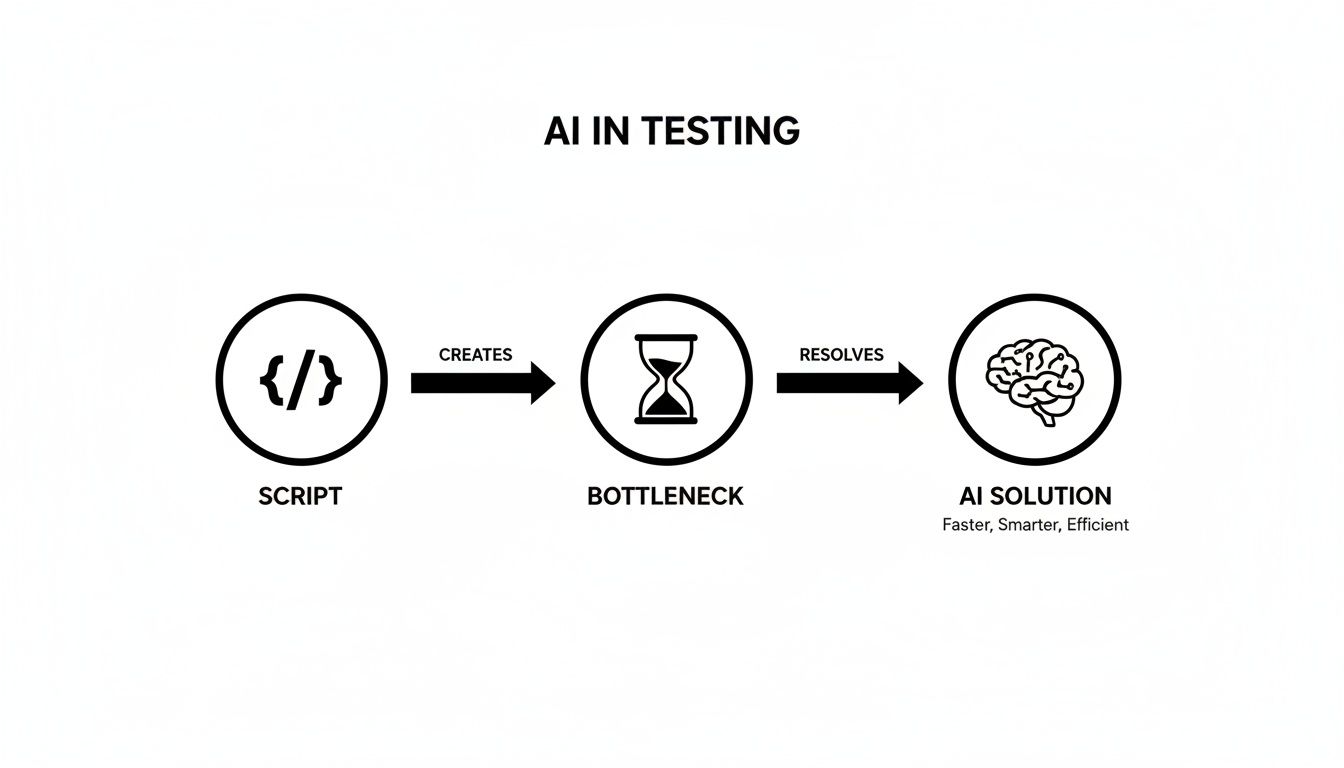
You can see how the AI essentially acts as an intelligent filter, catching all the usual script-related slowdowns to deliver faster and more reliable testing results.
These capabilities are built on some serious advancements in the field, much of it coming from the work on large language models and other innovations from groups building OpenAI’s foundational AI models. Let’s break down three of the most practical ways this technology shows up in modern testing tools.
The first game-changer is the ability to create complex tests from simple, everyday language. Instead of a QA engineer needing to write hundreds of lines of fragile Selenium or Cypress code, anyone on the team can just write a prompt. Something like, “Verify a new user can sign up, log in, and add an item to their shopping cart.”
The AI takes that instruction, understands the intent behind it, and automatically generates all the technical steps—finding the right buttons, typing in the data, and making the correct assertions.
What this means for you: This completely flattens the learning curve for creating automated tests. Now, developers, product managers, and even manual testers can contribute directly to the automation suite. This massively boosts your test coverage and frees up your senior automation engineers from the grind of writing routine scripts.
Anyone who has worked with traditional test automation knows the pain of maintenance. A developer changes a button’s ID or refactors a UI component, and suddenly, dozens of tests break. It kicks off a tedious, never-ending cycle of finding and fixing brittle locators.
AI-powered testing introduces the concept of self-healing tests to solve this. Think of it like a GPS. If you’re driving and hit a roadblock, the GPS doesn’t just give up. It intelligently recalculates and finds another way to your destination. The AI does the same thing for tests, using multiple attributes—like surrounding text, visual position, and page structure—to identify an element even after a developer has changed its underlying code.
This smart adaptation makes your tests incredibly resilient.
What this means for you: Your automation suite finally becomes a dependable asset instead of a constant maintenance headache. That stability gives your team the confidence to trust the results and ship new features faster.
Here’s a classic problem: a traditional test can pass with flying colors even if the user interface is a complete disaster. We’re talking overlapping text, broken images, or buttons rendered completely off-screen. That’s because code-based tests only check the underlying data or DOM structure—they’re blind to what a user actually sees.
This is where AI’s visual validation comes in. The AI can literally take a screenshot of a web page and compare it against a known-good baseline. It’s smart enough to identify genuine visual bugs with pixel-perfect accuracy while ignoring the tiny, insignificant rendering differences that might occur between browsers.
In effect, you’re giving your automation the ability to “see” the application just like a human would. This allows it to catch an entire class of defects that code-based assertions will always miss.
What this means for you: You get a powerful safety net that protects your brand’s user experience. Visual validation ensures your application doesn’t just work correctly but also looks correct, stopping embarrassing and costly visual bugs from ever making it to your customers.
Bringing AI into automation testing isn’t just another incremental update—it’s a complete rethink of how we approach software quality. For years, quality assurance was a walled garden. You needed specialized coding skills to build and maintain the complex test frameworks, which naturally created a divide between the people writing the software and those testing it.
AI-native platforms are tearing down those walls. By giving anyone the power to create solid tests using plain English, they open the doors to the entire team. A product manager can now personally verify a new customer journey. A manual QA specialist can automate a whole regression suite. A developer can build end-to-end tests for their own feature, all without ever writing a line of code. It’s a fundamental change in the game.
This newfound access completely transforms the role of the quality assurance team. QA professionals are no longer just the gatekeepers of quality, solely responsible for the intricate machinery of testing. Instead, they become strategic enablers.
Their time is freed up from the endless, tedious cycle of writing and fixing brittle scripts. They can now focus on much higher-value work, like designing smart, comprehensive test strategies, performing deep exploratory testing on tricky new features, and analyzing test results to give the team real insight into the product’s health.
AI empowers the entire team to take ownership of quality. When testing is no longer the exclusive domain of a few specialists, quality becomes a shared responsibility woven into every stage of the development lifecycle, not just a final checkpoint before release.
This shift also puts development cycles into overdrive. With more people contributing to test automation, coverage expands much faster, and bugs get caught way earlier in the process. Teams can move with more speed and a lot more confidence, knowing a robust, AI-powered safety net is there to protect the user experience. You can see how different platforms make this happen in our guide to the top AI-based no-code automation tools for your workflow.
This isn’t just a prediction; the market data shows a massive industry-wide migration is already underway. Research from Gartner shows the AI testing market is set to explode, reaching USD 28.8 billion by 2027 and growing at an incredible 55% annually.
By 2025, it’s expected that 60% of enterprises will be using AI-native testing platforms. Meanwhile, traditional tool vendors are projected to lose 50% of their market share. This huge momentum signals a clear message: sticking with old-school, high-maintenance frameworks is quickly becoming a competitive liability.
To really see the difference, it helps to compare the two approaches side-by-side.
This table breaks down the core differences between the script-heavy frameworks of the past and the intelligent platforms of today.
| Aspect | Traditional Automation | AI-Driven Automation |
|---|---|---|
| Test Creation | Requires specialized coding skills (e.g., Selenium, Cypress). | Generated from plain English prompts; accessible to non-coders. |
| Maintenance | High effort; tests are brittle and break with minor UI changes. | Low effort; tests are self-healing and adapt to application changes. |
| Team Role | QA is the primary owner and maintainer of test scripts. | The entire team (devs, PMs, QA) contributes to quality assurance. |
| Speed | Slow test creation and constant maintenance create bottlenecks. | Rapid test generation accelerates feedback loops and release cycles. |
| Focus | Engineers focus on writing and fixing low-level script code. | Teams focus on defining high-level user outcomes and strategy. |
The contrast couldn’t be clearer. The move to AI in automation testing is far more than an efficiency play. It’s a strategic decision that reshapes team roles, supercharges delivery speed, and ultimately helps everyone build better, more reliable software.
Theory is one thing, but seeing AI in automation testing deliver real results is where the magic happens. Let’s walk through a few common, real-world scenarios to see how different development teams are putting these tools to work. These aren’t just hypotheticals; they show how AI becomes an essential part of the daily grind, solving problems we all face.
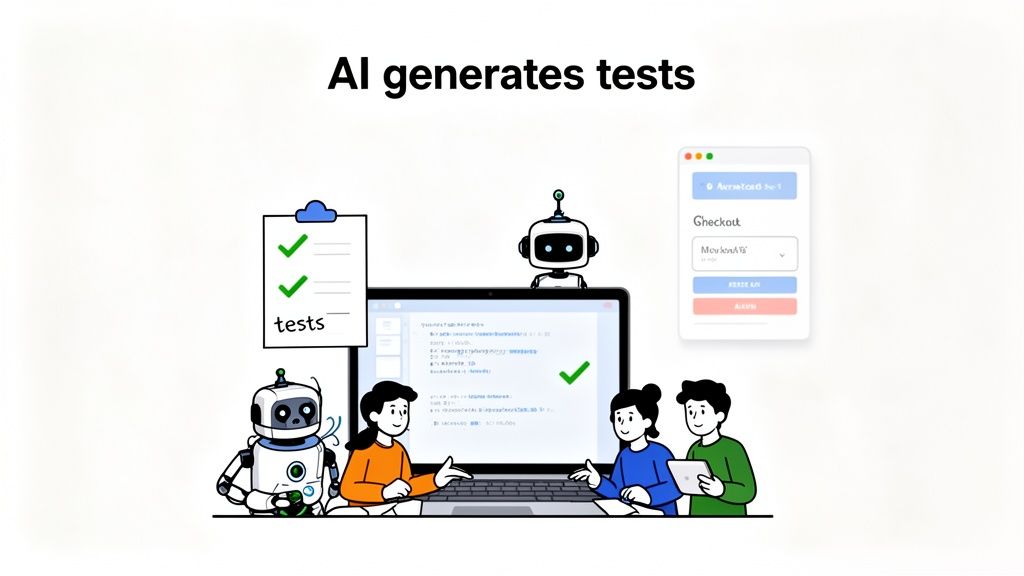
Each of these examples should feel familiar, highlighting how teams can finally get ahead of their quality assurance challenges by bringing AI into the fold.
Picture a fast-paced e-commerce team racing to launch a brand-new checkout process. The deadline is looming, and the user flow is a beast—it has multiple steps, tricky payment gateway integrations, and address validation logic. With a traditional framework, scripting the necessary end-to-end tests would tie up a senior engineer for days, maybe even a full week.
Instead, the product manager opens up their AI testing tool and just types out what they need in plain English:
“Create a test where a new user adds three specific items to their cart, proceeds to checkout, enters valid shipping and payment information, applies a discount code, and successfully completes the purchase.”
In just a few minutes, the AI spits out a complete, multi-step test case covering that entire critical path. It figures out which UI elements to interact with, fills out the forms correctly, and adds the right assertions to confirm each step worked. From there, the team can quickly generate variations for edge cases like failed payments or invalid discount codes, achieving full test coverage in hours, not days.
Now, let’s think about a team working on a mature SaaS application. Every time they ship a new feature, they live with the fear of regression—the risk that a small change broke something completely unrelated. Their manual regression testing is slow, costs a fortune, and simply can’t cover every nook and cranny of the app.
This team decides to turn an AI agent loose on the problem. They give it a straightforward command: “Explore the application and test all core user management functionalities.” The AI gets to work, systematically navigating the application on its own.
It behaves like a super-thorough new user, clicking every button, exploring every menu, and poking at every form tied to user profiles, permissions, and settings. In the process, it uncovers a subtle but critical bug: changing a user’s role from ‘Admin’ to ‘Editor’ doesn’t actually revoke their access to certain admin-only dashboards. This was an edge case the manual process had missed for months.
Of course, you still need a human in the loop. By validating the tests generated by AI, teams build an incredibly strong defense against regressions. To dig deeper into this, check out our guide on the best practices for validating AI-generated test cases in software development.
Finally, imagine a team building a travel booking platform. One of their most critical user journeys involves searching for flights, filtering by multiple criteria (stops, airline, price), picking a flight, adding passenger info, and choosing seats. It’s an absolute nightmare to script manually because the flight data and seat maps are constantly changing, which makes hardcoded tests incredibly brittle.
Using an AI testing tool, the QA lead simply describes the high-level journey. The AI is smart enough to handle the app’s dynamic nature. It isn’t stuck relying on fragile selectors that break the moment the data updates. Instead, it understands the intent—“select the cheapest non-stop flight”—and adapts its actions based on the real-time data it sees on the screen.
When the seat map pops up, the AI can follow an instruction like “select an available window seat,” even if the specific seat number is different every single time. This resilience allows the team to build rock-solid tests for their most complex and valuable user flows, ensuring the booking experience works perfectly for every customer.
Bringing an AI testing tool on board doesn’t have to mean a massive overhaul of your entire QA process. In fact, the most successful teams don’t go for a big-bang revolution; they take an iterative approach. Think of it like bringing a new specialist onto the team—you’d start them on a small, well-defined project to see how they work before handing them the keys to the kingdom. This way, you can show real value quickly and build momentum for a wider rollout.
The real goal here is to make AI in automation testing a natural part of your CI/CD pipeline. You want those new AI-generated tests to run automatically with every single code commit, right alongside your existing unit and integration tests. This creates an intelligent, rapid feedback loop that helps developers catch bugs just moments after they happen, long before they ever see the light of day in production.
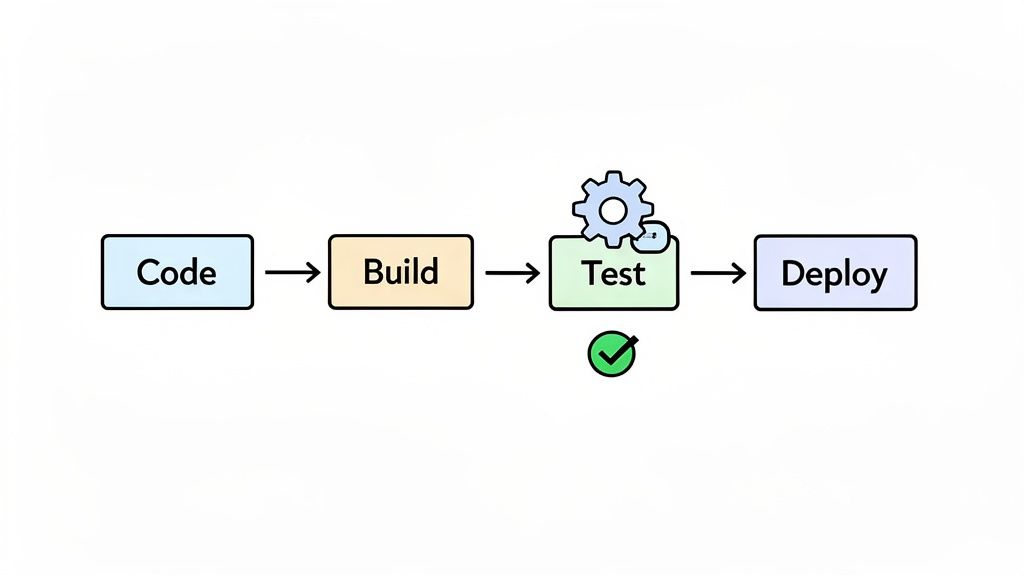
This isn’t just a tactical move; it’s a strategic one. The global automation testing market was valued at USD 32.70 billion in 2024 and is expected to explode to USD 129.27 billion by 2033, according to market analysis from IMARC Group. This growth is fueled by the never-ending pressure to ship better software, faster.
Your first move should be to pick a small, high-impact pilot project. Don’t go for your most complex, mission-critical workflow right out of the gate. Instead, choose a well-understood user journey that either lacks solid automation coverage or is a notorious source of manual testing headaches.
Some great candidates for a pilot project are:
Starting small gives you a controlled environment to learn the tool, prove its worth to stakeholders, and build a solid business case for expanding its use.
A pilot project isn’t just about testing the tool. It’s about testing your team’s ability to adopt it. A successful pilot proves not only that the AI works, but that it makes your team faster and more effective.
As you expand beyond the pilot, you’ll likely run into a few common roadblocks. Planning for these ahead of time will save you a lot of grief. One of the biggest challenges is simply managing test data. Your AI-powered tests need consistent, reliable data to run against in different environments, from development and staging all the way to production.
Another hurdle is making sure the feedback developers get is fast and actionable. If the AI tests are slow or the failure reports are cryptic, developers will start ignoring them. Your integration needs to be set up to deliver crystal-clear reports that pinpoint the exact reason a test failed. For a more detailed look at this, check out our guide on how to integrate AI into your quality assurance strategy effectively.
Once your pilot is a proven success and you’ve smoothed out the initial bumps, it’s time to scale. This is where you’ll really start to see the power of having AI in your pipeline. The key is to follow a methodical path to ensure everyone gets on board and you get the maximum impact.
Here are a few steps to help you scale effectively:
By following this roadmap, you can turn AI from a niche tool into a core part of how your organization builds quality software, empowering everyone to ship better products, faster.
Of course. Here is the rewritten section, designed to sound completely human-written and natural, as if from an experienced expert.
It’s smart to be skeptical of any new technology, especially one as game-changing as AI. When we talk about bringing AI into automation testing, engineering teams rightly want to cut through the noise and understand what it means for them day-to-day. Let’s tackle the big questions we hear all the time.
This isn’t about hype. It’s about how this shift really impacts your team, your workflow, and ultimately, the quality of your product.
This is always the first question, and the answer is a firm no. AI isn’t here to replace QA professionals. It’s here to make them more powerful.
Think of an AI testing tool as a tireless assistant that handles the most monotonous parts of the job—like writing boilerplate script code or fixing tests every single time the UI gets a minor tweak. This frees up engineers to focus on what humans do best. Their role gets elevated from script mechanic to quality strategist.
Instead of getting bogged down in maintenance, they can redirect their expertise toward much higher-value work:
By taking over the tedious work, AI actually makes QA engineers more valuable, not obsolete. The job shifts from manual scripting to strategic quality ownership, letting them make a much bigger impact.
Reliability is a huge concern, and rightly so. Anyone who has dealt with a brittle, flaky test suite knows the pain of constant false alarms. The dependability of AI-generated tests really comes down to the intelligence of the platform you choose.
The biggest advantage here is self-healing. Traditional tests break because they rely on rigid locators. A developer changes a button’s ID, and the test immediately fails. An AI, on the other hand, understands context. It knows the button’s purpose, its text, and its location relative to other elements on the page. When the button changes, the AI can still find it.
This makes AI-generated tests far less fragile than their hand-coded counterparts. They’re built to handle the constant change of a modern web app, which means you get a stable, trustworthy signal in your CI/CD pipeline. The result? Fewer late-night alerts and more genuine confidence in your releases.
With so many tools popping up, picking the right one can feel overwhelming. My advice is to ignore the buzzwords and focus on a few practical things that matter to your team.
The best way to decide is to run a small proof-of-concept (POC). Pick a single feature in your app and have two or three tools build tests for it. Nothing beats a hands-on comparison for seeing which one will actually make your life easier.
That’s a total myth. While big enterprises certainly get a lot out of AI, you could argue these tools are even more valuable for startups and smaller teams.
Large companies often have entire teams of dedicated automation engineers to manage complex frameworks. Most smaller organizations just don’t have that luxury. Setting up traditional test automation is a massive upfront investment of time and specialized skill.
AI in automation testing completely flattens that barrier. A small team can get comprehensive end-to-end test coverage without hiring a specialist or sinking months into building a framework from scratch. It levels the playing field, giving startups the kind of quality assurance that used to be reserved for the big players. For a small team trying to move fast, that’s a massive advantage.
Ready to see how an AI-powered QA agent can accelerate your testing process? TestDriver helps your team generate robust end-to-end tests from simple prompts, cutting down on maintenance and expanding coverage. Get started and build more reliable software, faster. Learn more at TestDriver.
Implement risk based testing to focus your QA efforts. Learn a step-by-step process to identify, prioritize, and automate tests for critical user flows.
Learn how to master testing website in different browsers with practical strategies, automation tips, and real-world debugging insights.
Discover what automated regression testing is and how to implement it. Learn key strategies for CI/CD, test selection, and measuring real business impact.
Master the art of testing websites on different browsers. This guide covers how to build a testing matrix, write robust tests, and fix bugs efficiently.
TestDriver runs every pull request in a real desktop sandbox, finds bugs, and builds regression tests - right from your repo.