AI in Test Automation Explained
Discover how AI in test automation is revolutionizing QA. Learn practical strategies, benefits, and implementation steps to build a smarter testing process.
Discover how ai in testing automation improves QA with practical steps, proven techniques, and ROI insights to accelerate smarter testing.
Automate and scale manual testing with AI ->
At its core, AI-driven test automation uses artificial intelligence and machine learning to build a smarter, faster, and more adaptive testing process. It’s a huge leap beyond simple scripts, creating tests that can learn, heal, and reason on their own. This fundamentally changes how we approach software quality by cutting down on manual effort and tackling the inherent brittleness of old-school automation.
If you’ve spent any time with traditional test automation, you know the frustrating routine. You pour hours into writing a script, it runs perfectly for a while, and then a minor UI tweak breaks the whole thing. It’s like building a train on a fixed track—it’s reliable as long as the path is perfectly clear, but the smallest obstacle brings it to a screeching halt. This endless cycle of writing, breaking, and fixing scripts burns up valuable time and creates a massive bottleneck.
This is exactly where the move to AI in testing automation makes such a difference. Instead of that rigid train, think of a smart, self-driving car. It knows its destination (the test goal), but it can adapt its route on the fly to navigate traffic, road closures, and other surprises. AI-driven testing works on the same principle, using its intelligence to handle application changes without needing constant human intervention.
To really get a handle on its impact, it helps to understand the broader concept of AI automation and how these principles apply well beyond just testing. This new approach directly confronts the core pain points that have frustrated QA teams for years.
In today’s fast-paced development cycles, traditional methods just can’t keep up. It’s no surprise, then, that the adoption of AI in test automation has surged, more than doubling from just 7% of teams in 2023 to a projected 16% by 2025. This growth signals a clear industry shift toward smarter solutions that can handle modern software complexity. You can dive deeper into these trends and see the full report on test automation statistics.
To see how much things have changed, let’s compare the two approaches side-by-side.
Here’s a quick look at the core differences between the script-based automation we’re used to and the modern, AI-powered approach that’s taking over.
| Aspect | Traditional Automation | AI-Driven Automation |
|---|---|---|
| Test Creation | Manual scripting, often complex and time-consuming. | Automated test generation based on user flows or simple prompts. |
| Maintenance | High; scripts are brittle and break with UI changes. | Low; tests self-heal by adapting to changes in element locators. |
| Test Scope | Limited by the time and effort needed to write scripts. | Expansive; can discover and test edge cases humans might miss. |
| Flakiness | High; prone to failures from timing issues or minor changes. | Low; intelligently handles dynamic content and environmental factors. |
| Human Role | Scriptwriter and maintenance engineer. | Quality strategist who guides and validates the AI. |
As you can see, the table really highlights the fundamental shift. We’re moving away from a model where engineers meticulously code every single action. Instead, we’re heading toward a future where we define the intent, and the AI handles the “how.”
We’ve covered the “why” of bringing AI into testing, so let’s get into the “how.” Forget the dense technical jargon for a moment. The best way to understand these techniques is through simple, real-world analogies. At its core, AI gives our testing a brain, turning rigid, fragile scripts into smart, adaptive partners in quality assurance.
This isn’t just a futuristic concept; it’s already paying dividends. For 39% of teams, AI-driven test automation is delivering a major efficiency boost. On top of that, 37% are seeing better test maintenance, and 22% are finding it easier to predict defects. These aren’t just vanity metrics—they represent real speed and quality gains in markets where every single release matters.
The diagram below helps visualize how all these AI capabilities work together, making the entire testing process more autonomous, resilient, and adaptive to change.
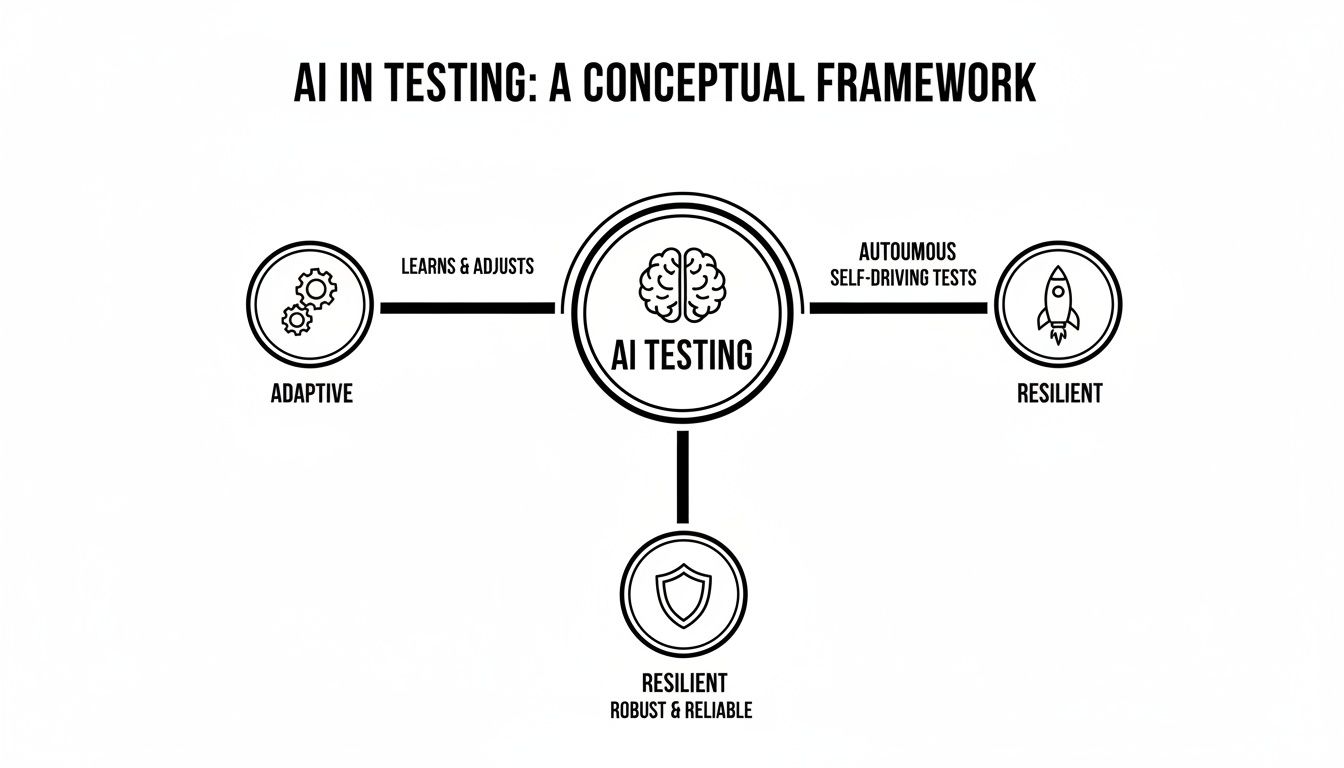
As you can see, AI isn’t just one thing. It’s a collection of smart features that work together to make your tests more robust and less likely to break when your application evolves.
Imagine you’re an explorer tasked with mapping a brand-new continent. The old way is to stick to the well-trodden paths, which means you’d miss all the hidden canyons and faster river routes. That’s what traditional test scripting is like—you only test the user flows you already know exist.
Autonomous test generation, on the other hand, is like giving your explorer an AI-powered drone. It can survey the entire landscape from above, discovering paths and user journeys you never would have thought to look for. By analyzing your application’s layout and how real users interact with it, the AI automatically creates a comprehensive set of test cases.
This autonomous discovery is a massive leap forward for test coverage. Instead of painstakingly writing scripts for every button click, you can let the AI build a solid test suite that handles both the expected and the completely unexpected user behaviors. It’s a huge time-saver right from the start. If you’re curious about the software making this happen, it’s worth checking out some of the leading AI automation tools on the market.
Think of your GPS. If a road ahead is closed for construction, it doesn’t just give up. It instantly finds you a new route. Now, compare that to an old paper map—once that road is closed, your map is officially useless. Traditional test scripts are like that paper map.
This is where self-healing tests change everything. The moment a developer changes a button’s ID or shifts an element on the page, old-school automation scripts break. An AI-powered system, however, acts like that smart GPS. It sees the change, looks at other clues—like the element’s text, position, or nearby elements—and figures out what the developer intended. It adapts the test on the fly, preventing a failure. This resilience practically eliminates the constant, frustrating maintenance that makes traditional automation so brittle.
Picture a busy emergency room. The triage nurse doesn’t just treat patients in the order they walk through the door. They quickly assess everyone and prioritize the most critical cases first. Running your entire suite of thousands of regression tests for a tiny code change is like making a heart attack patient wait behind someone with a paper cut. It’s slow and wildly inefficient.
AI-driven test case prioritization is the smart triage nurse for your test suite. It analyzes past test results, code changes, and bug reports to predict which tests are most likely to fail or uncover a critical problem right now. This lets your team run a small, targeted batch of high-impact tests first, giving developers feedback in minutes, not hours. It’s all about finding the most important bugs faster and keeping the CI/CD pipeline flowing smoothly.
Putting theory into practice is where most teams get stuck when adopting AI in testing automation. The trick isn’t a massive, all-or-nothing overhaul. It’s a measured, step-by-step approach that proves its worth quickly and builds momentum along the way. The goal here is to make the process less intimidating, sidestep the usual pitfalls, and show real results from day one.
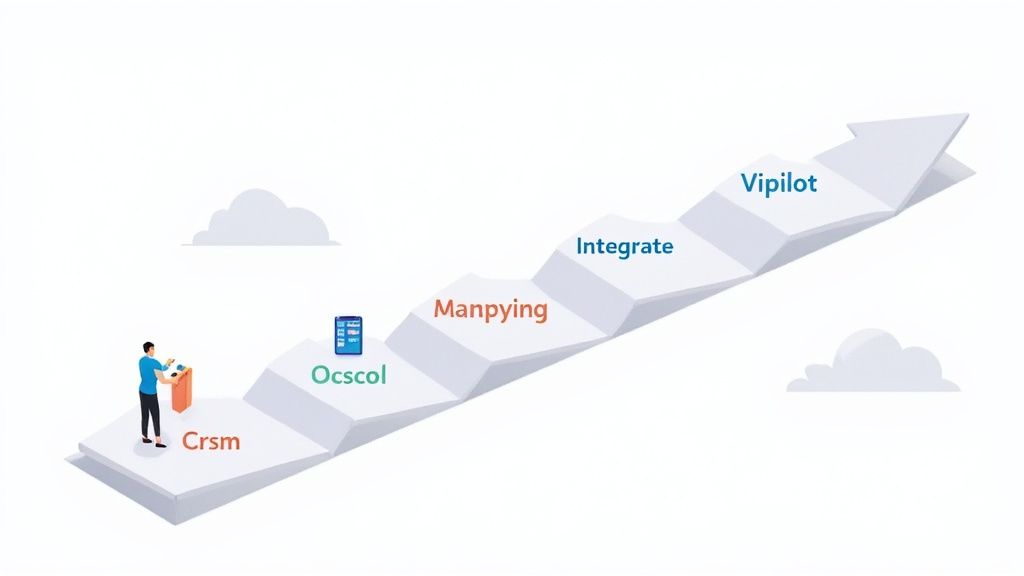
The most successful rollouts all follow a simple mantra: Start small, prove value, then scale. This means you have to resist the temptation to throw AI at everything at once. Find one specific, high-pain area and use it as your proving ground for new tools and workflows.
Your first move is to pinpoint a small but meaningful area where your current automation is falling short. This is absolutely not the time to take on your most complex, mission-critical workflow. You’re looking for a pilot project with obvious pain points and outcomes you can actually measure.
Good candidates often look like this:
The goal isn’t to revolutionize your entire QA department overnight. It’s to score a quick, undeniable win that builds confidence and gets stakeholders on your side.
Once you’ve picked your pilot, it’s time for a focused proof of concept (PoC). This is where you choose a promising AI tool and point it directly at the problem you identified. Let’s walk through a quick workflow for a hypothetical e-commerce app.
Scenario: A development team is launching a new “quick add to cart” button on the main product listing page.
This self-contained experiment gives you hard data on how fast you can create tests, how much maintenance you’re saving, and how reliable the tests really are. For teams looking to flesh out their own plan, our guide on how to integrate AI into your quality assurance strategy effectively provides much more detail.
Key Takeaway: The whole point of a PoC is to produce hard data. Track everything: time-to-create a new test (before vs. after), the number of flaky test failures you eliminated, and the percentage of UI changes the AI handled on its own.
With a successful pilot under your belt, you now have the ammunition to start scaling. Use the insights and metrics from your PoC to build a solid business case for a wider rollout. This phase is all about making your new workflow the standard and expanding its use across more teams and projects.
A great way to structure this is with a simple, phased framework that takes you from early assessment to full deployment.
| Phase | Objective | Key Activities | Success Metric |
|---|---|---|---|
| 1: Assess & Pilot | Identify a high-pain area and prove AI’s value with a small-scale PoC. | Select pilot project. Define success metrics. Run PoC with 1-2 AI tools. | 50% reduction in test creation time for the pilot feature. |
| 2: Educate & Equip | Build internal knowledge and equip the core team with the necessary skills. | Document best practices from the PoC. Hold training workshops for the QA team. | 80% of QA team members trained on the new AI tool. |
| 3: Expand & Integrate | Apply AI automation to a broader set of critical application features. | Integrate AI tools into the standard CI/CD pipeline. Target 2-3 more high-value areas. | 30% reduction in regression suite maintenance hours. |
| 4: Optimize & Govern | Refine workflows, establish governance, and measure ongoing business impact. | Create a center of excellence (CoE). Monitor AI performance and ROI. | Consistent release velocity with a <5% flaky test rate. |
Following a structured plan like this turns the intimidating challenge of adopting AI in testing automation into a manageable, value-driven process. It’s a practical path to modernizing how you approach quality and, more importantly, keeping up with the speed of development.
Let’s be honest, bringing any new tool into your workflow, especially something like AI, means you have to prove its worth. The promise of “smarter testing” sounds great, but your stakeholders want to see the numbers. How do we get beyond the buzzwords and show the real, tangible value AI brings to the table?
It really boils down to tracking the right metrics. Forget vague goals like “improving efficiency.” We need to focus on specific, measurable Key Performance Indicators (KPIs) that tell a clear story. These numbers become your proof points, building a solid business case that shows exactly how AI is making a difference.
To build that compelling case, you don’t need a dozen different charts. Just focus on a few high-impact metrics that tackle the biggest headaches of traditional automation. These KPIs are easy to track and tell a powerful story of improvement.
Nailing these core areas gives you a crystal-clear snapshot of AI’s impact. For a more detailed guide on setting these up, check out our article on how to define effective KPIs for your QA team in the age of GenAI.
Let’s put this into a real-world context. Picture a team drowning in a brittle regression suite for their e-commerce app. Before AI, their weekly reality probably looks something like this:
Before AI Implementation:
Now, fast forward three months after they’ve introduced an AI testing tool like TestDriver. The picture changes completely.
After AI Implementation (3 Months Later):
This isn’t just a hypothetical scenario. It’s what happens when AI gets to work. Industry-wide, 46% of teams report better efficiency, 35% are creating more realistic test data, and 27% see less dependence on manual testing. You can dig into more of these numbers in the full State of Testing 2025 report.
This simple “before and after” snapshot is the most powerful tool you have. It translates the technical capabilities of AI in testing automation into the language everyone understands: saving time, cutting costs, and shipping a better product, faster. The data speaks for itself.
Bringing any new technology into the fold has its growing pains, and AI in testing automation is certainly no exception. The promise is huge, but a smooth transition means being honest about the real-world hurdles your team will likely face. If you ignore these potential roadblocks, you’re setting yourself up for frustration and stalled progress.
One of the biggest hang-ups is the “black box” problem. Some AI tools operate like a mystery, spitting out tests or making decisions without showing their work. This lack of transparency makes it incredibly difficult for QA engineers to trust the results or figure out what went wrong, leaving them feeling like they’ve lost control over the quality process.
The trick is to find tools that value clarity and give engineers a look under the hood to see why the AI made a certain choice. This builds confidence and turns the AI from a mysterious black box into a reliable partner.
The other major challenge is the learning curve and the cultural shift that comes with it. Teams that are used to meticulously writing every line of a test script have to embrace a whole new way of thinking—one that’s more about defining goals and reviewing what the AI produces. It’s not just about learning a new interface; it’s about learning to trust a new process.
And while the long-term payoff is significant, the road there isn’t always smooth. In fact, 18% of teams report seeing no immediate gains from AI, and another 17% find it tough to make sense of the results from their tools. These stats, highlighted in a comprehensive 2025 testing report, underscore just how critical a smart implementation plan, proper training, and realistic expectations really are.
Expert Insight: The real shift is from thinking of QA as a scriptwriter to an AI overseer. The most valuable skill is no longer coding syntax but critical thinking—questioning the AI’s output, spotting gaps, and steering the tool toward better test scenarios.
This transition takes patience and a real commitment to helping your team grow. The teams that truly invest in training and embrace this new role are the ones who will unlock the full potential of AI.
Getting AI adoption right often comes down to sidestepping the common pitfalls that can sink your efforts before they even get off the ground. Knowing what to watch out for can clear the path for a much smoother implementation.
Here are a few of the most common blunders teams make when they bring AI into their testing workflow:
As we look ahead, it’s clear that AI in testing automation is moving from a helpful assistant to a true partner. The debate isn’t if AI will be part of quality assurance anymore, but how deeply it will reshape the entire field. We’re stepping into a new era where intelligent systems don’t just follow orders—they actively help make decisions about quality.

This evolution is pushing us toward concepts like ‘Agentic AI’. Think of an AI agent that goes far beyond running a predefined test suite. Instead, it might analyze project risks, digest new feature requirements, and then build a complete testing strategy on its own. It would decide what needs testing, how deep to go, and what to prioritize—all based on real-time data and project goals.
This change completely redraws the job description for QA professionals. The tedious work of writing and fixing fragile test scripts will eventually become a thing of the past. In its place, a more strategic role is taking shape: the AI Quality Strategist. This person won’t be replaced by AI; they’ll be amplified by it.
Their focus will shift from hands-on execution to high-level strategy and oversight. The new core responsibilities will look something like this:
This partnership is where the magic happens. While AI takes care of the repetitive, data-heavy lifting, human experts can pour their energy into creative and strategic work that brings far more value. Our guide on the importance of human-centric testing in the age of AI dives deeper into this dynamic.
The key takeaway is this: AI isn’t here to replace human testers. It’s a powerful collaborator that supercharges their skills, letting them think and work at a strategic level we could only dream of before. This partnership is how we’ll deliver incredible software quality from now on.
Looking ahead, the momentum is undeniable. With 72.3% of teams already trying out or using AI-driven testing, many experts believe agentic AI will be mainstream by 2026. This will be a game-changer for the 46% of teams that already automate half their testing, pushing QA roles away from repetitive tasks and toward AI oversight. To see more data on this shift, check out these emerging trends in AI testing. Getting on board with this collaborative future isn’t just a good idea—it’s what it will take to stay competitive and deliver the amazing software experiences users have come to expect.
Even with a solid plan, jumping into AI in testing automation is bound to bring up some questions. What does this mean for our team? Where do we even begin looking for a tool? What roadblocks should we expect? Let’s tackle some of the most common questions teams have when they start exploring this space.
Think of this as a practical guide to help you navigate the real-world challenges and get started on the right foot.
No, but it will absolutely change their job—for the better. The goal of AI isn’t to make human testers obsolete; it’s to take over the tedious, repetitive work that burns them out. Think of all the time spent on mundane regression checks or mind-numbing test script generation. AI is brilliant at that stuff.
This frees up your QA pros to focus on what humans do best:
The role is evolving into something more like an “AI Quality Strategist.” You’re not just writing scripts anymore; you’re training, guiding, and double-checking the AI’s work to make sure it aligns with real business goals. It’s a partnership, not a pink slip.
Honestly, it’s the people part. The biggest hurdle is almost always the cultural shift and the learning curve that comes with it. If your team has spent years living and breathing a script-first mindset, learning to trust an AI to make smart decisions can feel unnatural at first. You’re bound to run into some skepticism.
The best way to get past this is to prove the value, fast. Pick a small, contained pilot project where you can show a clear win. Nothing builds confidence like taking a notoriously flaky test suite and using an AI tool to slash its maintenance time. A concrete, measurable success story is your best bet for getting everyone on board.
Beyond that, invest in training. Choose a tool that doesn’t operate like a black box—the more your engineers can see why the AI made a certain decision, the faster they’ll learn to trust it.
Don’t chase the buzzwords. The right tool is the one that solves your team’s most painful problem right now. Start by figuring out what that is. Are flaky tests killing your CI/CD pipeline? Is test creation so slow that your coverage is suffering? Is maintenance a full-time job? Once you know the problem, you can find a tool designed to fix it.
As you evaluate your options, keep these key factors in mind:
The gold standard is to run a proof-of-concept (PoC). Pick two or three promising tools and pit them against each other on a real project. This is the only way you’ll know for sure which one delivers the best results and feels right for your team.
Ready to see how an AI agent can accelerate your QA process? With TestDriver, you can generate robust end-to-end tests from a simple prompt, cutting down maintenance and expanding your test coverage in minutes. Start building smarter tests today.
Discover how AI in test automation is revolutionizing QA. Learn practical strategies, benefits, and implementation steps to build a smarter testing process.
Implement risk based testing to focus your QA efforts. Learn a step-by-step process to identify, prioritize, and automate tests for critical user flows.
Discover what automated regression testing is and how to implement it. Learn key strategies for CI/CD, test selection, and measuring real business impact.
Discover how AI in automation testing is revolutionizing QA with smart test generation, self-healing scripts, and visual validation to accelerate workflows.
TestDriver runs every pull request in a real desktop sandbox, finds bugs, and builds regression tests - right from your repo.