A Practical Guide to Quality Assurance in Software Development
Discover how quality assurance in software development works. Learn modern QA processes, key testing types, and how AI is revolutionizing software delivery.
Discover 10 automated software testing best practices for 2026. This guide covers CI/CD, test design, and AI-driven strategies for modern QA teams.
Automate and scale manual testing with AI ->
In today’s rapid development cycles, a reactive or poorly structured testing strategy is a direct path to production failures and team burnout. Teams that rely on outdated, manual-heavy processes or brittle, unmaintainable test suites find themselves trapped in a cycle of flaky tests, slow feedback loops, and escalating maintenance costs. The pressure to ship code quickly often widens the gap between development and quality assurance, turning testing into a bottleneck rather than a catalyst for confident releases. Bridging this gap requires a modern, strategic approach grounded in proven principles.
This guide outlines ten essential automated software testing best practices designed to transform your quality assurance process from a late-stage gatekeeper into a fully integrated, strategic advantage. We will move beyond generic advice and provide actionable strategies that high-performing engineering teams use to build resilient, high-quality software. You will learn how to implement these techniques, from shifting testing left into the earliest development stages to building a balanced test portfolio and managing test data effectively.
Each practice is a critical component of a robust automation framework that improves reliability, accelerates delivery, and reduces the long-term cost of quality. These aren’t just theories; they are practical, battle-tested principles that provide a clear roadmap to testing excellence. We will explore how you can apply them immediately and how an AI-driven agent like TestDriver can accelerate or simplify each step, helping your team focus on building great products instead of debugging failing tests.
The traditional model of software development often treats testing as a final gate before release, a distinct phase handled exclusively by a QA team. Shift left testing flips this model on its head. It is a core practice in modern automated software testing that integrates quality assurance activities much earlier in the development lifecycle, embedding them directly into the coding and build stages. The primary goal is to identify and resolve defects as close to their point of introduction as possible.
This approach transforms testing from a late-stage verification activity into an ongoing, collaborative process. By catching bugs early, teams dramatically reduce the time and cost associated with remediation. A defect found in a developer’s local environment is exponentially cheaper to fix than one discovered in production by an end-user.
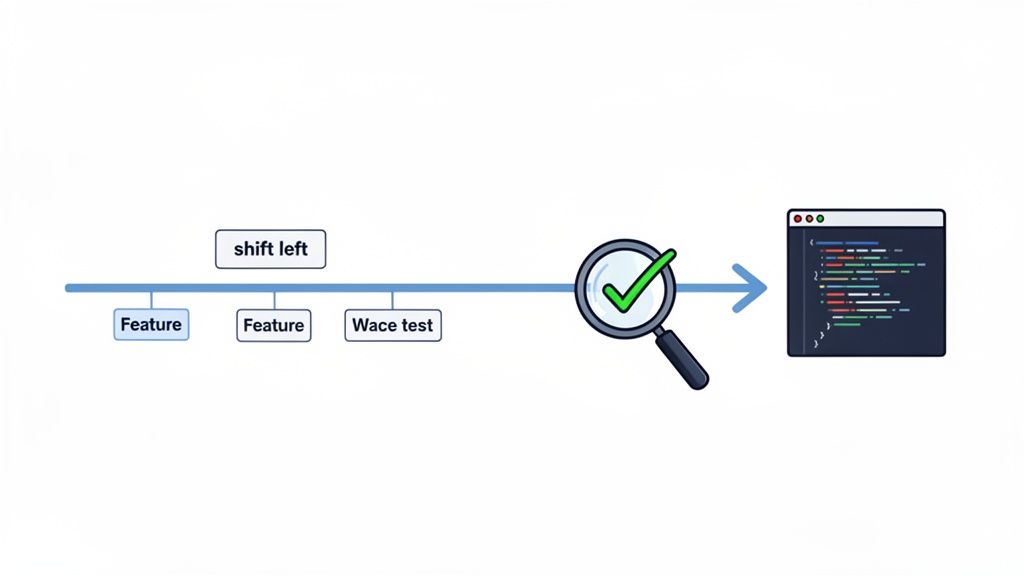
Shifting left is fundamental because it creates a rapid feedback loop for developers. Instead of waiting days or weeks for QA feedback, developers receive immediate validation that their changes haven’t introduced regressions. This continuous feedback fosters a culture of quality where developers take greater ownership of testing, leading to more robust and reliable code from the outset.
By adopting a shift-left mindset, teams make quality a shared responsibility, accelerate delivery cycles, and build more resilient software. For a deeper dive into this methodology, you can explore more on applying the shift-left approach in software development.
An effective automated software testing strategy isn’t about running as many tests as possible; it’s about running the right tests at the right time. A comprehensive coverage strategy, often visualized as the “Test Pyramid,” advocates for a balanced distribution of tests across different layers of the application. The base is composed of a large volume of fast, isolated unit tests, the middle contains a smaller number of integration tests, and the top is reserved for a select few, high-value end-to-end (E2E) tests.
This layered approach is one of the most crucial automated software testing best practices because it optimizes for both speed and confidence. By catching most defects with rapid unit tests, teams get immediate feedback where it’s cheapest to fix issues. Slower, more complex integration and E2E tests are then used strategically to validate component interactions and critical user journeys, ensuring comprehensive coverage without creating a slow, unmanageable test suite.
A balanced test pyramid prevents over-reliance on slow and brittle end-to-end tests, which are notoriously expensive to write, run, and maintain. This structure creates a robust, fast, and cost-effective testing process. It ensures that simple logic errors are caught instantly at the unit level, while complex workflow failures are identified at the E2E level, providing the best return on investment for automation efforts. Companies like Google have famously championed this approach to maintain quality at scale.
Behavior-Driven Development (BDD) is a software development process that bridges the communication gap between technical teams and non-technical business stakeholders. It uses plain, human-readable language to describe application behavior from a user’s perspective, creating a shared understanding of requirements before any code is written. These descriptions, often written in a Gherkin syntax (Given-When-Then), act as executable specifications.
This practice elevates testing from a purely technical validation step to a collaborative design activity. By defining and automating tests based on expected user behaviors, teams ensure the software not only works correctly but also delivers the intended business value. It effectively transforms requirements into living documentation that is continuously validated through automated tests.
BDD is a cornerstone of modern automated software testing best practices because it anchors the entire development process to user outcomes. It minimizes ambiguity and rework by ensuring developers, QA, and product owners are aligned from the start. This alignment leads to fewer bugs rooted in miscommunication and creates a suite of automated tests that are easily understood by everyone, not just engineers. Companies like the BBC and Salesforce have successfully used BDD to validate complex user interactions and align their technical implementations with business goals.
Adopting BDD fosters a culture of collaboration and ensures that the software being built directly addresses business needs. For teams struggling with unclear specifications, learning more about effective strategies for testing with vague requirements can provide a valuable foundation.
Continuous Integration (CI) is a DevOps practice where developers frequently merge their code changes into a central repository, after which automated builds and tests are run. Continuous Testing extends this by embedding automated test execution into every stage of the CI/CD pipeline, providing immediate feedback on code quality and integration health. The core principle is to validate every change automatically, ensuring the software remains in a releasable state at all times.
This practice moves beyond simply running tests before a release; it makes testing an intrinsic part of the development workflow. Tests are triggered automatically on every commit, pull request, and before deployment, catching regressions and integration issues within minutes. This rapid validation loop prevents defective code from progressing through the pipeline, solidifying a high standard for quality and stability long before production.
Integrating testing directly into the CI pipeline is a cornerstone of modern automated software testing best practices because it acts as an automated quality gate. It provides the earliest possible warning that a change has broken existing functionality, preventing the “it works on my machine” problem. This constant validation builds confidence in the codebase, enabling teams like those at Netflix and Amazon to deploy changes to production multiple times per day without manual intervention. It makes quality a non-negotiable, automated checkpoint.
As automated testing suites grow, they can easily become a tangled web of inconsistent scripts, disparate tools, and duplicated effort. Test automation framework standardization establishes a unified approach to building, executing, and maintaining tests across an organization. It provides a common architecture, a set of best practices, and shared tooling that prevents test code from degrading into unmanageable technical debt.
This practice is not about restricting teams but empowering them with a stable, scalable foundation. When everyone follows the same patterns, onboarding new engineers becomes faster, collaboration between teams is simplified, and knowledge sharing happens naturally. It ensures that investments in automated software testing best practices yield long-term, maintainable assets rather than short-term, disposable scripts.
Standardization is crucial for scalability and long-term ROI. A well-defined framework with reusable components drastically reduces the time it takes to create new tests and makes the entire suite easier to update when the application under test changes. This consistency also simplifies integration with CI/CD pipelines, reporting dashboards, and other development tools, creating a cohesive, end-to-end quality process that is predictable and efficient.
Inconsistent or shared test data is a leading cause of flaky, unreliable automated tests. Effective test data management is a cornerstone of automated software testing best practices, ensuring each test runs in a clean, predictable, and isolated state. This practice involves creating the specific data a test needs before it runs and tearing it down afterward, guaranteeing that test outcomes are based solely on the application’s behavior, not on leftover data from a previous run.
The core principle is to make tests self-contained and independent. When tests share a mutable data source, one test’s failure can cascade, causing subsequent tests to fail for unrelated reasons. This creates noise, wastes debugging time, and erodes confidence in the entire test suite. Proper isolation, as seen in Stripe’s dedicated testing environments, is critical for achieving reliable and parallelizable test execution.
Isolating test data is fundamental to achieving reproducibility and stability. When a test creates and manages its own data, it can be run anytime, in any order, without external dependencies. This independence is essential for scaling test automation, especially in CI/CD pipelines where tests are often run in parallel to save time. Without it, teams face a constant battle against intermittent failures that are difficult to diagnose.
beforeEach and afterEach hooks in your testing framework to programmatically create necessary data and clean it up immediately after the test completes. This ensures no data artifacts are left behind.Users access applications from a staggering variety of devices, browsers, and operating systems. Cross-browser and device testing is the practice of verifying that an application functions consistently and correctly across this fragmented landscape. It ensures that differences in rendering engines, screen resolutions, and platform-specific behaviors do not degrade the user experience.
This practice is non-negotiable for any web-facing application aiming to reach a broad audience. It systematically uncovers compatibility issues, from CSS rendering glitches in Safari to JavaScript errors in an older version of Edge, that would otherwise alienate segments of the user base. Companies like Amazon and eBay rely heavily on this validation to guarantee a seamless experience for millions of users on thousands of device combinations.
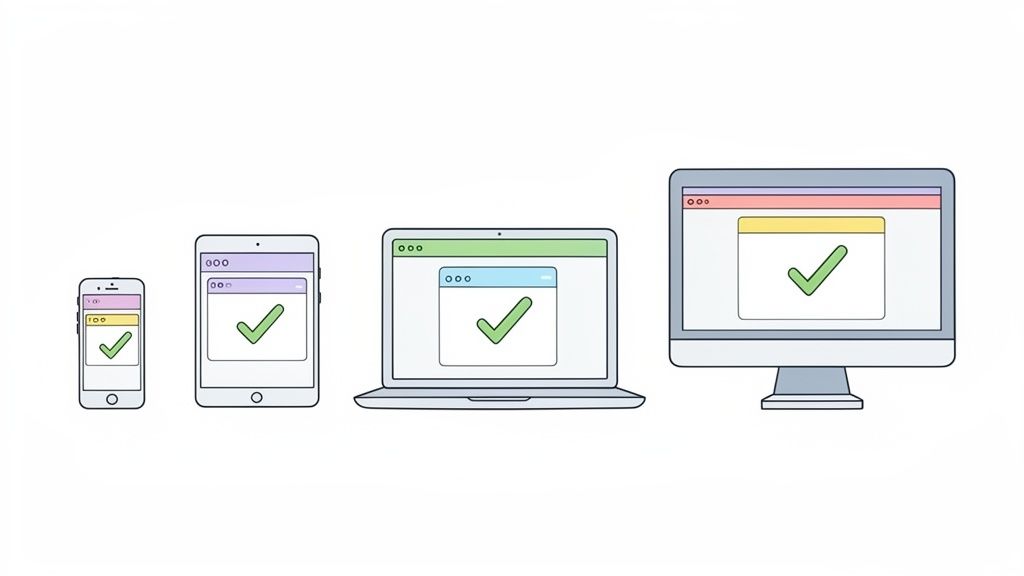
Comprehensive compatibility testing is a cornerstone of automated software testing best practices because it directly protects brand reputation and revenue. A broken checkout flow on a popular mobile browser can lead to immediate cart abandonment. This practice moves beyond the developer’s machine to validate the application in the real-world environments where actual users operate, ensuring a consistent and reliable experience for everyone, everywhere.
Passing tests confirm that things work, but failing tests provide the most valuable insights-if they are analyzed correctly. Comprehensive test failure analysis is the practice of transforming raw test results into actionable intelligence. It goes beyond a simple pass/fail status, providing development teams with the rich context needed to quickly identify root causes, differentiate between application bugs and test environment issues, and prioritize fixes effectively.
This process ensures that a test failure is not just noise but a clear signal for action. Effective reporting, complete with detailed logs, screenshots, video recordings, and network data, allows a developer to understand and reproduce an issue without spending hours on investigation. This is a critical component of any mature automated software testing best practices framework, as it directly shortens the feedback loop and accelerates debugging.
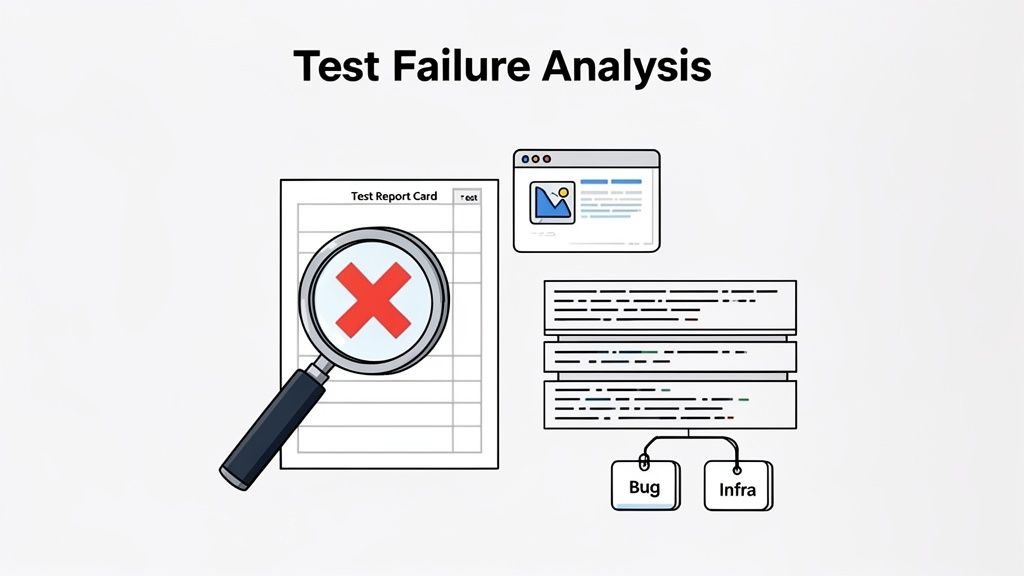
Poor failure analysis leads to wasted engineering time, developer frustration, and a loss of trust in the automation suite. When failures are ambiguous or difficult to reproduce, teams start ignoring them, allowing real bugs to slip through. By providing clear, context-rich reports, you empower developers to resolve issues swiftly, which maintains momentum and reinforces the value of automated testing as a crucial diagnostic tool rather than a source of friction.
Automated test suites, like any software project, are living assets that require ongoing care. Test maintenance and refactoring is the practice of treating test code with the same rigor and discipline as production code. This involves proactively cleaning, updating, and improving the test suite to prevent it from decaying into unmanageable technical debt. The goal is to ensure tests remain readable, reliable, and easy to update as the application evolves.
This approach acknowledges that poorly written tests become a liability. A brittle, bloated, or confusing test suite slows down development, erodes trust in automation, and ultimately costs more to maintain than the value it provides. By continuously refactoring, teams ensure their automation investment pays long-term dividends.
This is a critical best practice because it directly impacts the sustainability and ROI of an automation strategy. Without regular maintenance, test suites accumulate cruft, become tightly coupled to outdated UI elements, and grow increasingly flaky. Proactive refactoring reduces the maintenance burden, makes tests easier for new team members to understand, and ensures the suite can adapt to application changes efficiently, a discipline championed by organizations like Google that treat test code as first-class code.
In an ideal world, every line of code would be tested exhaustively. In reality, time and resources are finite. Risk-based testing offers a pragmatic solution by strategically allocating effort to the areas where failures would have the most severe consequences. This approach prioritizes test automation based on the business impact and likelihood of defects, ensuring that the most critical functionalities receive the most attention.
This methodology moves away from the goal of 100% test coverage, which is often impractical and yields diminishing returns. Instead, it focuses on maximizing risk reduction. For example, an e-commerce platform would dedicate significantly more testing resources to its payment gateway and checkout process than to the “About Us” page, as a failure in the former has a direct and immediate impact on revenue.
Risk-based testing is a cornerstone of efficient automated software testing best practices because it optimizes resource allocation for maximum impact. It ensures that your most valuable engineering time is spent protecting the most critical user journeys and business functions. This leads to faster feedback on high-stakes changes, reduces the chance of catastrophic failures in production, and provides a clear, justifiable rationale for your testing strategy to business stakeholders.
| Approach | 🔄 Implementation complexity | ⚡ Resource requirements | 📊 Expected outcomes | ⭐ Key advantages | 💡 Ideal use cases / tips |
|---|---|---|---|---|---|
| Shift Left Testing - Early Test Integration in Development | Medium–High; requires cultural shift and automation | Moderate–High; CI/CD tooling and developer time upfront | Fewer production bugs, faster feedback, lower remediation cost | Early defect detection; higher developer confidence | Start with critical paths; automate in CI; use AI to generate tests |
| Comprehensive Test Coverage Strategy - Balancing Unit, Integration, and E2E | High; coordination across multiple test layers | High; varied tools and maintenance across levels | Efficient bug detection with manageable E2E reliance | Optimized test pyramid; clear accountability per layer | Define level ratios; focus E2E on critical flows; track coverage |
| Behavior-Driven Development (BDD) - Aligning Tests with Business | Medium; needs stakeholder collaboration and training | Low–Moderate; tooling plus stakeholder time | Clear executable specifications and living documentation | Bridges business and tech; readable, verifiable scenarios | Write concise user-focused scenarios; run collaborative workshops |
| Continuous Integration & Continuous Testing - Automated Validation | High; mature pipelines and test reliability required | High; robust CI infra, parallel execution, artifact storage | Minute-level validation; prevents regressions reaching production | Fast feedback loops; enforces quality gates in pipeline | Fail fast (unit first), parallelize tests, integrate test generation |
| Test Automation Framework Standardization - Consistency & Maintainability | Medium; initial standardization effort and governance | Moderate; shared libraries, training, centralized tooling | Consistent, maintainable test suites across teams | Reusable patterns; easier onboarding and maintenance | Document standards, provide shared utilities, review regularly |
| Test Data Management & Isolation - Reliable Independent Execution | Medium–High; data setup, privacy, and isolation complexity | Moderate; snapshots, builders, storage, CI integration | Stable reproducible tests; enables safe parallel runs | Reduces flaky tests due to data; simplifies debugging | Use data builders, DB snapshots, per-test isolation, automate cleanup |
| Cross-Browser & Device Testing - Compatibility Validation | High; many environment permutations to manage | High; device farms or cloud services and increased runtime | Detects environment-specific issues; ensures consistent UX | Broad user coverage; visual regression detection | Prioritize by analytics, use cloud labs, focus E2E on top combos |
| Test Failure Analysis & Reporting - Actionable Intelligence | Medium; requires analytics and integrations | Moderate; storage for logs/screenshots/video and tooling | Faster root-cause identification; fewer false-positives | Context-rich failures; flakiness detection and trends | Capture logs/screenshots/video, integrate with trackers, use AI for triage |
| Test Maintenance & Refactoring - Keeping Tests Sustainable | Medium; ongoing discipline and review processes | Low–Moderate; developer time, linters, CI checks | Reduced test debt; easier test updates and reliability | Cleaner, DRY test code; lower long-term costs | Apply code-review standards to tests; schedule audits; use AI helpers |
| Risk-Based Testing & Prioritization - Strategic Allocation | Medium; needs business alignment and risk modeling | Low–Moderate; analytics, stakeholder input, prioritization tooling | Maximizes defect detection where impact is highest | Efficient focus on critical areas; data-driven testing | Map risk to coverage, run high-risk tests first, update assessments regularly |
The journey from understanding automated software testing best practices to embedding them into your team’s DNA is a marathon, not a sprint. We’ve explored a comprehensive roadmap, from the foundational principle of Shift Left Testing to the strategic focus of Risk-Based Prioritization. Each practice represents a crucial pillar in building a robust, efficient, and scalable quality assurance process. The goal isn’t to implement every single one overnight but to begin a cultural transformation where quality becomes a shared, proactive responsibility.
Think of these principles not as a rigid checklist but as a flexible toolkit. Your team’s most pressing challenge might be flaky tests, making Test Data Management and Isolation your immediate priority. Another team might be struggling with a disconnect between technical implementation and business value, pointing to Behavior-Driven Development (BDD) as the perfect starting point. The power of these practices is unlocked when they are applied thoughtfully to solve specific, real-world problems.
The core message woven through all these best practices is a move away from reactive, end-of-cycle bug hunting toward proactive, continuous quality engineering. This shift has a profound impact:
The landscape of software testing is evolving rapidly. The principles we’ve discussed remain timeless, but their implementation is becoming smarter and more efficient. The rise of AI-driven tools is a game-changer, automating the more tedious aspects of test creation, analysis, and maintenance. This allows engineers to elevate their focus from writing boilerplate script code to designing high-level test strategies and interpreting complex results.
By adopting these automated software testing best practices, you are not just improving your QA process; you are building a competitive advantage. You are creating a system that enables your team to deliver higher-quality software to your users faster and more reliably. Start by identifying one or two key areas for improvement, secure team buy-in, and begin the iterative process of turning these best practices into ingrained daily habits. The result will be a more resilient product, a more efficient engineering team, and a more satisfied user base.
Ready to accelerate your adoption of these automated testing best practices without the heavy lifting? TestDriver uses advanced AI to generate and maintain resilient end-to-end tests, allowing your team to focus on strategy instead of scripting. Discover how you can build a world-class testing suite in a fraction of the time at TestDriver.
Discover how quality assurance in software development works. Learn modern QA processes, key testing types, and how AI is revolutionizing software delivery.
Learn how to build a test strategy doc that aligns teams and delivers results. Get actionable steps on scope, tools, AI, and metrics.
Discover what is software test plan and why it matters for quality. This guide covers components, benefits, and practical steps to create one.
Master how to write the test cases with this practical guide, sharing real-world strategies for reliable software testing.
TestDriver runs every pull request in a real desktop sandbox, finds bugs, and builds regression tests - right from your repo.