A Practical Guide to Data Driven Tests From Setup to Scale
Master data driven tests with our guide on setup, best practices, and CI/CD integration. Boost your test coverage and build more reliable software.
Learn how to write a test case that's clear, effective, and ready for AI automation. This guide covers structure, examples, and pro tips.
Automate and scale manual testing with AI ->
Think of a great test case as a recipe. It’s a clear, step-by-step guide detailing the ingredients (preconditions), the cooking instructions (actions), and what the final dish should look like (expected outcomes). This simple document is the blueprint that ensures anyone—a seasoned QA engineer or even an AI agent—can follow the instructions and get the exact same result every time. That consistency is what makes a test case so powerful.
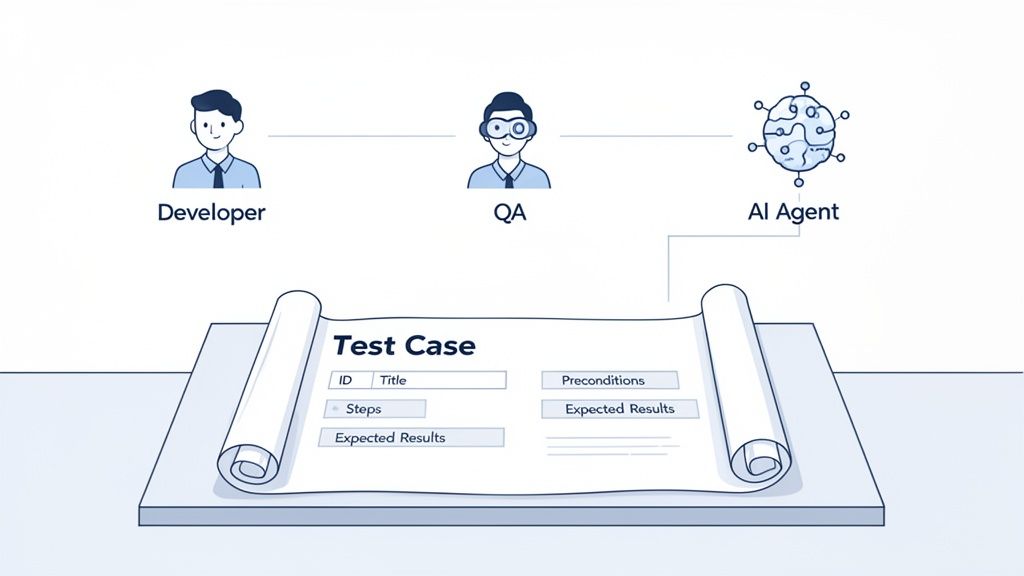
Before we get into the nitty-gritty of writing, let’s talk about why this matters so much. A well-crafted test case is way more than just a checklist for your QA team. It’s the bedrock of software quality, creating a common language that cuts through the noise and ambiguity between developers, testers, and product managers.
It’s the difference between telling someone “head downtown” and giving them a precise GPS route. One is a gamble; the other guarantees they arrive at the right destination, every single time. In software development, we can’t afford to gamble.
One of the biggest hang-ups I see in development cycles is a fuzzy definition of “done.” A developer might think a feature is finished once the code is committed. But for a tester, it’s not done until it works as expected under a dozen different scenarios. A solid test case completely closes that gap.
It creates a concrete, agreed-upon benchmark for what success looks like. When all the test cases for a feature pass, the entire team has undeniable proof that the software is behaving correctly. This kind of alignment is absolutely essential in today’s fast-moving CI/CD pipelines, where a simple misunderstanding can snowball into a major delay or a critical bug slipping into production.
With AI-powered testing on the rise, the quality of your test cases is more important than ever. An AI agent, like the one in TestDriver, can’t guess your intentions. It needs clarity and structure to do its job. A vague instruction like “Test the login” is completely useless for automation.
On the other hand, a test case with explicit steps and expected results is basically an executable command for an AI. That structured format lets the AI understand the intent and translate it directly into a reliable, automated end-to-end test. When you write your manual tests with automation in mind from day one, making that leap becomes incredibly smooth.
A well-structured test case isn’t just a document; it’s a contract. It defines the expected behavior of your application, holds the development process accountable, and builds a foundation of trust in your product’s quality.
Ultimately, learning how to write a good test case is about more than just finding bugs. It’s about building a quality assurance process that is robust, predictable, and can actually scale with your team. Every strong test case is:
Mastering this skill creates an asset that pays off across the entire software development lifecycle, helping your team ship better products, faster.
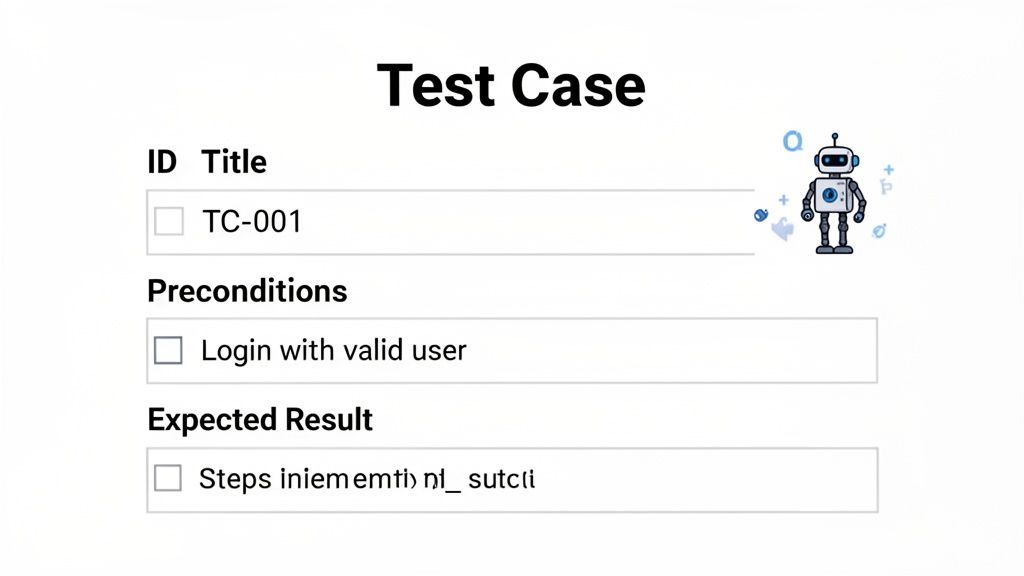
Before you can build a solid testing process, you have to master the building blocks of a great test case. It’s not about just filling in fields on a template; it’s about communicating exactly what you intend to test with zero ambiguity.
Every component has a job to do. Together, they guide the tester—whether it’s a person or an AI—to a clear, repeatable result. When you learn to write test cases with this structure in mind, you’re not just writing instructions; you’re creating a lasting asset for your team.
Let’s walk through each element using a classic example: a user login flow.
Think of the Test Case ID as a unique tracking number. It gives you a simple, unmistakable way to reference a specific test in bug reports, sprint planning meetings, or your test management tool. A good ID is short, sweet, and follows a consistent format.
Something like LOGIN-001 immediately tells everyone this test belongs to the “Login” feature. This kind of simple organization is a lifesaver when your test suite balloons from a few dozen to hundreds or even thousands of cases.
The Title is your one-line summary. It has to be descriptive enough for someone to get the gist without having to read all the details. Vague titles like “Login Test” don’t help anyone.
Be specific and action-oriented instead. A much better title is: “Verify Successful Login with Valid Email and Password.” Right away, you know the exact scenario and the expected outcome. It’s the headline that sets the stage.
Preconditions define the exact state the system needs to be in before you even start the test. I’ve seen this part get overlooked more times than I can count, and it’s always a recipe for disaster. Skipping preconditions is like trying to bake a cake without preheating the oven—you’re just asking for flaky, inconsistent results.
For our login example, crystal-clear preconditions would be:
These conditions guarantee that every test run starts from the same clean, predictable baseline.
The Test Steps are the heart of the matter. This is where you lay out the exact, numbered sequence of actions the tester needs to take. Each step should be a single, distinct action described with simple, direct language.
Think in terms of commands: “Navigate,” “Enter,” “Click.” This leaves no room for guessing. The goal is for anyone on the team to be able to follow the steps and get the same result, which is non-negotiable for both reliable manual testing and effective automation.
For every action, there has to be an expected reaction. The Expected Result describes precisely what the system should do after a test step is performed. This is your moment of truth—the point where you confirm if the application is behaving as designed.
Ambiguity is your worst enemy here. An expected result like “User logs in” is useless. A great one is: “The user is redirected to the account dashboard, and a welcome message ‘Hello, [Username]!’ is displayed.” Now that is a concrete, verifiable outcome anyone can check.
This level of precision is why so many teams are turning to AI. Industry surveys show that improving test reliability (33%) and reducing escaped defects (29%) are top drivers for AI adoption in testing—goals that are only achievable with explicit test cases like this.
An automation-ready test case is a conversation with the future. It speaks clearly to the next QA engineer who runs it, the new developer who needs to understand the feature, and the AI agent tasked with turning it into an executable script.
To really drive the point home, let’s look at a side-by-side comparison. Notice how the “Improved” version gives an AI agent—or a human tester—everything it needs to execute the test flawlessly.
| Component | Poor Example | Improved (Automation-Ready) Example |
|---|---|---|
| Title | Login test | Verify Successful Login with Valid Credentials |
| Preconditions | User exists. | 1. User with email ‘test@example.com’ exists and is active.2. User is logged out. |
| Steps | 1. Go to login page.2. Enter details.3. Submit. | 1. Navigate to the login page.2. Enter ‘test@example.com’ in the email field.3. Enter ‘P@ssword123’ in the password field.4. Click the “Sign In” button. |
| Expected Result | User can log in. | 1. User is redirected to the ‘/dashboard’ URL.2. The text “Welcome back, Test User!” is visible on the page. |
See the difference? The improved version isn’t just more detailed; it’s surgically precise. It eliminates all guesswork, making the test reliable and repeatable. This structure also provides a perfect foundation when you’re ready to start your journey with automated test case generation, turning your clear manual instructions into a powerful automated script.
It’s one thing to confirm a feature works as intended. That’s a decent start. But real quality assurance isn’t about just checking off the “happy path”—it’s about actively trying to break things. You have to anticipate the countless ways a user journey can go sideways.
To build a truly resilient application, you need to think beyond the ideal scenario. This means writing test cases that methodically explore not just what should happen, but what could happen. By categorizing your tests into positive, negative, and edge case scenarios, you create a robust safety net that catches bugs before they ever see the light of day. It’s the difference between checking if a bridge can hold one car and stress-testing it for a traffic jam during a hurricane.
Let’s start with the basics. A positive test case is your “happy path” verification. It’s designed to confirm that the app behaves exactly as expected when a user provides valid inputs and follows the most common workflow. These are the first tests you should write because they validate the core functionality. If the main feature is broken, nothing else really matters.
Imagine you’re testing a checkout flow for an e-commerce site. A classic positive test case would look something like this:
A logged-in user adds an available item to their cart.
They navigate to the checkout page.
They enter a valid, non-expired credit card number.
They enter a complete and valid shipping address.
They click the “Place Order” button.
Expected Result: The order goes through successfully, the user sees an order confirmation page, and an order confirmation email lands in their inbox.
These tests are your foundation. They prove the primary function works and build the baseline for your entire test suite.
Okay, now for the fun part. Negative test cases are all about seeing how the system handles bad data, unexpected user actions, and error conditions. The goal here isn’t just to see if it breaks, but to ensure it fails gracefully instead of crashing or spitting out a confusing result. A well-built application should provide clear, helpful error messages that get the user back on track.
Nothing frustrates a user more than a vague or unhelpful error. Writing solid negative test cases is your best defense against creating that kind of bad experience.
Thinking negatively is a positive trait in a QA engineer. By intentionally trying to break the system with bad data and invalid actions, you expose weaknesses and force the application to become more resilient and user-friendly.
Let’s go back to our shopping cart. What happens when things don’t go perfectly?
Action: A user tries to apply a coupon code that’s either expired or just plain wrong.
Expected Result: An inline error message appears saying something like, “This coupon code is not valid. Please try another.” Critically, the order total should remain unchanged.
Scenario 2: Insufficient Funds
Action: A user attempts to pay, but their credit card is declined.
These scenarios test the application’s error-handling logic, making sure a frustrating moment doesn’t become a dead end.
Last but not least, we have edge cases. These are the tests that push your system to its absolute limits. They test the extreme ends of allowable inputs or check for unusual—but still possible—conditions. Edge cases often uncover the trickiest bugs, the ones that positive and negative tests miss because they explore scenarios no one thought to account for.
This requires some creative thinking. What happens when someone buys the very last item in stock? Or if they try to add 10,000 items to their cart?
Here are a few edge cases for our checkout flow:
Action: Two users try to buy the last available unit of a product at the exact same time.
Expected Result: This is a classic race condition. Only one transaction should succeed. The other user should get a message like, “Sorry, this item just went out of stock,” and the item should be removed from their cart.
Minimum/Maximum Quantity:
Action: A user tries to purchase zero items, or they try to buy a quantity that exceeds a built-in limit (like 999).
By methodically designing a mix of positive, negative, and edge case tests, you elevate your testing from simply checking features to genuinely stress-testing the entire application. This is how you write test cases that give everyone confidence in the release.
Writing a solid manual test case is a huge accomplishment, but the real magic happens when you turn it into a reliable, repeatable automated test. This is where you unlock massive efficiency gains. A well-structured test case, written in plain English, is more than just a checklist for a QA engineer—it’s the perfect prompt for an AI agent.
When your test steps are crystal clear and your expected results are specific, an AI can digest that information and spin up an executable end-to-end (E2E) test. This completely changes the game, slashing the time teams spend on manual scripting. It frees up your engineers to think bigger about test strategy and coverage instead of getting bogged down in syntax.
The trick is to start writing your manual tests with an AI in mind. AI agents thrive on clarity, logic, and structure. Think of it like giving instructions to a very literal-minded assistant; they will follow your commands to the letter, so there’s no room for ambiguity.
The fundamental testing paths—positive, negative, and edge cases—provide the exact structure an AI needs to understand the full scope of a feature.
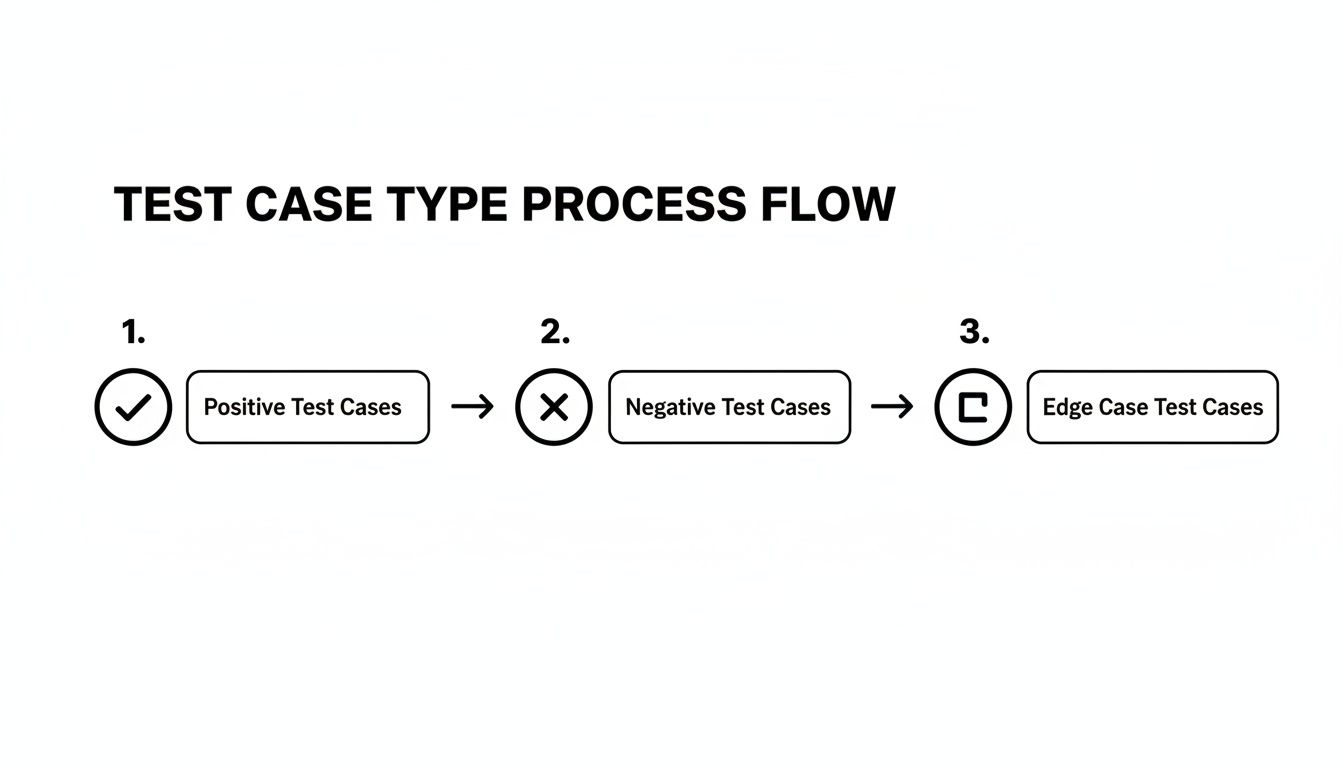
Moving from the “happy path” to what happens when things go wrong creates a logical progression that an AI can easily translate into a comprehensive test suite.
This isn’t just a futuristic idea; it’s rapidly becoming standard practice. By 2028, it’s estimated that 75% of enterprise software engineers will use AI code assistants—a staggering increase from less than 10% in early 2023. These tools depend on clear, natural-language instructions to generate stable tests. In a software testing market valued at over USD 5.7 billion, building a library of robust, reusable test assets gives you a serious competitive edge. You can dig deeper into these trends with these software testing statistics.
Let’s circle back to our shopping cart checkout example to see how this works in the real world. We’ll take our well-written manual test case and frame it as a direct prompt for an AI-powered tool like TestDriver.
Here’s the manual test case we want to automate:
Navigate to the /cart page.
Click the “Proceed to Checkout” button.
Enter valid shipping information in the address form.
Enter valid credit card details in the payment form.
Click the “Place Order” button.
Expected Result: The user is redirected to the /order-confirmation page, and the text “Your order has been placed!” is visible.
Now, let’s translate this directly into a prompt an AI can execute.
TestDriver Prompt: “Create an end-to-end test that verifies a successful checkout. Start with a logged-in user who has an item in their cart. Navigate to the cart, proceed to checkout, fill in valid shipping and payment details, and place the order. Finally, assert that the user lands on the order confirmation page and sees the message ‘Your order has been placed!’”
That simple, conversational prompt contains all the critical DNA of our manual test case. An AI agent can now use this to generate the code needed to perform each action—navigating, clicking, typing, and, most importantly, verifying the final outcome.
This same principle works beautifully for the tricky scenarios, too. In fact, the more descriptive your manual test is, the better and more resilient the AI-generated automated test will be.
Let’s try a negative test case: what happens when a user tries an expired coupon?
Notice how the prompt includes the specific data (‘EXPIRED2024’), the exact error message to look for, and the expected state of another element (the order total). This level of detail removes all guesswork for the AI, resulting in a precise, reliable test that validates your app’s error-handling logic perfectly.
When you start writing test cases this way, you’re no longer just documenting steps. You’re building an entire library of ready-to-go automation prompts.
Writing a great test case is one thing, but the real power comes from how you manage your entire suite. A messy, disorganized collection of tests can quickly turn into technical debt. Before you know it, they’re outdated, redundant, and more of a headache than a help.
When you get test case management right, your suite becomes a reliable, living asset. It ensures your most critical tests are always run, your documentation stays fresh, and your team’s effort is focused where it actually matters.
Let’s be real: not all features are created equal, and neither are the tests that validate them. It’s just not practical—or smart—to test every single thing with the same level of intensity. This is where risk-based prioritization comes in. It’s all about focusing your limited time and resources on the areas that pose the biggest threat to your users and your business.
To figure out a test’s priority, start by asking a few practical questions:
By sorting tests into simple categories like Critical, High, Medium, and Low, you create a clear game plan. When deadlines are looming, you can confidently run just the critical and high-priority tests, knowing you’ve covered your biggest risks first.
A test case, just like a piece of code, gets infinitely better with a second set of eyes on it. A peer review process is one of the single most effective ways to spot ambiguities, find gaps in your coverage, and just generally improve the quality of your tests before they even get run.
The massive shift to end-to-end and continuous testing has really changed how we write tests. The automation testing market alone is projected to hit around USD 68 billion by 2025, which shows how central it has become. This scale means we can’t just write ad-hoc steps anymore; we need formal test cases that map directly to user journeys, business rules, and tricky edge conditions.
A solid review process makes sure every test meets a consistent standard. It’s also a fantastic way to spread knowledge across the team, helping everyone get a deeper understanding of different parts of the application.
A test case only read by its author is a test case with hidden flaws. Peer review transforms a solo effort into a shared team asset, hardening it against ambiguity and ensuring it serves its purpose for years to come.
To keep reviews consistent and genuinely useful, a checklist is your best friend. It ensures every reviewer is evaluating test cases against the same core ideas. Here’s a practical checklist you can steal and adapt for your team:
/dashboard page” is perfect.For more ideas on sharpening your QA processes, check out these Top Quality Assurance Tips for Test Case Planning Processes.
A test suite isn’t something you write once and forget about. It has to evolve right alongside your application. An outdated test case is actually worse than no test case at all—it gives you a false sense of security and wastes valuable time on checks that are no longer relevant.
Make maintenance a regular habit. You could build it into your sprint retrospective or set aside time for a review each month. During this cleanup, be on the lookout for:
A clean, up-to-date suite is a trustworthy one. Using the right tools can make this a whole lot easier, and it’s worth understanding test case management systems to find what works for you. This kind of discipline is what keeps your test suite a valuable asset for protecting quality.
As teams get serious about writing structured, purposeful test cases, a few questions always surface. These conversations are a great sign—it means your team is thinking critically about quality. Let’s tackle some of the most common points of confusion.
Getting everyone on the same page with these definitions is key. It means that when you’re planning a sprint or talking about test coverage, the whole team shares a common language and understanding of the work ahead.
This is easily the question I hear most often. Think of a test scenario as the big picture, a high-level goal. It describes what you want to test in broad strokes, like “Verify user login functionality.” It’s the ‘what,’ not the ‘how.’
A test case, on the other hand, gets into the nitty-gritty. It’s the detailed, step-by-step procedure for how you’ll actually test that scenario, complete with specific actions, data, and precise expected outcomes. That one simple “login” scenario can easily break down into many different test cases:
So, one scenario will almost always branch out into multiple, more detailed test cases to cover all the different paths a user might take.
There’s no magic number. The real goal is quality coverage, not just a high quantity of tests. Instead of asking “how many,” a much better question is, “Have we covered the biggest risks?”
You should always start with a risk-based analysis. Features that are critical to the business, highly complex, or change frequently will naturally need more attention. As a solid starting point, make sure you have solid test coverage for:
A handful of well-designed, targeted test cases is infinitely more valuable than hundreds of redundant ones that just look good on a report.
The purpose of a test suite is not to run as many tests as possible. It is to gain the highest level of confidence in the product’s quality with the least amount of effort.
Yes, absolutely. In any modern software team working with Agile or DevOps principles, quality is a shared responsibility, not a task siloed within the QA department. While a QA engineer might lead the overall test strategy, getting developers to write their own test cases is a game-changing practice.
When developers write functional or end-to-end tests for their own features, it forces a mental shift. They have to think about their code from a user’s perspective, which often leads to them catching potential issues before the code is even handed off. This collaborative approach creates a much smoother development cycle and builds a culture where everyone feels ownership over the final product’s quality. As AI tools become more common, it’s also important to have strong validation skills; check out these best practices for validating AI-generated test cases to sharpen that process.
Ready to turn your clear, natural-language test cases into executable E2E tests? With TestDriver, you can use simple prompts to generate comprehensive automated tests for any web application, dramatically speeding up your QA cycle.
Master data driven tests with our guide on setup, best practices, and CI/CD integration. Boost your test coverage and build more reliable software.
Explore the real differences in automation vs manual software testing. This guide covers when to use each, ROI, and how to build a winning hybrid strategy.
Discover how are test cases written for modern software. This guide covers manual best practices and how to leverage AI for faster, smarter QA testing.
Learn how to create a test case that drives quality. This guide breaks down test case writing with real examples, common mistakes, and modern QA strategies.
TestDriver runs every pull request in a real desktop sandbox, finds bugs, and builds regression tests - right from your repo.