How to Write Test Cases That Actually Work
Learn how to write test cases that prevent bugs and improve software quality. Discover practical frameworks, real-world examples, and expert best practices.
Master how to write the test cases with this practical guide, sharing real-world strategies for reliable software testing.
Automate and scale manual testing with AI ->
At its heart, writing a great test case is like creating a perfect recipe. You need a clear goal (the dish), a list of preconditions (the ingredients and prepped kitchen), a series of exact actions (the cooking steps), and a very specific expected outcome (how the dish should look and taste). This isn’t just about finding bugs; it’s about building a blueprint for quality that anyone on your team can follow.
Before we get into the nuts and bolts of how to write them, let’s talk about the why. A well-crafted test case is your software’s first line of defense, but its value goes way beyond just spotting errors. Think of your test cases as the ultimate communication tool connecting developers, QA pros, and product managers.

When a test case is vague or confusing, it wastes everyone’s time. A developer might “fix” the wrong thing, or a tester might spend hours chasing down what turns out to be a non-issue. Clear, precise test cases cut through that noise. They reduce the frustrating back-and-forth that can bog down a development cycle and help everyone work together more smoothly.
In a way, effective test cases become a form of living documentation. A new developer joining the team can read through a suite of test cases and immediately understand how a feature is meant to behave, without having to sift through mountains of code. That alone saves a ton of time in onboarding and knowledge transfer. A little investment upfront in writing clear steps and expected results pays huge dividends by preventing costly rework down the line.
This focus on quality isn’t just a good idea; it’s a massive industry trend. The global software testing market has already shot past the $45 billion mark, proving that companies everywhere see robust testing as absolutely essential. It’s no surprise that quality assurance jobs are projected to grow by 22% between 2020 and 2030—the demand for skilled testers is only going up. You can explore more about these global software testing industry statistics to see how the field is expanding.
A great test case doesn’t just ask, “Does this work?” It asks, “Does this work exactly as the user and the business expect it to?” This shift in perspective is what separates basic bug hunting from true quality assurance.
Ultimately, writing high-quality test cases is a core business practice. It’s how you protect your brand’s reputation and deliver a user experience that people can count on. This isn’t just a QA task; it’s a shared responsibility that pushes the entire product toward excellence.
When you get this right, testing stops being a reactive bug hunt and becomes a proactive quality gate. This also means you need better ways to measure tester performance beyond bug counts, focusing instead on the clarity and impact of their work.
Think of a test case like a recipe. It needs to be so clear that anyone, from a new hire to a senior developer, can follow it and get the exact same result every time. No guesswork allowed. When you frame your test cases this way—with a clear setup (prerequisites), a series of actions (steps), and a predictable outcome (expected result)—you create a bulletproof document.
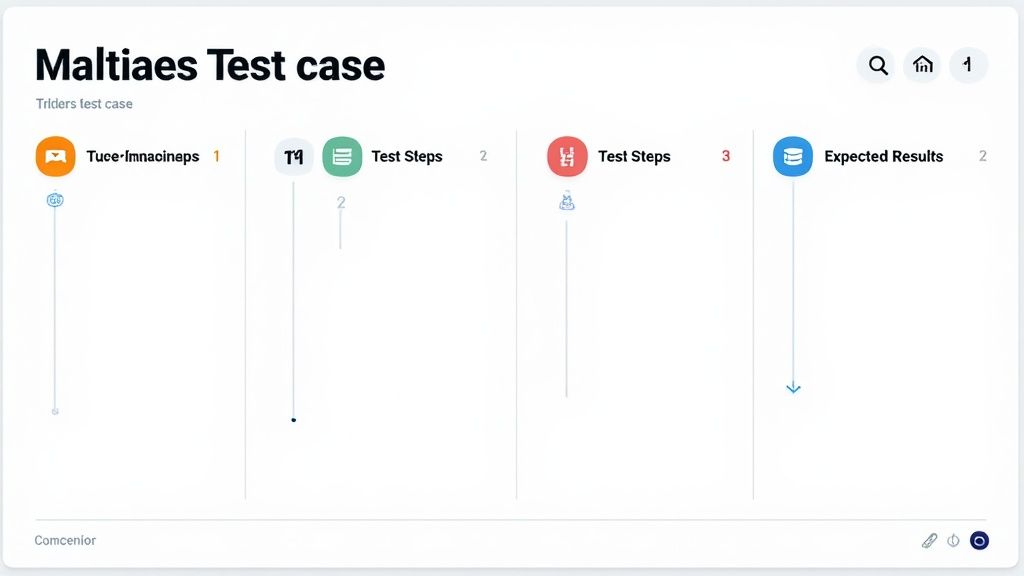
If you skimp on any part of the recipe, you invite ambiguity. That ambiguity leads to wasted time, inconsistent testing, and bugs slipping through the cracks. Let’s dig into the essential ingredients.
Every solid test case, regardless of the tool you’re using, is built on a few fundamental pieces. Your team might use Jira or TestRail, and the field names might differ slightly, but their purpose is universal. These are the non-negotiables.
The heart of a great test case often comes from a clear problem definition. I’ve found that mastering the art of writing problem statements helps crystallize what you’re trying to validate, which makes writing the title and steps much easier.
This is where the rubber meets the road. The interplay between your test steps and the expected results is what makes a test case work. They are two sides of the same coin—one can’t exist without the other, and both need to be razor-sharp.
A common rookie mistake is writing vague steps. “Log in to the application” is not a test step; it’s a wish. A proper step is precise: “Enter valid user credentials (user@example.com / ValidPassword123) and click the ‘Login’ button.” The more specific you are, the more repeatable your test becomes.
Let’s look at a real-world example for a standard login flow.
Test Case ID: TC-LOGIN-001
Title: Verify successful login with valid credentials
Prerequisites:
standard_user@test.com and password Password123!./login) is accessible and loads correctly.With prerequisites this detailed, you know that if the test fails, it’s not because of a bad test environment. It’s a genuine bug.
Beyond the basics, you need to spell out the specific data you’re using and what “success” actually looks like. This is where you document the what and the why of the test’s outcome.
| Component | Purpose | Example for TC-LOGIN-001 |
|---|---|---|
| Test Steps | A numbered list of exact actions the tester must perform. Use clear, direct language. | 1. Navigate to the login page.2. Enter standard_user@test.com into the email field.3. Enter Password123! into the password field.4. Click the “Log In” button. |
| Test Data | The specific input values used. This is key for reproducibility. | Email: standard_user@test.comPassword: Password123! |
| Expected Result | The precise, verifiable outcome after the final step. | The user is redirected to the dashboard (/dashboard). A success message, “Welcome back!”, is displayed at the top of the page. The user’s name is visible in the header. |
| Actual Result | Left blank for the tester to fill in with what really happened during execution. | Filled in during execution |
| Status | The final verdict of the test run. | Pass / Fail / Blocked |
A test case without a specific expected result is just a set of instructions, not a test. The expected result is the verifiable proof that the software behaves as intended. It’s the difference between exploring and validating.
By meticulously defining each of these parts, you elevate a simple checklist into a powerful scientific experiment. It becomes a repeatable process that builds confidence in your application’s quality, one test at a time.
Writing a single test case is one thing. Designing a comprehensive suite of tests that gives you genuine confidence in your application? That’s a different skill entirely.
It’s the art of thinking like your users—all of them. The careful ones, the clumsy ones, and even the malicious ones. This is where we move beyond just checking the “happy path” and start hunting for those critical bugs that hide in the shadows. Simply testing that a feature works under ideal conditions isn’t nearly enough.
Let’s say you’re testing an age input field that accepts values from 18 to 65. You could test every single number: 18, 19, 20… all the way to 65. But that would be a colossal waste of time for almost no added value.
This is where a clever technique called Equivalence Partitioning comes into play. The idea is to divide all possible inputs into logical groups, or “partitions,” where every value in that group should behave exactly the same.
For our age field, we can quickly identify a few key groups:
Instead of writing 48 separate tests for the valid range, we only need one. This approach slashes the number of test cases you need while still providing great coverage. It’s about testing smarter, not harder.
Equivalence Partitioning gets us most of the way there, but my experience—and probably yours, too—shows that a surprising number of bugs love to hang out right at the edges of these valid ranges.
That’s what Boundary Value Analysis (BVA) is for. Think of it as a natural extension of Equivalence Partitioning that zooms in specifically on those “boundary” values.
For our 18-65 age field, the boundaries are:
By creating tests for these specific numbers, you’re checking how the system handles those critical transition points. Does it correctly accept 18 but reject 17? Does it allow 65 but block 66? These are the exact spots where off-by-one errors and other pesky logic flaws love to appear.
Combining Equivalence Partitioning and Boundary Value Analysis is a powerhouse for testing any feature with data inputs. You stop testing random values and start strategically targeting the areas where defects are most likely to be hiding.
Of course, not all features are simple inputs and outputs. Many applications involve complex objects that move through different states over time. Think about an e-commerce order. It might transition from Pending -> Processing -> Shipped -> Delivered, or maybe even to Returned.
State Transition Testing is the perfect technique for modeling and testing these workflows. You start by identifying every possible state an entity can be in, then you map out the valid (and invalid!) transitions between them.
For instance, an order going from Processing to Shipped is a valid transition. But trying to jump straight from Pending to Delivered? That should be impossible. By designing tests that attempt both valid and invalid state changes, you ensure the application’s core business logic holds up. This is how you prevent impossible scenarios, like a product being delivered before it was ever even shipped.
Truly getting this right is a key part of mastering software development.
Finally, let’s talk about what happens when things go wrong. A robust test suite absolutely must include negative tests—scenarios that verify the system behaves gracefully in the face of errors.
While “happy path” tests confirm the system works as expected, negative tests confirm it doesn’t break when faced with the unexpected.
Here are a few classic examples:
The expected result of a negative test isn’t a crash or a cryptic server error. It’s a graceful failure. The system should show a clear, user-friendly error message and stop the invalid action in its tracks. These tests are absolutely essential for building a resilient application that can handle real-world user mistakes.
Effective test design is also a key part of tracking your overall testing effectiveness, which is why understanding effective strategies for measuring test coverage is so important.
In today’s fast-paced development cycles, thinking about automation isn’t optional—it’s essential. Every test case you write shouldn’t just be for a manual tester; it should be a potential blueprint for an automated script. This mindset is the difference between a good QA process and a great one.
When you start writing test cases with an eye toward automation from the get-go, you’re building a bridge between manual validation and automated checks. This simple shift drastically reduces the time an automation engineer needs to translate your logic into code, speeding up the entire pipeline.
The aim is to create test cases that a machine can execute, not just ones a human can interpret. This requires a more disciplined approach to how you structure steps, handle data, and define outcomes.
So, what exactly makes a test case “automation-friendly”? It really comes down to three core principles: clarity, independence, and reusability. An engineer should be able to glance at your test and immediately grasp the logic, inputs, and what needs to be validated, all without a long back-and-forth conversation.
Here’s what to focus on:
Feature_Scenario_ExpectedResult. For instance, Login_ValidCredentials_Successful is miles better than Login Test 1.This simple flow chart captures the ideal progression for designing your tests. You always start with the most common success scenario and then build out from there.
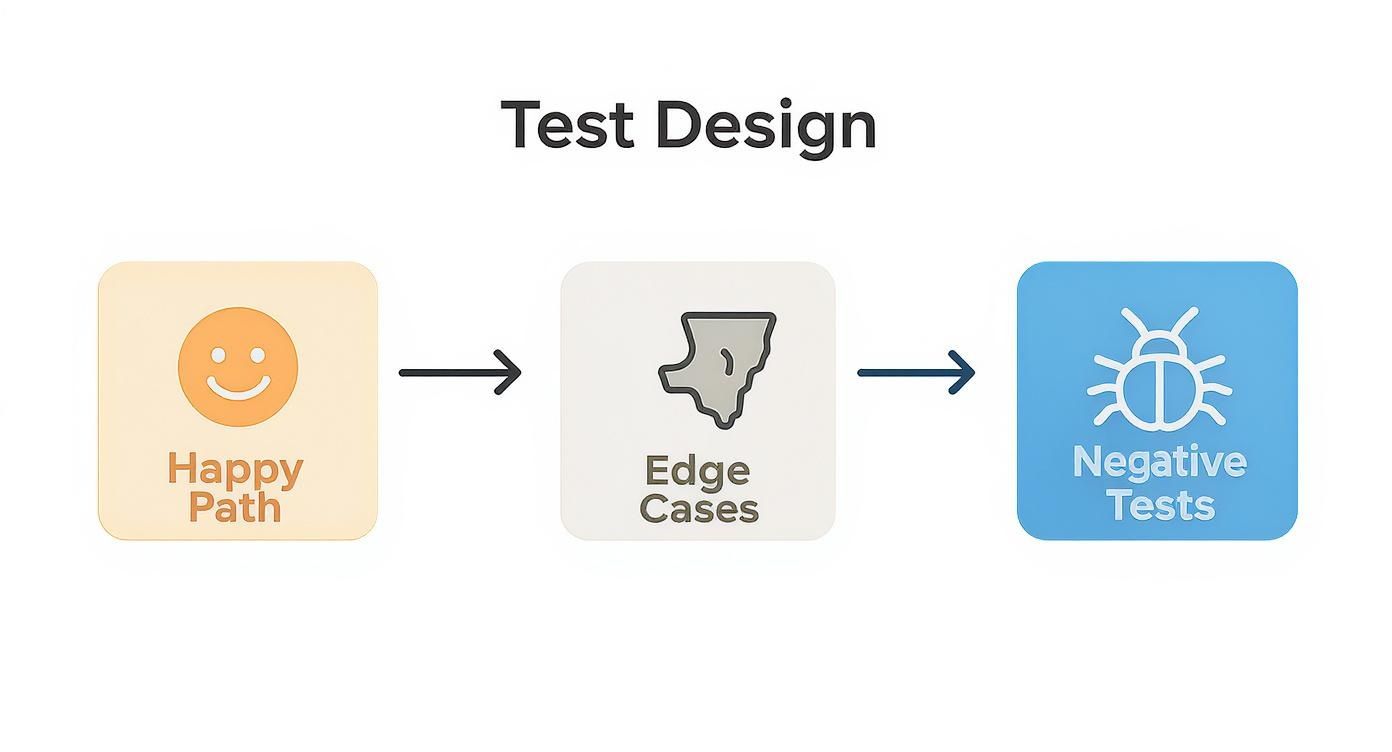
Starting with the “happy path” confirms the core functionality works. The real magic, though, happens when you dig into edge cases and negative tests—that’s where the most critical bugs often hide.
One of the most effective techniques for writing automatable tests is parameterization. This is the practice of separating the test logic (the steps) from the test data (the inputs). Instead of hardcoding a value like testuser@email.com into your steps, you reference a variable.
This approach makes a single test case incredibly versatile. You can run the same login logic against dozens of different data sets—valid users, invalid passwords, locked accounts, new signups—all without rewriting the core steps.
Thinking about test data as a separate, pluggable component is a game-changer. It transforms a single, static test case into a dynamic, powerful testing tool that can cover a huge range of scenarios with minimal effort.
Even as the automation market is projected to reach $68 billion by 2025, most teams still rely on a hybrid approach. It’s common to see a 75:25 or 50:50 split between manual and automated testing, which proves that well-written manual test cases remain the foundation of any solid automation strategy.
For more on this topic, have a look at our guide covering the key considerations for effective test automation.
Writing for a human and writing for a machine requires slightly different styles. While clarity is always key, an automation-friendly test case needs to be more precise and less open to interpretation. Think of it as leaving no room for ambiguity.
Here’s a breakdown of how to adapt your writing style:
| Guideline | Manual-Only Approach | Automation-Friendly Approach |
|---|---|---|
| Step Clarity | ”Log into the application.” (Assumes the tester knows the standard credentials and URL.) | ”Navigate to [App_URL]. Enter [Username] in the username field. Enter [Password] in the password field.” |
| Data Handling | ”Use any valid product to add to the cart.” (Leaves data choice to the tester.) | ”Use product with SKU: [Product_SKU]. Add it to the cart.” (Specific data is parameterized.) |
| Element Identification | ”Click the green ‘Submit’ button at the bottom of the page.” (Relies on visual cues.) | ”Click the element with ID: submit-button.” (Uses a stable, unique identifier for the script.) |
| Assertions | ”Verify the success message appears.” (Vague and requires interpretation.) | ”Assert that the element with CSS selector: .success-message contains the text: ‘Login Successful’.” |
| Prerequisites | ”Make sure you are logged out first.” (Implied action.) | ”Prerequisite: User is on the login page. Session cookies are cleared.” (Explicit state.) |
Ultimately, the goal isn’t to make manual test cases overly rigid but to instill habits that make the transition to automation smoother. By being more explicit and specific from the start, you create a robust foundation that serves both manual testers and automation frameworks equally well.
I’ve seen it a thousand times. Even seasoned pros can fall into a few common traps when writing test cases. These little mistakes might seem harmless, but they can quickly snowball, leading to confusing documents, missed bugs, and a whole lot of wasted time.
Learning to spot these issues is just as crucial as knowing how to write a great test case in the first place. Think of what follows as a field guide to what not to do. Getting this right will make your test suites more resilient and the entire quality process smoother for everyone.
One of the biggest red flags I see is a test case with steps that are open to interpretation. A step like “Test the login page” isn’t a test step—it’s a vague wish. It forces the person running the test to guess what you meant, and that’s a recipe for disaster.
When steps are ambiguous, testing becomes inconsistent. One tester might check for a success message, while another just confirms the page redirects. You can’t have that. The fix is simple: be relentlessly specific.
test_user@example.com in the ‘Email’ field and P@ssword123! in the ‘Password’ field. Click the ‘Log In’ button.”The same goes for expected results. “The page should look correct” tells me absolutely nothing. A strong expected result is a verifiable fact: “The user is redirected to the dashboard URL (/dashboard), and a success banner with the text ‘Welcome back!’ appears.”
Another classic mistake is cramming way too much into a single test case. I’ve seen tests that try to cover user registration, login, profile updates, and password resets all in one go. These monster test cases are a nightmare to maintain and almost impossible to debug.
Think about it: when a massive, 20-step test case fails, you have to waste precious time just figuring out which part of the sequence actually broke. That completely slows down the feedback loop for developers.
Key Takeaway: Stick to the principle of atomicity. A test case should have one, and only one, clear reason to fail. If you find yourself checking multiple unrelated outcomes, you should be writing multiple test cases.
This approach doesn’t just make debugging easier; it’s practically a requirement for effective automation. Small, focused tests are infinitely easier to script, run, and maintain.
This problem often goes hand-in-hand with monster tests. Tightly coupled tests are a series of cases that depend on each other. For example, TC-002 will fail unless TC-001 ran immediately before it and left the application in a very specific state.
This creates an incredibly brittle test suite. One little failure at the start of the chain can cause a domino effect, leading to a cascade of false negatives. It also makes it impossible to run a single test in isolation to reproduce a bug or to run your tests in parallel to save time.
Every test case needs to stand on its own two feet.
Forgetting the cleanup is a huge one. If a test creates data but doesn’t remove it, that data will linger and can easily cause other tests to fail for reasons that have nothing to do with the feature being tested. A hallmark of a professional test case is that it leaves the test environment exactly as it found it.
As you start writing more and more test cases, you’ll inevitably run into a few tricky situations. It happens to everyone. Let’s tackle some of the most common questions that pop up, so you can handle those gray areas and build a more consistent, effective testing process for your whole team.
Think of this as a cheat sheet for those “What should I do here?” moments.
This is the classic balancing act, right? You need enough detail for clarity, but not so much that you’re writing a novel for every test.
Here’s a good rule of thumb I’ve always followed: write for a new team member. Assume they have some basic knowledge of the app but aren’t a deep expert yet. If they can pick up your test case and run it from start to finish without needing to tap you on the shoulder for clarification, you’ve nailed it.
Your test case needs to be specific. That means spelling out:
test_qa_01, product SKU ABC-123).btn-save”).The best test cases are totally self-contained. A tester shouldn’t need a bunch of institutional knowledge or have to guess the intended outcome. If executing the test depends on information that isn’t in the document, it’s not detailed enough.
The real goal here is repeatability. Another tester, a developer, or an automation script should be able to follow your steps and get the exact same result every single time.
Technically, sure. But it’s often a red flag that your test case is trying to do too much at once.
Ideally, a test case should be atomic—it verifies one single thing. This makes troubleshooting a breeze. If a test with one expected outcome fails, you know exactly what broke. Simple as that.
But let’s be realistic. Sometimes, a single action triggers a few immediate, verifiable changes. For instance, successfully submitting a form might:
In a situation like this, it’s perfectly fine to list these as bullet points under a single “Expected Results” section. The key is that they are all direct, immediate consequences of the final step. If you find yourself wanting to check something unrelated—like whether a confirmation email was sent—that should absolutely be its own separate test case.
This really depends on your team’s structure, but the best answer is that writing test cases is a collaborative effort. While a QA engineer or tester usually owns the process, getting more people involved makes the final product so much better.
Here’s how different people can chip in:
When quality becomes a shared responsibility, you end up with a much more robust and meaningful test suite. It creates a culture where everyone agrees on what “working” actually means before a single line of code is ever written.
Ready to stop writing test cases and start generating them? With TestDriver, you can turn a simple prompt into a comprehensive, end-to-end test in seconds. Our AI agent handles the scripting so your team can focus on shipping high-quality features faster. Discover a smarter way to test.
Learn how to write test cases that prevent bugs and improve software quality. Discover practical frameworks, real-world examples, and expert best practices.
Discover how quality assurance in software development works. Learn modern QA processes, key testing types, and how AI is revolutionizing software delivery.
Learn how to build a test strategy doc that aligns teams and delivers results. Get actionable steps on scope, tools, AI, and metrics.
Learn how to prepare test cases that improve software quality. This guide covers everything from requirements analysis to AI-powered automation for QA pros.
TestDriver runs every pull request in a real desktop sandbox, finds bugs, and builds regression tests - right from your repo.