How to Create a Test Strategy Doc That Actually Works
Learn how to build a test strategy doc that aligns teams and delivers results. Get actionable steps on scope, tools, AI, and metrics.
Explore manual versus automated testing: compare use cases, ROI, and a practical framework to choose the best approach for your team.
Automate and scale manual testing with AI ->
The real difference boils down to one simple thing: manual testing is powered by human curiosity, while automated testing relies on scripts and code to execute predefined checks with machine-like speed and precision.
It’s not about choosing a winner. It’s about knowing which approach is the right tool for the job.
The whole manual versus automated debate isn’t an either/or conversation. Think of them as two complementary mindsets working together to ensure software quality. Each has a specific purpose, its own unique strengths, and a clear role to play across the development lifecycle.
Manual testing is exactly what it sounds like—a hands-on, human-driven process. A QA engineer steps into the user’s shoes, clicking through the application, trying out different scenarios, and actively looking for anything that feels off. This approach is fantastic for catching usability problems, visual glitches, and the kinds of bugs that only a creative human mind would think to look for.
The true power of manual testing is in its unscripted, exploratory nature. A person can follow a hunch, go off-script, and evaluate the overall user experience in a way a machine never could. That adaptability is indispensable, especially for brand-new features or complex user interfaces.
On the flip side, automated testing is all about scripts. Engineers write code to handle repetitive tasks, verify functionality, and watch for regressions. It’s built for speed, consistency, and scale, capable of running thousands of test cases much faster than any human ever could.
The economic and productivity differences between these two methods are massive. Automation gives you incredible speed and accuracy for repetitive tasks. In fact, the global software testing market hit $51.8 billion in 2023 and is expected to reach $109.5 billion by 2027, a jump largely fueled by automation’s power to handle huge test loads without needing giant manual teams. You can see more in this in-depth analysis of the testing market.
To make things clearer, here’s a quick rundown of how they stack up against each other.
| Attribute | Manual Testing | Automated Testing |
|---|---|---|
| Execution Method | Human-driven, hands-on interaction | Script-driven, machine-executed |
| Initial Cost | Lower (Primarily labor costs) | Higher (Tooling, setup, and training) |
| Long-Term Cost | High (Ongoing labor for repetitive tests) | Lower (Reduced labor, faster cycles) |
| Speed | Slower, limited by human pace | Extremely fast, runs 24/7 |
| Accuracy | Prone to human error and inconsistency | Highly accurate and consistent |
| Best For | Exploratory, usability, ad-hoc testing | Regression, performance, data-driven tests |
Ultimately, manual testing is about discovery, and automated testing is about verification.
A solid QA strategy simply can’t exist without both. Automation is there to confirm that what worked yesterday still works today, but you can learn more about the importance of manual testing in modern software development in our dedicated guide.
Deciding between manual and automated testing isn’t about a simple pros-and-cons list. The real answer comes from digging into a side-by-side analysis of how each approach actually performs across critical business and technical areas. To truly grasp the manual versus automated testing dynamic, you have to look at them through the lens of real-world scenarios.
This visual summary gives a great high-level view of the core differences in speed, resource needs, and the best places to use each method.
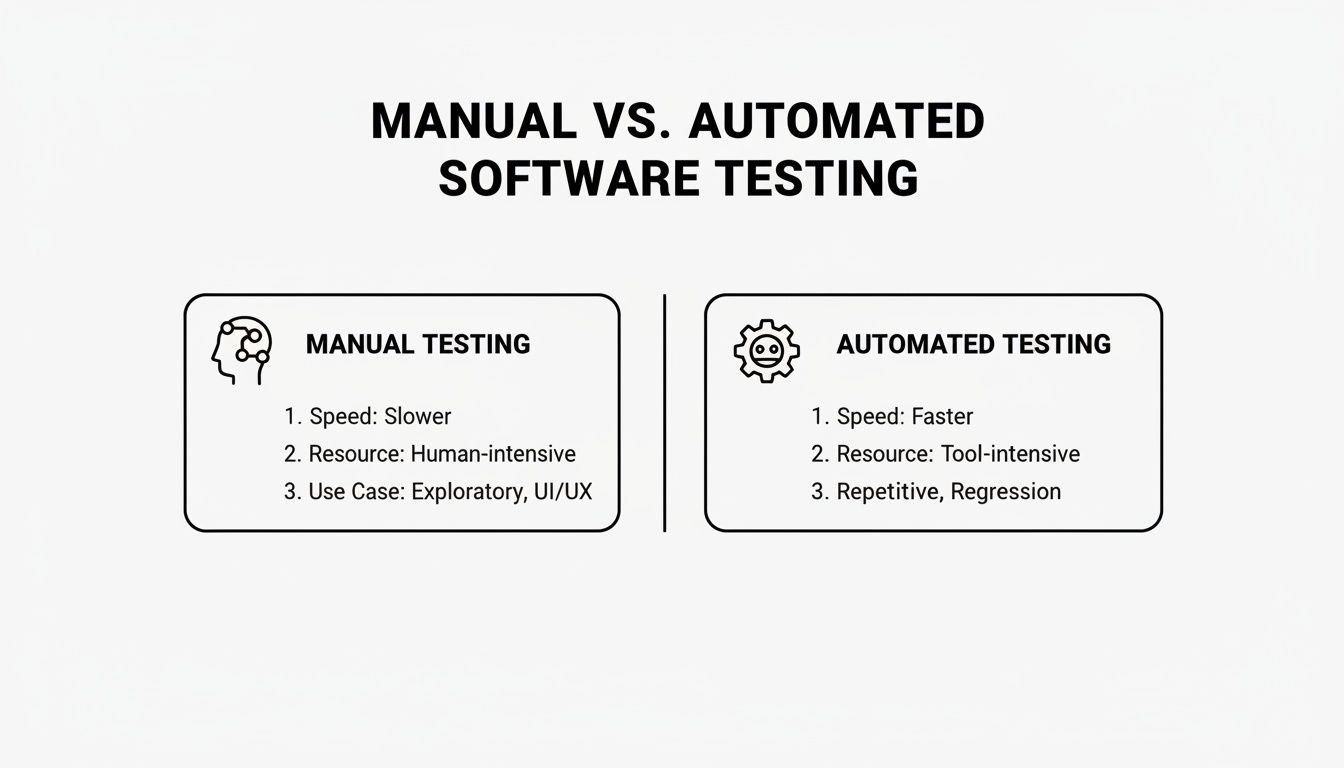
The main takeaway here is pretty clear: manual testing is all about human-led exploration, while automation is built from the ground up for repeatable, lightning-fast verification.
The money conversation is usually the first one people have, and frankly, it’s often the most misleading. On the surface, manual testing looks cheaper because you aren’t paying for software licenses or complex setups; you’re just paying for people. But those labor costs add up, becoming a significant recurring expense, especially for repetitive work like regression testing.
Think about it: a full manual regression cycle for a complex SaaS application could easily tie up a team of five QA engineers for a full week. That’s over 200 hours of direct labor costs you’re paying for every single release.
Automated testing completely flips this financial model. Yes, it requires a hefty upfront investment in tools, infrastructure, and the skilled engineers needed to build and maintain the test suite. While that initial sticker shock is real, the long-term operational costs plummet. Automated scripts can run thousands of tests overnight with almost no human intervention, driving the cost-per-test down dramatically over time.
When it comes to pure speed, automation has a clear, undeniable edge. An automated test suite can execute thousands of checks across different browsers and devices in just a few hours. A manual team would need weeks to accomplish the same thing. This kind of speed isn’t just a “nice-to-have”—it’s absolutely essential for modern teams practicing continuous integration and continuous delivery (CI/CD), where getting fast feedback is the name of the game.
Manual testing, by its nature, is a slower, more deliberate process. Its efficiency isn’t measured in raw speed but in the quality of its insights. A sharp, experienced tester can spot subtle usability problems, visual glitches, or confusing user workflows that a machine, bound by its code, would sail right past.
Manual testing uncovers the unexpected; automated testing confirms the expected. This core trade-off highlights that one is built for discovery and the other for verification.
If you need the same steps executed perfectly, time and time again, nothing beats automation. Scripts perform every single action and check every assertion with absolute consistency. This removes the risk of human error that creeps in from fatigue, distractions, or simple mistakes, making automation the perfect fit for regression testing, where the whole point is to make sure existing features haven’t broken.
But this rigid, deterministic nature is also a weakness. An automated script will only ever check what you’ve explicitly told it to check.
Manual testing, on the other hand, is inherently less repeatable but far more flexible. A human tester might notice a weird glitch completely outside the official test steps and decide to investigate further. These “happy accidents” often lead to discovering some of the most critical, unforeseen bugs. This makes it priceless for exploratory and ad-hoc testing.
A side-by-side look at these practical dimensions can make the decision much clearer.
This table breaks down how each approach stacks up across different practical aspects of a testing workflow.
| Dimension | Manual Testing | Automated Testing | Best for |
|---|---|---|---|
| Initial Investment | Low. Primarily labor costs for QA engineers. | High. Requires tools, infrastructure, and skilled test engineers. | Small projects or one-off tests where setup costs are prohibitive. |
| Long-Term Cost | High and recurring. Scales linearly with testing effort. | Low. Once scripts are built, running them is inexpensive. | Large, long-term projects with frequent release cycles. |
| Execution Speed | Slow. Limited by human speed and attention span. | Extremely fast. Can run 24/7 without supervision. | CI/CD pipelines and regression testing that needs rapid feedback. |
| Repeatability | Low. Prone to human error and inconsistency over time. | High. Scripts execute the exact same steps every time. | Verifying that existing functionality remains stable after code changes. |
| Exploratory Power | High. Testers can deviate and investigate anomalies. | None. Scripts can only follow their predefined paths. | Usability testing, ad-hoc testing, and finding novel bugs. |
| Human Insight | High. Can evaluate user experience, aesthetics, and usability. | None. Cannot provide subjective feedback on the user journey. | Validating the overall user experience and visual design. |
| Test Coverage | Deep, but narrow. Focuses on specific scenarios and workflows. | Broad, but shallow. Can cover thousands of data permutations. | Achieving wide test coverage for core application logic and APIs. |
| Maintenance | Minimal. Test cases are in documents and updated as needed. | Significant. Scripts must be updated when the application changes. | Stable application features that don’t change frequently. |
The key is to see these two methods not as competitors, but as complementary parts of a mature quality strategy.
Finally, let’s talk about the scope of your testing. Automation is fantastic at achieving broad test coverage. It can tirelessly run through countless data combinations, user paths, and system configurations, providing a wide safety net for your application’s logic. This breadth is crucial for catching regressions in a large, mature codebase.
Manual testing offers a different kind of coverage: depth. It focuses on exploring specific features with human creativity and intuition, probing for weird edge cases and evaluating the entire user experience from a human perspective. This is a qualitative depth that automation simply cannot touch.
While it’s true that 48% of firms lean too heavily on manual methods, which can slow them down, a smart strategy uses both. You can find more data on this trend in this detailed industry report.
Getting these nuanced differences right is the first step toward building a testing strategy that actually works. To go deeper, check out our guide on the key considerations for effective test automation.
The real debate isn’t about manual versus automated testing being a single winner; it’s about building a smart testing playbook. The goal is to match the right method to the right task, ensuring you get the biggest impact on both quality and efficiency. This means moving past a simple checklist and adopting a scenario-based mindset.
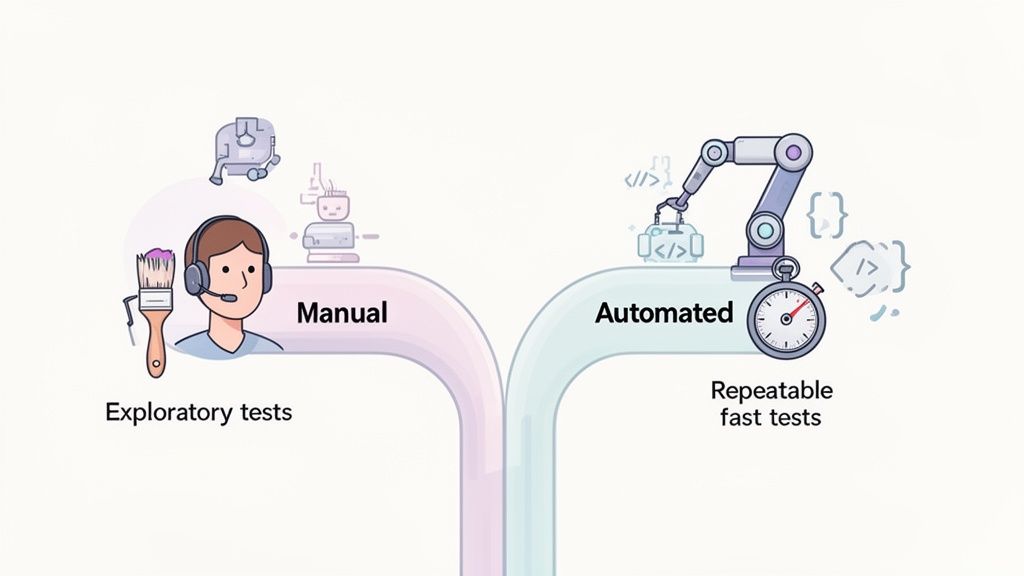
This decision framework really just boils down to asking a few key questions about the test itself. Your answers will almost always point you clearly toward either a manual or an automated solution.
Manual testing truly shines when human intellect, intuition, and subjective feedback are essential. It’s the clear winner for any scenario that requires a deep, qualitative grasp of the user experience. You should always lean on manual testing in these specific situations.
The core value of manual testing lies in its ability to answer the question, “Is this software not just functional, but also a good experience for the user?” This is a dimension of quality that pure code execution can never measure.
By saving your manual efforts for these high-impact areas, you ensure your team’s creative problem-solving skills are focused where they truly matter—not wasted on mind-numbing, repetitive tasks.
Automation becomes the obvious choice when a test demands speed, precision, and perfect consistency, especially at scale. If a task is repetitive, predictable, and rule-based, it’s practically begging to be automated. This frees up your human testers for more strategic work.
Automated testing is the go-to solution for:
Ultimately, this isn’t a one-time decision but an ongoing strategic evaluation. The most effective QA teams don’t pick a side; they build a hybrid model. In this model, the manual versus automated testing efforts are carefully balanced: automation handles the repetitive grunt work of verification, while manual testing focuses on human-centric validation and discovery.
Sooner or later, every conversation about switching to automation lands on one question from leadership: what’s the return on investment? It’s not enough to just feel like automation is better. You need to build a solid business case with real numbers. Calculating the ROI of test automation cuts through the ambiguity and turns a technical discussion into a clear financial and strategic decision.
The core formula itself is pretty simple, but it gives you a powerful way to frame the conversation.
ROI = (Value Gained - Investment Cost) / Investment Cost
The equation might look basic, but the real work is in figuring out what goes into each part. A proper ROI calculation proves that test automation isn’t just another expense—it’s an investment that pays for itself by making your team more efficient, improving product quality, and getting features to market faster.
Before you can talk about gains, you have to be honest about the costs. This is the “Investment Cost” side of the equation, and it’s more than just the price of a software license.
Most of these costs are front-loaded, which can make the initial investment feel a bit steep. But breaking them down like this gives you the transparency you need to weigh them against the long-term benefits.
This is where the upside of automation really starts to shine. “Value Gained” isn’t just about saving a few hours here and there; it’s about creating real business advantages that benefit the entire development process.
The market reflects this reality. The global automation testing market was valued at USD 32.70 billion in 2024 and is expected to climb to USD 61.27 billion by 2033. For QA engineers and SDETs, this trend means having tools that can generate complete end-to-end tests from a simple prompt, freeing them from the grind of repetitive regression testing. You can find more stats on the growth of test automation on testlio.com.
To calculate the specific value for your team, focus on these three areas:
By putting a dollar value on these benefits, you can make a powerful case for your automation strategy. For a deeper dive, check out our guide on effective strategies for measuring the quality of automated tests. This approach transforms the manual versus automated testing debate from a matter of opinion into a decision based on measurable business outcomes.
Moving to a balanced testing model is more than just buying a new tool—it’s about fundamentally changing your approach. To successfully shift from a manual-first culture to a smart hybrid strategy, you need a clear roadmap that blends human intuition with the raw efficiency of automation.
The very first step is figuring out where automation will give you the biggest bang for your buck. Let’s be clear: not everything that can be automated should be. The smart money is on automating tests that are repetitive, stable, and absolutely critical to your business. That’s where you’ll see the fastest and most meaningful returns.
This is where AI-driven tools are changing the game. They can take plain language and turn it into ready-to-run test scripts, which radically speeds up the process.
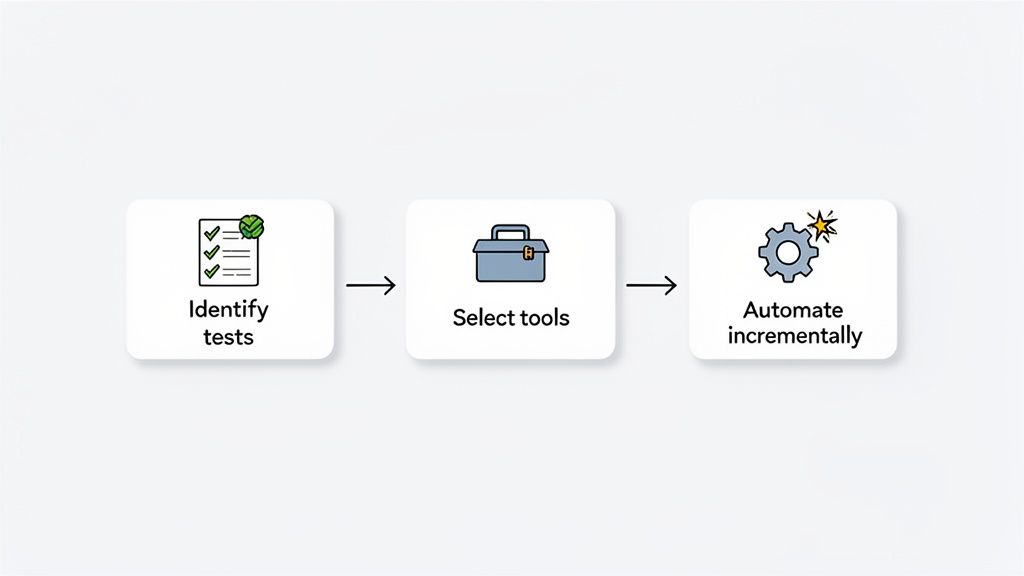
This kind of technology lowers the technical bar, so your team can build out a solid automation suite without needing a squad of seasoned coders for every single test case.
It’s time to get critical with your existing manual test cases. You’re looking for the mind-numbing, time-sucking tasks that don’t require an ounce of human creativity. These are your prime targets.
Start by sorting your tests into these buckets:
Here’s a pro tip: Roll out automation incrementally. Start with one high-impact area, nail the process, and then expand. This builds momentum and, more importantly, gets your whole team on board by showing them early wins.
Once you know what you’re automating, you have to decide how. The tool you pick has to fit your team’s skills, your tech stack, and your existing workflows. Modern AI agents are making this choice a lot easier.
Tools like TestDriver, for instance, can generate solid test scripts from simple text prompts, letting your team build out its automation coverage much faster. This is a massive help for teams that don’t have deep coding expertise, allowing them to focus on the logic of the test rather than the nitty-gritty of implementation. It’s also wise to explore specialized tools for specific needs, like Blockbee’s Callback Tester, which can efficiently validate unique functionalities.
A successful transition is always gradual. Whatever you do, avoid the “big bang” approach of trying to automate everything at once—that’s a classic recipe for disaster. Instead, a pragmatic, step-by-step migration is the way to go.
This kind of pragmatic migration is quickly becoming the industry standard. In fact, 46% of teams now report that automation has replaced 50% or more of their manual testing work, with a full 20% pushing that number past 75%. That’s a huge leap from just a few years ago and proves that a well-executed hybrid model is the key to delivering both speed and quality.
Even with a solid strategy in place, a few common questions always pop up when teams start mixing manual and automated testing. Getting clear, practical answers to these questions is key to getting everyone on the same page and making smart decisions on the fly.
Let’s tackle some of the real-world challenges and trade-offs that come up in any serious discussion about blending manual and automated testing.
In short, no. It’s better to think of automation as a powerful partner to your manual testing efforts, not a replacement. Automation is brilliant at handling repetitive, predictable tasks with speed and accuracy—think regression suites or data-driven tests.
But it can’t replicate human curiosity or judgment. Manual testing is still your go-to for exploratory testing, usability checks, and anything requiring a subjective feel for the user experience. The best QA strategies find a balance, using each method for what it does best.
The two co-exist not as rivals, but as an infinite loop to gain and confirm knowledge of our systems. Automation confirms what you expect, while manual testing discovers what you don’t.
The biggest hurdle is almost always the initial investment of time, resources, and training. Setting up a robust and scalable automation framework doesn’t happen overnight. There’s a learning curve and a setup phase that can feel slow before you start seeing the payoff.
That said, the long-term gains in speed, coverage, and reliability are massive. The good news is that modern AI-powered tools are lowering this barrier, making it much easier to get started with test creation and maintenance. This helps teams make the jump to automation more smoothly, regardless of their size.
The smartest move is to start with test cases that give you the biggest bang for your buck. You’re looking for quick wins that prove the value of automation and build momentum across the team.
Here are some prime candidates for your first automation push:
Focusing on these areas first will deliver immediate, tangible results and make it much easier to justify expanding your automation efforts later on.
Ready to accelerate your testing without the heavy scripting? TestDriver uses AI to generate end-to-end tests from simple prompts, letting your team build robust automation coverage faster. Start building better tests today at https://testdriver.ai.
Learn how to build a test strategy doc that aligns teams and delivers results. Get actionable steps on scope, tools, AI, and metrics.
Explore the real differences in automated vs manual testing. This guide covers practical use cases, ROI, and building a hybrid strategy that works.
Discover 10 actionable best practices for QA testing to enhance software quality. Learn about TDD, BDD, automation, CI/CD, and more for 2025.
end to end testing best practices: unlock faster, safer releases with actionable tips on test automation, data management, and coverage.
TestDriver runs every pull request in a real desktop sandbox, finds bugs, and builds regression tests - right from your repo.