Top 12 Codeless Automation Testing Tools for QA Teams in 2026
Discover the 12 best codeless automation testing tools for web, API, and mobile. Our 2026 guide helps you choose the right platform for your QA workflow.
Explore our detailed software testing tools comparison to choose the right solution. We analyze Selenium, Playwright, and TestDriver for real-world scenarios.
Automate and scale manual testing with AI ->
When you start comparing software testing tools, you quickly see a major fork in the road. On one side, you have traditional, script-based frameworks like Selenium and Playwright, which give technical teams granular control. On the other, you have AI-driven platforms like TestDriver that are built for speed and accessibility, opening up testing to the entire organization. The right choice really comes down to a simple question: are you optimizing for engineering flexibility or for business velocity?
In today’s world of non-stop deployments and intricate app architectures, picking a testing tool isn’t just a technical task—it’s a strategic business decision. The wrong tool can gum up the works, slowing down your release cycles and bloating maintenance costs, which ultimately hurts your ability to stay competitive. The old one-size-fits-all approach just doesn’t cut it anymore, especially when you’re juggling microservices, AI features, and a demanding CI/CD pipeline.
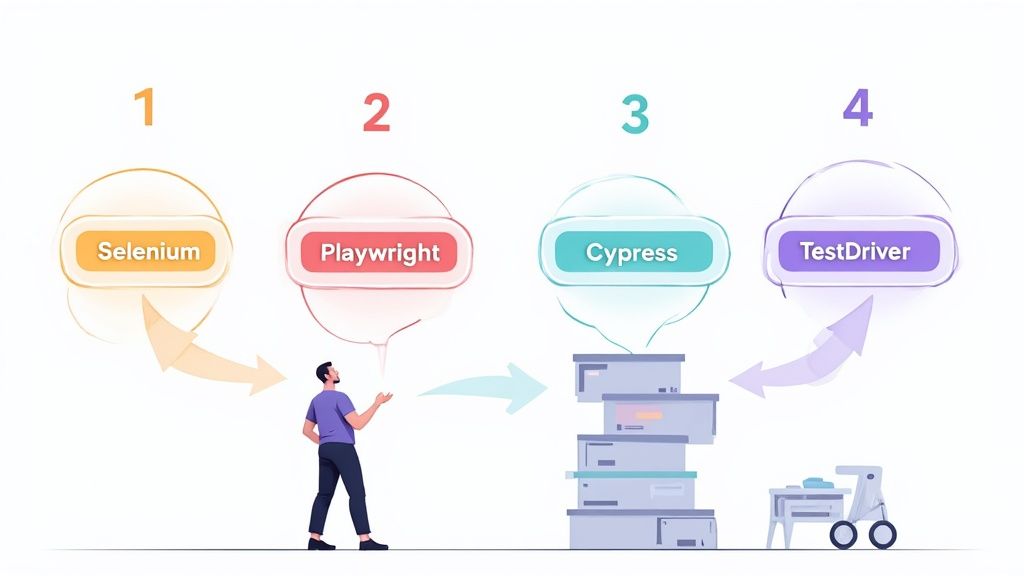
This guide is designed to give you a modern framework for looking past shiny feature lists and focusing on what actually delivers value in the real world.
To make a truly useful comparison, we need to introduce the key players and agree on the evaluation criteria. This way, we’re analyzing each tool based on its practical impact, not just its marketing hype. We’ll be zeroing in on the metrics that dictate whether a tool will be a long-term asset or a liability in your development lifecycle.
The main contenders we’ll cover represent fundamentally different approaches to test automation:
The most critical shift in evaluating testing tools is moving from “How fast can it run tests?” to “How much effort does it take to create and maintain a reliable test suite?” This change in perspective prioritizes total cost of ownership over raw execution speed.
Our analysis will hinge on the things that directly affect your team’s efficiency and the reliability of your tests. We’ll measure each tool against the same set of criteria to give you a clear, side-by-side view. Here’s a quick look at the pillars of our comparison.
| Evaluation Criterion | Description | Why It Matters |
|---|---|---|
| Test Reliability | How resilient are tests to minor UI and application changes? | High reliability means fewer flaky tests and less time wasted debugging false alarms. |
| Maintenance Overhead | How much effort is required to keep the test suite updated and running? | Lower maintenance frees up your engineers to work on features that matter to customers. |
| Execution Speed | How quickly can the tool execute a full regression suite? | Faster execution gives you quicker feedback in your CI/CD pipeline, plain and simple. |
| Ease of Adoption | What is the learning curve for new users, both technical and non-technical? | A lower barrier to entry means more people on your team can contribute to quality. |
Jumping into a head-to-head tool comparison without a plan is a recipe for confusion. The market is crowded, and every vendor claims to be the best. Before you get dazzled by feature lists, you need to step back and build a solid evaluation framework based on what your team actually needs. This isn’t about finding some mythical “best” tool; it’s about finding the right tool that solves your problems and grows with you.
The key is to ask better questions. Instead of a simple “does it do cross-browser testing?” checkbox, dig deeper. Ask, “How painful is it to build and maintain a reliable cross-browser test suite with this tool?” That shift in focus from a simple capability to long-term value is what separates a smart decision from a costly mistake.
The demand for good testing tools is exploding. The Testing Software Market is projected to grow from USD 49.7 billion in 2025 to a staggering USD 95.5 billion by 2034. This isn’t just hype; it’s driven by a real need for quality, and it makes picking the right partner for your team more critical than ever.
Let’s be honest: the sticker price of a testing tool is rarely its true cost. The real expense is the time your engineers spend fixing tests that break every time a developer sneezes. These “flaky” tests, which fail because of minor UI tweaks and not actual bugs, are killers. They destroy confidence in your test suite and bog down your team with pointless busywork.
That’s why test reliability should be your number one metric. When you’re evaluating a tool, look closely at how it identifies elements on the page. Does it offer smart locators or self-healing features that can adapt to changes? Tools that are built for resilience will drastically cut down on maintenance overhead—the biggest hidden cost in test automation.
A reliable test suite only fails when it finds a real bug. If your team is spending more than 20% of its time fixing broken tests instead of writing new ones, your tool is costing you more than it’s worth.
The next big question is how your team will actually build tests. For years, the answer was code. Powerful frameworks like Selenium give you ultimate control, but they require serious programming chops. This often creates a bottleneck, where only a few senior developers can write or maintain tests.
Now, a new wave of tools is using AI and low-code approaches to change the game. This opens the door for manual QAs, business analysts, and other team members to contribute directly to automation, which can be a massive accelerator.
This isn’t a black-and-white decision. You have to look at your team’s skills today and decide which path will get you to solid test coverage the fastest. For a more detailed breakdown, have a look at our guide on how to choose the right tools for software testing.
A testing tool doesn’t live on an island. It has to plug into the tools and workflows your team already uses every single day. If it doesn’t, it’ll just create more friction.
Think about your essential integration points:
A tool with a solid API and pre-built integrations makes your entire team more efficient. Without them, you’re just creating manual steps and information gaps that will slow you down and prevent your testing from ever truly scaling.
Alright, let’s move past the theory and put the top software testing tools on the field for a direct comparison. This isn’t about finding one “best” tool for everyone—that doesn’t exist. Instead, the goal here is to see how Selenium, Playwright, Cypress, and our own AI-powered TestDriver stack up against each other. We’ll look at the real-world differences that will actually impact your team’s day-to-day work.
Before we dive into the specifics of each tool, this framework below really nails down the three pillars of a solid automation strategy: reliability, integration, and long-term maintenance. Getting these right is non-negotiable.
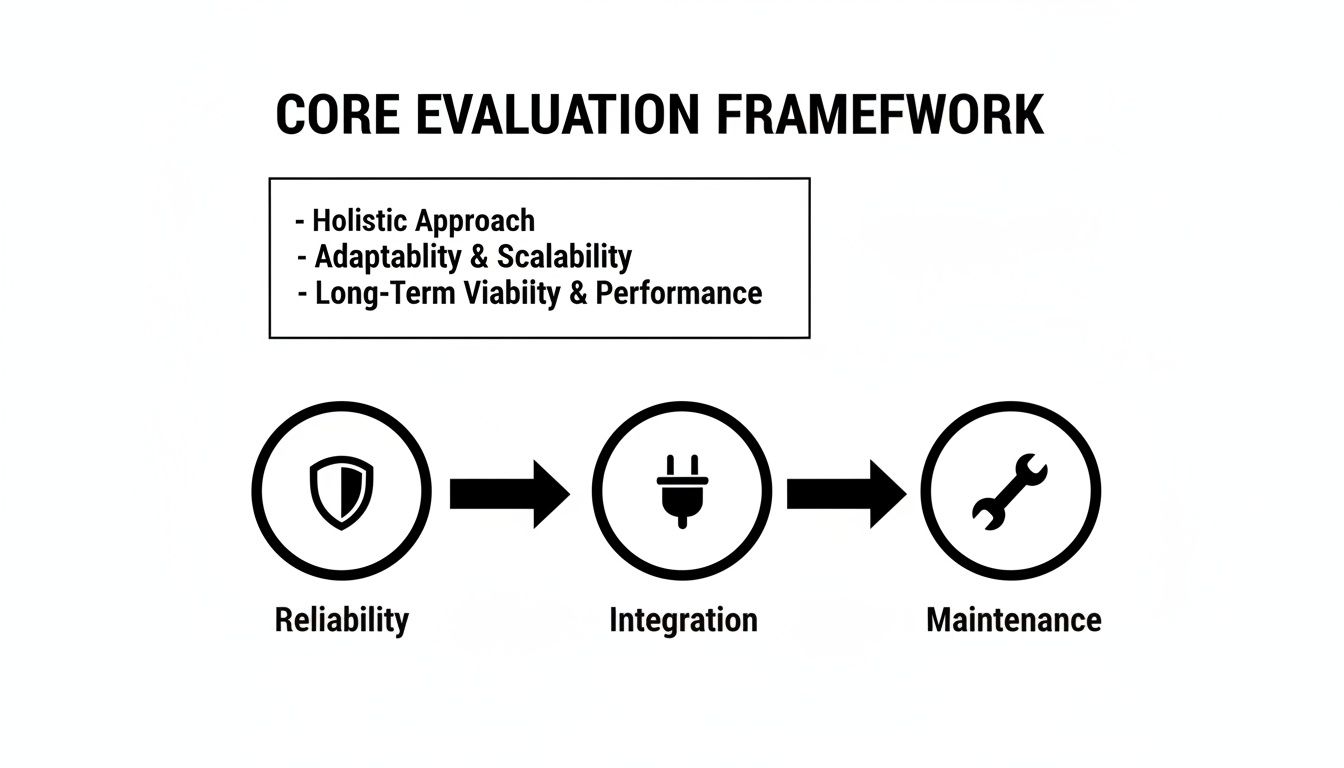
This image isn’t just a graphic; it’s a reminder that the best tool must be resilient, plug into your existing pipeline, and not become a maintenance nightmare down the road.
You can’t talk about web automation without talking about Selenium. It’s the original, the veteran, the one with a massive community and an answer for nearly every problem you could imagine. Its longevity means there’s an incredible ecosystem of plugins, drivers, and documentation out there.
But that long history comes with some baggage. Getting a Selenium framework up and running from scratch is a serious undertaking that requires real programming and architectural chops. Its WebDriver protocol, which acts as a middleman, can sometimes introduce flakiness and slow things down compared to newer tools.
Despite this, its dominance is clear. Around 77% of companies have jumped into automated testing, and of those, a staggering 64.2% are using Selenium. It’s the undeniable benchmark.
Developed by Microsoft, Playwright was engineered to fix the very issues that plague older frameworks. It talks directly to the browser, which makes tests noticeably faster and more reliable. For complex, modern applications, its native ability to handle multiple tabs, origins, and frames in a single test is a game-changer.
Playwright’s “auto-wait” feature is probably its most celebrated quality. It intelligently waits for elements to be ready before interacting with them, which wipes out a huge source of the flaky tests that drive Selenium users crazy. No more writing custom wait functions for every other step.
The real magic of Playwright is its architecture. By skipping the WebDriver protocol, it connects with modern web apps—especially SPAs with tons of asynchronous stuff happening—at a speed and reliability that older tools just can’t match.
If your team is strong in TypeScript or JavaScript, Playwright is a powerhouse. Just remember, it’s still a code-first tool that demands a solid engineering foundation.
Cypress found its footing by obsessing over the developer experience. It runs right inside the browser alongside your application, giving you a live, visual runner that shows you exactly what’s happening. This makes writing and, more importantly, debugging tests incredibly fast and intuitive.
Of course, this unique in-browser architecture has its trade-offs. Historically, Cypress struggled with things like multi-tab and cross-origin testing, though recent updates have improved this a lot. It’s also strictly a JavaScript/TypeScript affair, which might be a deal-breaker for teams who live in Python or Java.
Looking at how other tech fields handle these comparisons can be useful. For example, a good feature comparison matrix for virtualization platforms provides the kind of clear, structured breakdown we’re aiming for here.
TestDriver comes at the problem from a totally different angle. The whole point is to use AI to slash maintenance and make testing accessible to more people. Instead of writing code, you can build and manage tests with plain English prompts in a low-code environment. This opens the door for QA analysts, BAs, and even product managers to contribute directly.
The standout feature is its AI-driven self-healing. When your app’s UI changes (and it always does), TestDriver’s AI figures out what happened and adapts the test on its own. This dramatically cuts down the time spent on the most tedious part of test automation: fixing what broke. For long-term ROI, that’s huge.
To pull all this together, a side-by-side table makes the trade-offs crystal clear. Here’s how the tools stack up against our core criteria at a glance.
| Feature/Criterion | Selenium | Playwright | Cypress | TestDriver |
|---|---|---|---|---|
| Setup Complexity | High (Requires building a full framework) | Moderate (Requires coding knowledge) | Low (All-in-one installation) | Very Low (SaaS platform, no setup) |
| Execution Speed | Moderate to Fast | Very Fast | Fast | Fast |
| Cross-Browser | Excellent (Supports all major browsers) | Excellent (Chromium, Firefox, WebKit) | Good (Improving, but Chrome-centric) | Excellent (Cloud-based cross-browser) |
| Test Maintenance | High (Manual locator updates) | Moderate (Auto-waits help) | Moderate (Selector Playground helps) | Very Low (AI self-healing) |
| AI Capabilities | None (Relies on 3rd party integrations) | None | None | Core Feature (Test creation & self-healing) |
| Primary User | SDETs, Senior Automation Engineers | Developers, SDETs | Frontend Developers, QAs | QA Teams, Developers, Product Teams |
This matrix really highlights the central decision you need to make. Code-heavy tools like Selenium and Playwright give you ultimate control but demand significant effort. TestDriver flips the script, optimizing for speed of creation and minimal maintenance, making it a fit for a much wider range of team members.
If you want to dig even deeper into the market, check out our guide on the top web and mobile automation tools to consider in 2025.
A detailed feature matrix is a great starting point, but the best tool on paper isn’t always the right fit for your team. The real magic happens when you map technical capabilities to your organization’s unique DNA—its skills, its goals, and its day-to-day rhythm. A tool that feels like a superpower for one team can feel like a roadblock for another.
This is where we leave the abstract behind and step into the real world. By looking at how different kinds of teams tackle testing, we can offer specific advice that actually works. This context is what turns a simple tool choice into a strategic move that finds bugs and speeds up your entire development process.
Picture a large financial services company. Their customer portal has to work perfectly on every browser and device, no exceptions. Their QA team is sharp, fluent in Java, and responsible for a massive regression suite that runs every single night. For this crew, scalability, control, and ecosystem support are non-negotiable.
They’re constantly wrestling with challenges like:
Recommendation: Selenium
For this team, Selenium is still the undisputed champion. Its unmatched cross-browser support and deep language bindings (especially for Java) make it a perfect match. With its huge ecosystem, they can find a plugin or integration for just about any tool they’re already using. Yes, the maintenance overhead can be high, but their skilled engineers have the chops to build and manage the powerful framework they need.
Now, let’s switch gears to a fast-moving SaaS startup. The team is small, scrappy, and made up of full-stack developers who live in a JavaScript world. They ship code multiple times a day and need instant feedback to keep things moving. For them, the game is all about speed of test creation, a great developer experience, and lightning-fast debugging.
Their main goals are straightforward:
Recommendation: Playwright
Playwright is the clear winner here. Its modern architecture delivers blazing-fast execution, and its built-in auto-waiting practically eliminates the flaky tests that drive developers crazy. That’s a huge deal for a team that can’t afford to chase down false alarms. Features like the Trace Viewer are designed for developers, fitting perfectly with their need to iterate fast and keep the pipeline green.
The decision often boils down to one key question: Are you optimizing for granular control over a complex environment, or for the speed of feedback in a rapid-release cycle? The answer points you toward the right tool’s philosophy.
Finally, imagine a mid-sized e-commerce company with a fantastic manual QA team. These folks know the product inside and out but have limited coding experience. The business wants to bring in automation to boost test coverage and ship faster, but they need a tool that empowers their current team—not one that requires them to become senior developers overnight.
Their key needs are:
The push for this kind of solution is massive. The global software testing services market is expected to grow by over USD 24 billion between 2025 and 2029. North America alone is projected to make up around 37% of that growth, showing just how many companies are moving toward smarter, more accessible testing.
Recommendation: TestDriver
For this team, TestDriver is the perfect fit. Its AI-driven, low-code interface lets manual QA experts turn their deep product knowledge into automated tests using plain English. The platform’s self-healing AI is a game-changer, dramatically cutting down the maintenance burden that would normally overwhelm a team just starting with automation. This approach lets them get meaningful test coverage fast, show immediate value, and build a solid foundation for a world-class automation practice.
Of course, some scenarios demand specialized tools. For things like visual regression testing on a complex single-page app or an infinite-scrolling feed, a dedicated Website Screenshot API might be necessary. It just goes to show how different teams often need to augment their primary tool to cover all their bases.
Picking a new software testing tool feels like the finish line, but it’s really just the starting gun. The actual race is the migration and adoption, and how you run it determines whether your shiny new tool delivers real ROI or just gathers digital dust. A sloppy transition can derail the whole project, leaving your team frustrated and the tool unused.
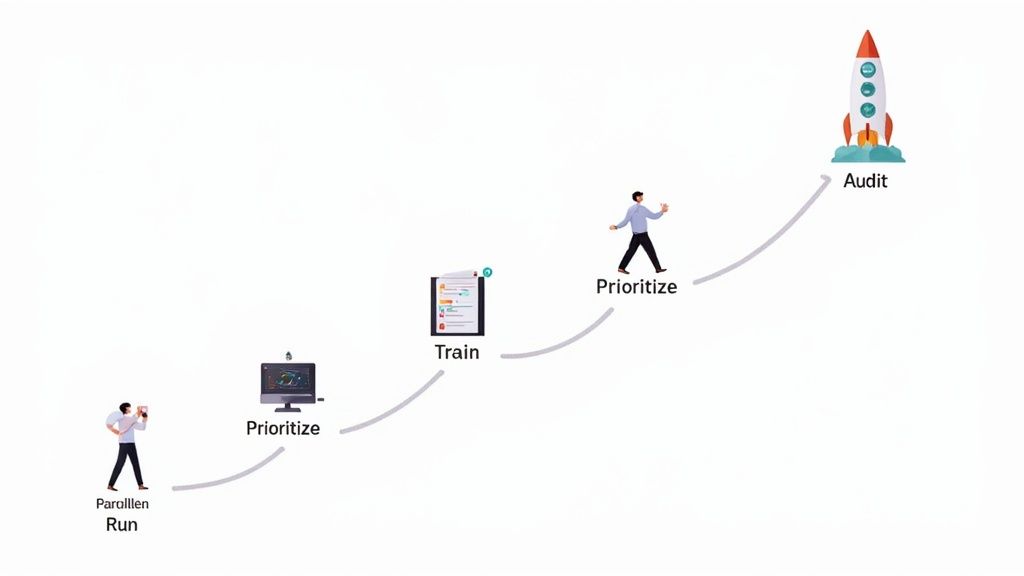
The trick is to think of it less as a single event and more as a carefully managed process. This helps keep things from getting chaotic, builds momentum, and makes sure your team feels supported instead of steamrolled by the change.
Whatever you do, don’t try to flip the switch overnight. A “big bang” migration is a recipe for disaster, almost guaranteed to cause chaos and gaps in your test coverage. A phased rollout, on the other hand, lets you control the pace and keep things stable.
Here’s a simple, field-tested blueprint that works:
A tool migration isn’t just about copy-pasting old tests into a new environment. It’s a golden opportunity to refine your entire testing strategy, ditch what isn’t working, and refocus your automation on what delivers the most value to users.
The technical part of a migration is just one piece of the puzzle. The human element is where most adoption strategies fall apart. You have to get your team on board, trained, and genuinely excited about the new tool for it to stick.
This is often why teams start looking for different types of tools in the first place—to make life easier for everyone. If you’re moving away from a heavy, code-based framework, you’ll find some great ideas in the ultimate guide to hybrid no-code and code tools for E2E test automation.
To get adoption right and build momentum, focus on these key steps:
Choosing the right testing tool can feel overwhelming. After you’ve done the demos and read the feature lists, a few critical questions always seem to pop up. Teams often get stuck here, trying to weigh similar options or guess what they’ll need a year from now.
Let’s cut through the noise. Here are direct answers to the questions we hear most often from teams just like yours. Getting these right is the key to picking a tool that not only solves today’s problems but grows with you.
This is the classic “build vs. buy” debate, and it really comes down to your team’s skills, budget, and how you want to spend your time. There’s no single right answer, just the right fit for your organization.
Open-source tools like Selenium and Playwright offer incredible power and flexibility, backed by massive communities. If you have a team of skilled engineers who love to build and customize, this path can be very rewarding. But that freedom comes with a price: you own everything. You’re responsible for building, configuring, and maintaining the entire framework, which can easily turn into a full-time job for several engineers.
Commercial tools like TestDriver flip that script. They offer a polished, out-of-the-box experience designed to get you productive, fast. You get dedicated support, powerful features like AI-driven test creation, and far less maintenance overhead. While there’s a license fee, many teams find the total cost of ownership is actually lower once they account for all the engineering hours they save on framework upkeep and test repair.
Absolutely. Modern low-code platforms are a world away from the brittle record-and-playback tools of the past. Today’s best-in-class, AI-driven solutions are specifically built to handle the complexity of real-world applications.
Their real strength lies in creating tests that are both fast to build and remarkably resilient. They use intelligent element locators and self-healing algorithms that adapt when your UI changes, which is a lifesaver for any team practicing CI/CD. This approach shines by empowering the people who know the product best—your manual QA experts—to contribute directly to the automation suite without needing to be coding wizards.
The best low-code platforms don’t box you in. They offer a “best of both worlds” model with an escape hatch for custom code. This gives your technical users the flexibility to script highly specialized tests for tricky edge cases, while the vast majority of tests can be built with speed and simplicity.
This hybrid approach means you never hit a hard ceiling on what you can automate.
If I had to pick just one, it’s test maintenance effort. Hands down. A tool can claim to have the fastest execution speed on the planet, but if your tests are flaky and break with every minor UI change, your team will waste all those gains (and more) just trying to keep the test suite green.
High maintenance is the silent killer of test automation ROI. It bleeds engineering resources, destroys confidence in your test results, and ultimately slows down your release velocity. When you’re comparing tools, you have to look past the flashy features and prioritize stability.
Look for capabilities that are explicitly designed to reduce the time spent fixing broken tests:
A sustainable automation strategy is built on a foundation of low-maintenance, reliable tests. Everything else is secondary.
AI isn’t just a buzzword here; it’s about automating the most tedious, soul-crushing parts of testing. By taking on the repetitive work, it frees up your smart, creative engineers to focus on what humans do best: exploratory testing, thinking through complex user scenarios, and improving overall quality strategy.
Here’s where AI delivers real, tangible value across the testing lifecycle:
When you bring AI into your testing process, you’re not just getting a new tool. You’re getting a massive boost in speed, coverage, and the overall resilience of your entire QA effort.
Ready to see how an AI-powered approach can transform your QA process? TestDriver uses an AI agent to turn simple prompts into robust end-to-end tests, slashing maintenance and accelerating your release cycles. Create your first test in minutes.
Discover the 12 best codeless automation testing tools for web, API, and mobile. Our 2026 guide helps you choose the right platform for your QA workflow.
Discover how quality assurance in software development works. Learn modern QA processes, key testing types, and how AI is revolutionizing software delivery.
Master software testing in DevOps with our guide. Learn shift-left, automation, CI/CD integration, and AI-driven testing to boost quality and release speed.
Master data driven tests with our guide on setup, best practices, and CI/CD integration. Boost your test coverage and build more reliable software.
TestDriver runs every pull request in a real desktop sandbox, finds bugs, and builds regression tests - right from your repo.