A Practical Guide to Risk Based Testing for Modern QA Teams
Implement risk based testing to focus your QA efforts. Learn a step-by-step process to identify, prioritize, and automate tests for critical user flows.
Master test automation quality assurance with our complete guide. Learn proven strategies, tools, CI/CD integration, and how AI is revolutionizing modern QA.
Automate and scale manual testing with AI ->
When people talk about test automation, they’re really talking about a fundamental shift in how we approach quality assurance. Instead of a person manually clicking through an application, we use specialized software to run tests, manage the data, and report back on what it finds. Think of it as writing a script for a robot to follow, one that perfectly mimics a user’s actions to see if the software behaves as expected.
Let’s get past the textbook definition. Imagine manual testing as a master watchmaker, carefully inspecting every tiny gear and spring by hand. It’s incredibly detailed work, but it takes time. Test automation, on the other hand, is like a state-of-the-art diagnostic machine that can run a full check on a thousand watches in the time it takes the artisan to inspect one.
The machine doesn’t replace the watchmaker’s deep knowledge—that’s your QA engineer’s critical thinking and experience. It just takes over the repetitive, predictable checks, freeing up the expert to solve the truly tricky problems. This partnership is essential in today’s fast-paced development world, where shipping new code every week, or even every day, is the standard.
At its heart, the goal is simple: let machines do what they do best. By handing off the monotonous and time-consuming regression tests to an automated system, you unleash your team’s most valuable resource—their brainpower. This allows them to focus on exploratory testing, edge cases, and user experience issues that a script would never find.
Of course, getting started requires an upfront investment in learning the tools and building the initial tests. But the payoff down the line is huge. To really get it, you have to see automation as one powerful tool within the broader discipline of quality assurance in software development, not as a silver bullet that replaces the entire field.
The drive to adopt automation really comes down to a few key advantages:
Before we dive deeper, this table offers a quick comparison of the two approaches.
This table provides a clear, high-level comparison of the core characteristics and ideal use cases for both manual and automated quality assurance approaches.
| Aspect | Manual Quality Assurance | Automated Quality Assurance |
|---|---|---|
| Best For | Exploratory testing, usability, ad-hoc checks, and user experience validation. | Repetitive tasks, regression tests, performance testing, and data-driven tests. |
| Speed | Slower, especially for large test suites. Limited by human capacity. | Extremely fast. Can run thousands of tests in the time it takes to run a few manually. |
| Initial Cost | Lower initial setup costs. Primarily ongoing labor costs. | Higher upfront investment in tools, training, and script development. |
| Long-Term Cost | Costs can scale linearly as the application grows. | More cost-effective over time, especially for stable, long-term projects. |
| Accuracy | Prone to human error, fatigue, and inconsistency. | Highly accurate and consistent. Executes scripts precisely every time. |
| Human Element | Relies on human intuition, creativity, and problem-solving skills. | Requires skilled engineers to write and maintain scripts, but the execution is machine-driven. |
As you can see, it’s not a matter of one being “better” than the other. A truly mature QA strategy uses both, letting each play to its strengths.
This shift isn’t just a nice-to-have; it’s a direct response to market pressures. The global automation testing market is exploding, with some projections expecting it to be worth more than $34 billion by 2025. This growth is a clear indicator of how essential reliable, high-speed QA has become as software eats the world. While North America has been a major player, the Asia Pacific region is seeing the fastest growth as more companies undergo digital transformations. You can find more details in this report on the growing automation testing market.
Ultimately, test automation is about building confidence. It’s the safety net that lets your development team move fast and innovate, knowing that a solid suite of automated checks is always there to catch critical failures. This foundation of trust is the real prize.
Jumping into test automation quality assurance without a clear plan is like trying to build a skyscraper without blueprints. Sure, you might get a few floors up, but the whole thing is going to be unstable, wobbly, and incredibly expensive to fix down the line. Real, effective automation isn’t about just buying a tool; it’s about a fundamental shift in mindset, guided by a solid strategy.
The most trusted blueprint in this space is the Test Automation Pyramid.
Think of it as your guide to building a healthy, balanced, and—most importantly—maintainable test suite. Instead of just cobbling together a random collection of scripts, the pyramid gives you a proven structure. It has distinct layers, each with a clear purpose, helping you put your time and money where they’ll have the biggest impact.
The modern QA engineer’s role is to orchestrate this entire effort, overseeing both manual and automated testing to guide the overall strategy.
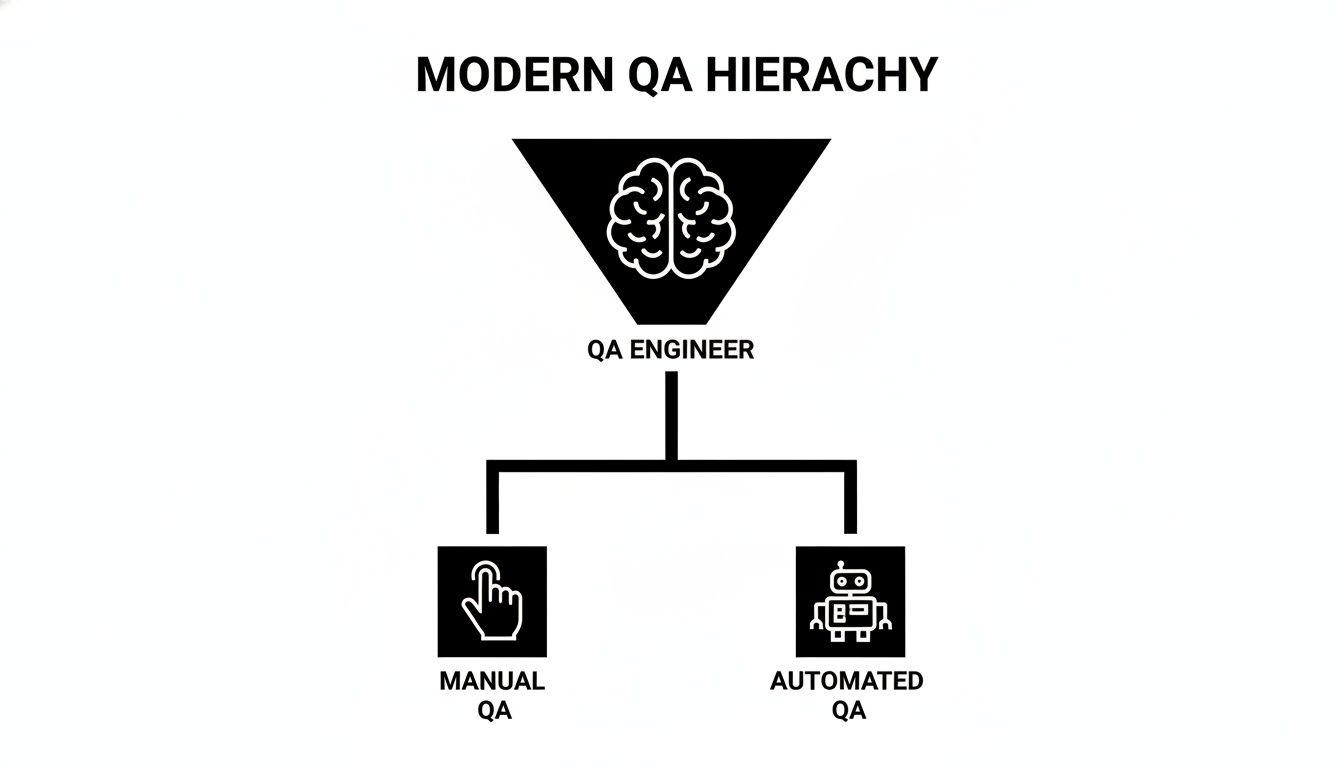
As you can see, a skilled QA engineer sits at the top, strategically deciding when a human touch is needed and when to unleash the bots.
The Test Pyramid is built on a wonderfully simple principle: write tons of fast, cheap tests at the bottom, and then progressively fewer, slower, more expensive tests as you move up. This structure is all about maximizing feedback speed while minimizing the maintenance headaches that can kill an automation project.
Let’s break it down, layer by layer, starting from the ground up.
Many teams, usually by accident, end up flipping the pyramid on its head. This creates what we call the “Ice Cream Cone” anti-pattern—a testing strategy teetering on a tiny base of unit tests while being overloaded with slow, brittle E2E tests.
This approach is a recipe for disaster. It leads to a test suite that takes forever to run, breaks with every minor UI tweak, and is an absolute nightmare to debug. When an E2E test fails, the problem could be anywhere in the entire tech stack, turning a simple bug hunt into a full-blown investigation.
A healthy test automation strategy lives and breathes the pyramid structure. You invest heavily in a solid foundation of unit tests for fast feedback. You use integration tests to make sure everything is connected properly. And finally, you use a lean, focused set of E2E tests to validate only the most critical business flows.
Getting this balance right is the absolute key to building a robust and sustainable test automation quality assurance program that actually delivers value.
A solid testing strategy is a great start, but its real power is unleashed when it becomes the heartbeat of your development process. This is where integrating your test automation quality assurance efforts into a Continuous Integration/Continuous Deployment (CI/CD) pipeline really shines. It stops being a series of separate tasks and becomes one fluid, automated system.
Imagine your CI/CD pipeline as a sophisticated assembly line for your code. The second a developer commits a change, that new piece of code hops onto the line and starts its journey toward production. Your automated tests act as the essential quality control checkpoints it has to clear along the way.
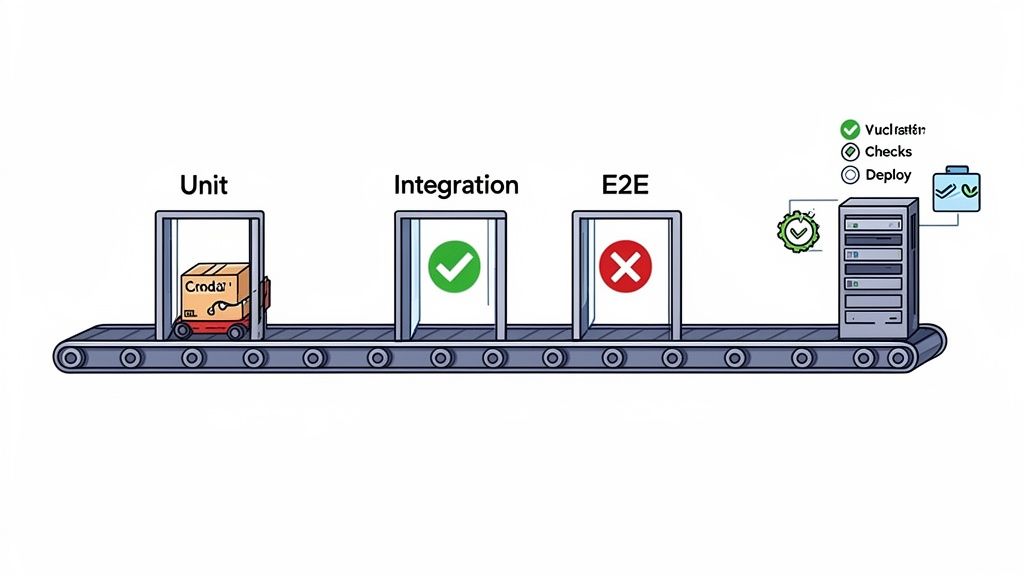
This automated flow makes quality a prerequisite, not an afterthought. It’s a non-negotiable step baked right into the delivery process itself.
The idea of “quality gates” is what makes this integration so practical. Think of each gate as a stage in the pipeline where a specific set of automated tests run. The code has to pass to move on to the next stage. A common setup might look something like this:
Only the code that makes it through every single quality gate is considered ready to go live. This system creates an incredibly fast and powerful feedback loop, helping you catch bugs in minutes, not days. For a deeper dive, take a look at our guide on the best practices for integrating testing into your CI/CD pipeline.
This isn’t just a technical win; it’s a genuine business advantage. The market is clearly moving in this direction, with automation testing services now making up 61.0% of the total market revenue. Large enterprises, which account for 69.0% of that revenue, are leading the charge as they grapple with managing complex software. The payoff can be swift, too—about 25% of companies that invest in test automation report an immediate return on that investment, according to a comprehensive market analysis from Future Market Insights.
By embedding quality checks directly into the delivery pipeline, you give your team the confidence to release code frequently and safely. The fear of breaking production fades, replaced by a data-driven assurance that your core functionality is protected.
This newfound confidence is a catalyst for innovation. Teams feel empowered to experiment and iterate faster because they know a robust safety net is there to catch any regressions. At the end of the day, weaving automation into your CI/CD pipeline is about creating a system that makes quality the default setting, turning reliable software delivery into a predictable, repeatable outcome.
Getting started with test automation is a great move, but it’s rarely a straight line to success. Even the most carefully planned automation strategies run into bumps in the road that can frustrate teams and shake their confidence. The trick isn’t trying to avoid every single hurdle—that’s just not realistic. It’s about knowing what to look for and how to fix things when they go wrong.
Ask any QA engineer about their biggest headache, and you’ll probably hear about flaky tests. It’s the classic automation nightmare: a test passes, then it fails, then it passes again, all without a single change to the application’s code.
Flaky tests are so much more than a simple annoyance. They’re a cancer in your automation suite. They inject so much noise that you can’t tell the difference between a real bug and a test just being unreliable. Before long, the team starts ignoring failures, which completely undermines the whole point of having an automated safety net in the first place.
To stamp out a flaky test for good, you have to put on your detective hat. Just re-running the test until it turns green is a band-aid solution; the problem will absolutely come back to haunt you. The real culprits usually fall into one of three buckets.
Once you have a good idea of what’s causing the trouble, you can start applying the right fixes to build a more resilient and trustworthy test suite. These strategies aren’t about patching symptoms; they’re about fixing the underlying issues.
A common mistake is littering scripts with hard-coded delays, like sleep(3). This is a terrible practice. If the element you’re waiting for loads in one second, you’ve just wasted two. If it takes four seconds, your test fails. You can’t win.
The real solution is using dynamic or “smart” waits. Instead of waiting for a fixed amount of time, you tell the test to wait until a specific condition is met—like an element becoming visible—up to a reasonable maximum timeout. The test moves on the second the element is ready, making it both faster and infinitely more reliable.
Your tests should never depend on data left behind by a previous test run. The golden rule is that every single test should be completely self-contained. It should set up the exact data it needs, run its checks, and ideally, clean up after itself. This isolation means you can run your tests in any order, anytime, without them stepping on each other’s toes.
Here are a few ways to pull this off:
By baking these practices into your process, you’ll slash the maintenance overhead that sinks so many automation projects. To dive deeper, check out our guide on how to overcome flaky tests and maintenance in functional test automation. A stable foundation is the first and most critical step toward a successful automation program.
The next big leap in test automation quality assurance isn’t on the horizon—it’s already here, and it’s being driven by artificial intelligence. While traditional test automation relies on hand-coded, step-by-step scripts, AI brings a far more intelligent and flexible approach to the table.
Think about the difference between old-school printed directions and a modern GPS. The printed directions are rigid; if a single road is closed, you’re stuck. That’s like a traditional test script. An AI-powered tool, however, is your GPS. It knows your destination (the test’s intent), and if it hits a roadblock, it simply recalculates the best route to get there.
This shift is steering QA teams away from brittle, high-maintenance scripts and toward a more resilient, intuitive way of ensuring software works as it should.
Right off the bat, one of the biggest wins with AI is how much easier it makes creating complex tests. You no longer need to be a coding expert in a specific framework to get started. Now, team members can generate solid end-to-end tests just by writing out what they want to happen in plain English.
For instance, a QA engineer could tell an AI agent like TestDriver, “Verify that a new user can sign up, log in, add two items to their cart, and successfully complete the checkout process.” The AI gets it. It translates that simple instruction into a complete, executable test case with all the necessary steps and checks built-in.
This completely changes the game, freeing up countless hours previously spent on the tedious mechanics of writing and debugging scripts.
Anyone who has maintained an automation suite knows the pain of flaky tests. A developer renames a button ID or tweaks a form’s structure, and suddenly, a dozen tests fail. It’s a constant, frustrating cycle of repair.
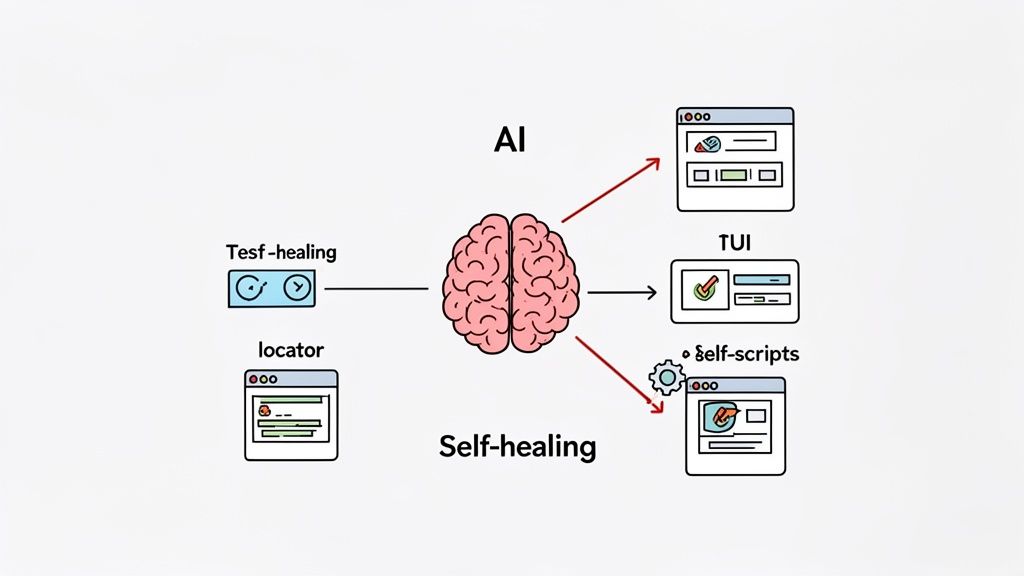
AI tackles this problem head-on with self-healing locators. An AI-driven tool doesn’t just look for one specific, fragile ID to find an element. It understands the element in context—its attributes, what it says, and where it sits on the page relative to everything else.
When a primary locator breaks, the AI kicks into gear:
This self-healing capability is a game-changer for test suite reliability. It turns test maintenance from a reactive, time-sucking chore into a proactive, automated process. This lets teams focus on building new coverage, not just fixing what broke yesterday.
This isn’t just a concept for the future; it’s happening now. To see how deep the rabbit hole goes, you can explore the impact of AI on software testing strategies in our dedicated article.
By making test creation simpler and automating maintenance, AI opens up powerful test automation quality assurance to everyone on the team. Product managers, business analysts, and even developers can now easily contribute to the QA effort without becoming automation gurus. This helps build a culture where quality is a shared responsibility.
The industry is moving fast to adopt this. The market for AI in software testing is projected to grow at a staggering 37.3% CAGR from 2023 to 2030, with these tools already shown to improve test reliability by 33%. It’s expected that by 2028, 75% of enterprise software engineers will use AI code assistants—a massive jump from less than 10% in early 2023.
Ultimately, AI allows teams to shift their focus from repetitive tasks to high-level strategy and what truly matters: the user’s experience.
Running a test automation program without solid metrics is a bit like flying blind. You might feel like you’re making progress, but are you actually heading in the right direction? To really prove the value of your test automation quality assurance, you have to look past simple vanity metrics like the total number of tests you’ve written.
True success is measured by the real-world impact automation has on your product, your team, and your bottom line. Focusing on the right Key Performance Indicators (KPIs) is what turns automation from a technical box-ticking exercise into a strategic advantage. It gives you the hard data to justify investment, calculate ROI, and fine-tune your approach.
So, what should you be tracking? Let’s get into the metrics that give you genuine insight into how your automation strategy is performing. These aren’t just numbers; they tell a story about your team’s efficiency, the stability of your tests, and the quality of the software you ship.
The ultimate goal is to connect your testing efforts directly to business outcomes. If you can show that automation led to a 20% reduction in critical production bugs and a 30% faster release cycle, you’re speaking a language that every stakeholder understands.
To help you get started, here’s a breakdown of the most important metrics to keep an eye on.
This table breaks down essential metrics to track the health, effectiveness, and business impact of your test automation program.
| Metric | What It Measures | Why It’s Important |
|---|---|---|
| Defect Escape Rate | The number of bugs that slip past your tests and make it into production. | It is the ultimate measure of your test suite’s effectiveness at protecting the user experience. |
| Mean Time to Resolution | The average time it takes to fix a build after a test failure. | This reflects the clarity of your test reports and the efficiency of your debugging process. |
| Test Flakiness Ratio | The percentage of test failures caused by instability, not actual bugs. | It tracks the reliability and trustworthiness of your entire automation suite. |
| Test Execution Time | The total time it takes to run your complete automated test suite. | This directly impacts the speed of your CI/CD pipeline and your team’s ability to get fast feedback. |
Tracking these KPIs consistently gives you a clear picture of what’s working and where you need to improve.
Ultimately, measuring your success is all about proving value. By focusing on metrics that reflect real-world quality, speed, and reliability, you can build a powerful case for your test automation quality assurance program and ensure it continues to deliver tangible results.
Even with a great strategy, you’re bound to run into some practical questions when you start putting test automation quality assurance into practice. Here are some of the most common ones we hear, with straightforward answers to help you and your team.
Getting these details right is the key to making smart decisions and getting the most out of your automation investment. Let’s clear up a few concepts you’ll definitely come across.
It helps to think of CI/CD as the entire factory assembly line, while test automation is the set of robotic quality checks at key points along that line.
CI/CD (Continuous Integration/Continuous Deployment) is the whole automated workflow that builds, tests, and deploys your code. Test automation is a critical piece inside that workflow—it’s the actual code that runs the tests to make sure everything works before it gets pushed to the next stage.
So, while you can have test automation without a full CI/CD pipeline (e.g., running tests locally), you can’t have a safe and reliable CI/CD pipeline without solid test automation. They’re partners in shipping quality software, fast.
Automation is a powerful tool, but it’s not the right tool for every job. Knowing what not to automate is just as important as knowing what you should.
Steer clear of automating tests that need a human touch. This includes things like usability testing, checking the visual appeal of a new design, or any kind of exploratory testing where you’re relying on intuition. Another bad candidate is any feature that’s still in heavy development and changing constantly—you’ll spend more time fixing the test script than you’ll save by running it.
A good rule of thumb: If you’re only going to run a test once, or if the result depends on human judgment, stick with manual testing. Automation shines with tests that are repetitive, stable, and driven by data.
For a small team, AI-powered tools are a game-changer. They dramatically lower the bar for getting started with effective test automation quality assurance and let you punch well above your weight.
Instead of sinking weeks into learning a complex coding framework, a small team can use an AI agent to write complete end-to-end tests from a simple instruction in just a few minutes. This is a massive shortcut to building out a robust regression suite that would have otherwise taken months.
On top of that, AI features like self-healing tests automatically fix scripts when the UI changes, which cuts down on the constant, soul-crushing maintenance work. This frees up your team’s limited time to focus on what humans do best: exploratory testing, creative problem-solving, and thinking about the bigger quality picture.
Ready to see how an AI agent can accelerate your QA process? With TestDriver, you can generate reliable end-to-end tests from simple, plain-language prompts in minutes. Reduce maintenance, expand your coverage, and empower your team to ship with confidence. Start building your automated safety net today at https://testdriver.ai.
Implement risk based testing to focus your QA efforts. Learn a step-by-step process to identify, prioritize, and automate tests for critical user flows.
Learn how to master testing website in different browsers with practical strategies, automation tips, and real-world debugging insights.
A practical guide to the automation of regression testing. Learn to build a strategy, leverage AI, integrate into CI/CD, and maintain a resilient test suite.
Learn how to automate UI testing with practical strategies for choosing tools, writing reliable tests, CI/CD integration, and using AI to speed up releases.
TestDriver runs every pull request in a real desktop sandbox, finds bugs, and builds regression tests - right from your repo.