A Practical Guide to Quality Assurance in Software Development
Discover how quality assurance in software development works. Learn modern QA processes, key testing types, and how AI is revolutionizing software delivery.
Master test reporting in software testing with practical steps to create actionable reports, track metrics, and boost quality through automation.
Automate and scale manual testing with AI ->
Think of all the work that goes into testing a piece of software—all the scripts, the manual checks, the bug hunts. What happens to all that information? Without a good system, it just becomes noise. Test reporting is the process of taking all that raw data from your testing activities and turning it into a clear, understandable story about your product’s quality.
It’s about translating complex test results into simple, actionable insights. A solid report tells you exactly where you stand, what risks you’re facing, and whether you’re ready to ship.

Imagine a pilot flying a plane without an instrument panel. That’s what a development team looks like without test reporting. You might feel like you’re on the right track, but you have no real data to back it up. A test report is that instrument panel, giving you real-time feedback on your altitude, speed, and any potential engine trouble. It documents the entire journey through the quality assurance process—what passed, what failed, and where the real turbulence is.
Good reporting acts as a bridge, connecting the nitty-gritty technical details of QA with the big-picture goals of the business. It takes raw numbers and bug logs and weaves them into a narrative that project managers, developers, and executives can all understand and act on.
A truly useful report is more than just a list of passed and failed tests. It provides the context needed to make smart go/no-go decisions for a release. For example, a report that proudly displays a 95% pass rate might look fantastic at first glance. But what if the failing 5% of tests are all tied to your checkout and payment processing features? Suddenly, that great-looking number tells a very different, much scarier story.
This is where reporting shines. It also helps teams spot worrying quality trends before they spiral out of control. Are you seeing consistent failures in the same part of the app? That could point to a deeper architectural flaw. Is the number of regression bugs creeping up with every release? Maybe it’s time to beef up your automated test suites.
A test report is more than just a document; it’s a catalyst for conversation and a tool for continuous improvement. It transforms testing from a final-stage gatekeeper into a strategic partner that drives value throughout the software development lifecycle.
At its heart, test reporting serves a few key functions, each aimed at a different audience with a different goal. This is why a one-size-fits-all report rarely cuts it. Understanding who you’re talking to is half the battle.
A test report needs to wear many hats. The table below breaks down its primary jobs and who benefits most from each one.
| Function | Primary Audience | Key Outcome |
|---|---|---|
| Informing Decisions | Product Managers, Executives | Provides the data needed for a confident go/no-go release decision. |
| Enhancing Visibility | Entire Development Team | Creates a shared understanding of project health and quality status. |
| Identifying Risks | QA Leads, Developers | Pinpoints defect clusters and problematic areas needing attention. |
| Improving Processes | Engineering Managers | Reveals trends that can be used to refine testing strategies over time. |
By serving these different roles, a test report moves beyond just being a status update. It becomes an essential feedback loop that helps the entire team learn, adapt, and ultimately build better software with every cycle. This is how you foster a genuine culture of quality.
A mediocre test report is just a data dump. A truly great one, however, tells a compelling story about your product’s quality. To get from one to the other, you need to know what goes into a report that gives everyone—from engineers to executives—clarity, context, and a clear path forward.
Think of it like building a car. You wouldn’t just throw an engine, a chassis, and some wheels in a pile and call it a day. They have to work together. A powerful test report is the same; it needs a set of core components, each serving a distinct but connected purpose. Leave one out, and the whole thing falls apart.
This is probably the most important part of the entire document, especially for leadership. The executive summary is a quick, high-level overview that answers the big question: “Can we ship this thing?” It needs to be short, sharp, and free of technical jargon.
This section ensures that even the busiest stakeholder can get the gist of the project’s health in less than a minute, without getting bogged down in the details.
Digging a little deeper, the report has to show the raw data from the testing cycle. This is where you lay out what was tested, what broke, and where everything stands. But remember, raw numbers are just noise. You need to give them context to turn them into a story.
A modern test reporting dashboard is perfect for this, visualizing the key data points so you can see what’s happening at a glance.
This kind of visual makes it easy to spot trends in test runs and defect patterns without having to wade through endless spreadsheets.
The core metrics for this part of your test reporting in software testing should include:
A rising defect count isn’t just a developer problem; it’s a process problem. Tracking defect trends helps you diagnose deeper issues in your development lifecycle, such as inadequate unit testing or rushed code reviews.
Finally, a powerful report has to talk about test coverage. This is where you answer the question, “How much of the application have we actually tested?” Without this context, a 100% pass rate is pretty meaningless if you’ve only tested 10% of the features.
Key coverage metrics give you confidence that you’ve tested what matters:
When you bring together the executive summary, detailed execution data, and solid coverage metrics, you create a complete picture of software quality. Your report goes from being a simple status update to a strategic tool that guides decisions and drives real improvement.
When it comes to test reporting, more data isn’t always better. The goal isn’t to bury stakeholders in a mountain of numbers; it’s to give them a clear picture of your software’s health. Think of it like a doctor’s chart. A high temperature is a red flag, but it doesn’t tell the whole story. You need blood pressure, heart rate, and other vital signs for a proper diagnosis. It’s the same with software.
Vanity metrics, like the total number of tests run, can be seriously misleading. A report that proudly displays 10,000 tests executed might sound impressive, but on its own, it tells you nothing about quality. The real value comes from focusing on the metrics that act as true health indicators, guiding you toward smart, data-driven decisions.
This is where the three pillars of a powerful test report come into play: a high-level summary, deep-dive defect analysis, and comprehensive coverage data.
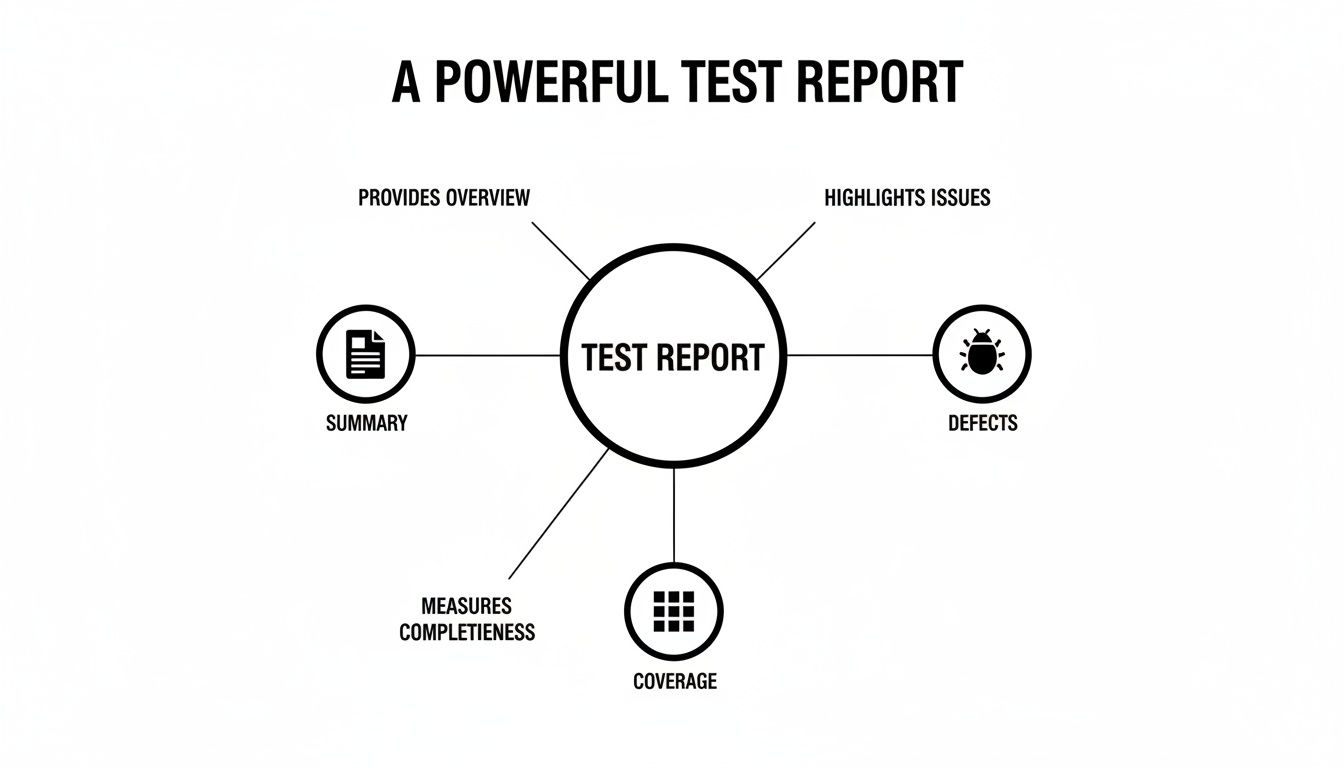
As you can see, a solid report balances these three elements—offering quick summaries for leaders, detailed defect data for developers, and broad coverage metrics for strategic planning.
To really get a handle on software quality, we need to look beyond surface-level numbers and focus on metrics that tell us what’s actually happening. Here’s a breakdown of the essential metrics, what they measure, and why they matter.
| Metric Name | What It Measures | Why It’s Important |
|---|---|---|
| Pass/Fail Rate | The percentage of tests that passed versus those that failed in a given cycle. | This is your frontline indicator of build stability. A sudden drop in the pass rate often points to a major regression. |
| Tests Blocked | The number of tests that couldn’t be run due to environmental failures or show-stopping bugs. | A high number of blocked tests signals problems with your testing infrastructure or critical, early-stage defects. |
| Defect Density | The number of confirmed bugs per unit of code (e.g., per 1,000 lines or by feature). | It helps you pinpoint which parts of your application are the most fragile and might need refactoring or more focused testing. |
| Defect Leakage | The percentage of bugs missed during testing and later discovered by users in production. | This is a crucial measure of your QA process’s effectiveness. A high leakage rate (over 5-10%) means your safety net has holes. |
| Test Coverage | The percentage of requirements, code, or features that your test suite actually exercises. | A 100% pass rate is meaningless if you only tested 50% of the application. Coverage tells you how much of the app you’re really testing. |
By combining these different types of metrics, you can create a narrative around your software’s quality—one that is nuanced, actionable, and far more valuable than a simple pass/fail count.
Execution metrics give you an immediate, real-time snapshot of how a testing cycle is going. They are the pulse of your testing efforts and the first place you’ll spot trouble with a new build.
If execution metrics tell you what happened, defect metrics tell you why and how bad the problem is. These are your diagnostic tools for understanding the root causes of quality issues and prioritizing what to fix first.
Defect metrics aren’t just for counting bugs; they measure the health of your entire quality process. A high defect leakage rate, for instance, says less about a single bad line of code and more about a potential weakness in your overall testing strategy.
Here are a few essential defect metrics to keep an eye on:
Effectively reporting on software quality often mirrors how you track general business performance indicators; it’s all about choosing the right data to tell a clear and compelling story.
Finally, coverage metrics answer the most important question of all: “Are we even testing the right things?” A 100% pass rate means nothing if your tests only cover the least important parts of the application. Coverage provides the context you need to actually trust your execution and defect data.
To get a more comprehensive view of this topic, check out our deep dive into the key metrics to track in quality engineering environments.
By weaving together metrics from these three categories, your test reports will evolve from simple status updates into powerful strategic tools that guide smart decisions, reduce risk, and build a culture of quality.

In today’s fast-paced development cycles, waiting around for a manual end-of-week report is like getting last Tuesday’s newspaper. By the time you see it, the information is already stale. Modern software delivery relies on immediate feedback, which is exactly why plugging automated test reporting directly into your Continuous Integration/Continuous Delivery (CI/CD) pipeline isn’t just a nice-to-have—it’s essential.
When you do this, you transform static, after-the-fact reports into a living, real-time dashboard that shows the true health of your project. Instead of a person having to manually pull together data and send out a summary, the pipeline itself becomes the messenger, delivering the verdict the moment the tests finish running.
The old-school approach to test reporting in software testing almost always involved a delay. You’d run the tests, collect the data, and then someone would painstakingly assemble and distribute a report. That might have worked for slower, waterfall-style projects, but it’s a massive bottleneck in any Agile or DevOps environment.
Automated reporting completely flips that model on its head. When you embed reporting tools into pipelines built with platforms like Jenkins, GitLab CI, or GitHub Actions, you get instant visibility. Every single time a developer commits new code, the pipeline automatically kicks off a build, runs the entire test suite, and generates a report on the spot.
This shift is more than just a trend. Around 46% of testing teams now automate over half of their manual test cases, a clear signal of just how central automation has become. These automated reports don’t just give a simple pass/fail; they deliver granular details right into developers’ dashboards or team communication tools like JIRA or Slack. Real-time reporting is now a cornerstone of modern CI/CD.
One of the most powerful things that comes from integrating reporting into your pipeline is the ability to create quality gates. A quality gate is basically an automated checkpoint that enforces specific quality standards. If the code doesn’t meet the bar, the pipeline stops dead in its tracks, preventing flawed code from moving any further down the line.
Think of a quality gate as an automated bouncer for your codebase. It checks every piece of code at the door. If it doesn’t meet the criteria—say, the test pass rate dips below 98% or it introduces a new critical defect—it’s not allowed in.
This entire enforcement mechanism relies on real-time test reporting. The data from the test run feeds directly into the quality gate, giving it the hard metrics needed to make an automatic go/no-go decision. This is how you stop “bad” code from ever getting merged into your main branch or deployed to a staging environment in the first place.
Ultimately, automating your reports within the CI/CD pipeline does a lot more than just speed up a task. It fundamentally changes how your team thinks about and interacts with quality. When test results are instantly broadcast for the whole team to see, quality stops being “the QA team’s problem.”
Developers get immediate feedback on their code, which means they can jump on and fix a bug while the context is still completely fresh in their minds. For a deeper look at how this works in practice, check out our guide on the best practices for integrating testing into your CI/CD pipeline.
This constant feedback loop makes quality a shared, proactive conversation instead of a reactive, end-of-cycle blame game. It helps teams catch issues much earlier, dramatically reduces the cost of fixing bugs, and builds a powerful sense of collective ownership over the product everyone is building together.

We’re at an inflection point where test reporting in software testing is evolving from a simple history lesson into a crystal ball. Artificial Intelligence and Machine Learning are pushing analytics beyond just telling us “what happened.” They’re starting to give us a remarkably clear picture of “what will happen,” turning test data into a powerful tool for predicting risk and getting ahead of quality issues.
Think of your test reporting tool less like a static ledger and more like a strategic advisor. Instead of just flagging a long list of failed tests, an AI-driven system can dig through thousands of runs to spot the subtle patterns that predict where your application is most likely to break next.
Traditional reports are great for capturing a moment in time, but AI connects the dots across the entire timeline. It can see the relationship between a specific developer’s commit and a sudden jump in performance test failures a week later. It can even identify which code modules consistently spawn the most bugs.
This predictive power helps teams use their resources so much smarter. Rather than testing everything with equal intensity, you can concentrate your efforts on the high-risk areas the AI has flagged, catching major problems before they ever get off the ground.
AI essentially acts as a force multiplier for QA teams. It handles the monotonous data analysis and pattern-finding, which frees up human testers to do what they do best: creative, complex exploratory testing that requires real critical thinking.
This isn’t just a future-state dream; it’s happening now. The 2025 State of Testing Report found that 46% of organizations have already improved their test automation efficiency by using AI. On top of that, 37% reported better analytics and reporting, which translates directly to more impactful insights. You can check out the full report from PractiTest here: The 2025 State of Testing™ Report.
Figuring out why a test failed is one of the biggest time sinks in QA. An AI-powered system can slash that time by running an automated root cause analysis. It sifts through logs, code changes, and execution data to pinpoint the exact commit or configuration change that broke the build, saving developers hours of painstaking detective work.
AI is also incredibly good at spotting anomalies a human might overlook. It can flag “flaky” tests—those frustrating ones that pass and fail randomly without any code changes. These tests are notorious for creating noise and undermining confidence in your CI/CD pipeline, and AI helps you isolate them for a closer look.
Here are a few game-changing ways AI is enhancing test analytics:
Of course, bringing AI into your workflow means you need to know how to vet it properly. It’s smart to ask some crucial questions for evaluating Artificial Intelligence to ensure the tools you choose are accurate and dependable. This whole evolution is a huge leap forward for quality assurance, and you can learn more about how artificial intelligence is transforming testing practices in our dedicated article on the topic.
By turning raw data into actionable predictions, AI is making test reporting smarter and more strategic. It’s the key to shifting from a reactive “find and fix” mentality to a truly proactive approach to quality.
It’s one thing to create a test report. It’s another thing entirely to create one that actually gets read and acted upon. A report that just sits in someone’s inbox, unopened, is a failure—no matter how much data it contains.
The best practices for test reporting in software testing are all about turning that raw data into a compelling story that makes people want to take action. Think of it less like a data dump and more like a multi-layered narrative.
This is probably the single most important rule. You have to customize the information for who’s reading it. Your audience dictates everything: the focus, the language, and how deep you need to go. If you try to give everyone the same firehose of data, you can guarantee nobody will pay attention.
A single data point is just a snapshot. A trend tells a story about where you’re headed. An effective report doesn’t obsess over one bad build; it highlights patterns that point to deeper issues in the process.
For instance, is the number of critical defects trending upward over the last three sprints? That’s a much more important conversation than just saying the latest build had ten bugs. Visualizing these trends with simple line charts makes them impossible to ignore and helps the team move from blaming to problem-solving.
An actionable test report doesn’t just present what happened; it provides the context needed to understand why it happened and what should be done next. It’s the difference between a simple scorekeeper and a strategic advisor.
Let’s face it, humans are visual creatures. A well-designed chart can explain a complex idea much faster and more effectively than a dense table of numbers. Use clean, simple visuals to make your main points pop.
This visual, data-driven approach is key to modern testing, especially as the industry continues to expand. The global software testing market was valued at over $54.68 billion in 2025, and that growth is powered by tools that offer real-time quality insights. If you want your reports to be indispensable, you have to make them clear, concise, and compelling. Discover more insights about the software testing market.
Even with a solid plan, you’re bound to run into some practical questions when you start building out your test reporting process. Let’s tackle some of the most common hurdles teams face when they’re trying to get their reporting workflow off the ground.
In an Agile world, your reporting cadence needs to mirror the rhythm of your sprints and the immediate needs of your team. The old days of a single, massive report at the end of a six-month release cycle are long gone. The modern approach is all about frequency and relevance.
Think of it in layers:
The whole point is to weave reporting into your daily and weekly activities, not treat it as a final, one-off task. This way, quality insights are constantly guiding decisions, not just grading them after the fact.
Think of your reporting frequency like checking your GPS on a road trip. You glance at it frequently for quick turns (daily reports) and check the overall route progress every hour or so (sprint summaries). Waiting until you’ve arrived to check the map is a surefire way to end up in the wrong city.
Knowing the difference between a high-level summary and a deep-dive detailed report is crucial for good communication. Each one has a completely different job and a different audience. If you try to mash them together, you’ll end up with a report that’s confusing for everyone.
A summary report is the 30,000-foot view. It’s for stakeholders—executives, product managers—who need a quick, digestible snapshot of the project’s health. It answers the big questions: “Are we on track?” and “What are the biggest risks?”
On the other hand, a detailed report is the ground-level view, made for the folks in the trenches like developers and QA engineers. This is where you find the granular data needed to actually fix things. We’re talking about:
There’s no magic bullet here. The right tool for you really depends on your team’s specific situation—your size, your budget, and the tech stack you’re already using. What works for a massive enterprise won’t be the best fit for a nimble startup.
Start by figuring out what you really need. Are you a heavily automated shop that needs seamless integration with your CI/CD pipeline? Or do you have a mix of manual and automated testing and need a tool that can pull those different results into one place? Look at things like data visualization, how well it plays with project management tools like Jira, and whether it’s actually easy for everyone on the team to use. A great tool should make test reporting in software testing feel effortless, not like another chore.
Ready to stop wrestling with manual test creation and start generating comprehensive tests from a single prompt? With TestDriver, our AI agent handles the heavy lifting, turning your intent into executable end-to-end tests in minutes. Streamline your QA process and expand your test coverage today. Get started with TestDriver.
Discover how quality assurance in software development works. Learn modern QA processes, key testing types, and how AI is revolutionizing software delivery.
Explore manual versus automated testing: compare use cases, ROI, and a practical framework to choose the best approach for your team.
Learn how to build a test strategy doc that aligns teams and delivers results. Get actionable steps on scope, tools, AI, and metrics.
Learn how to prepare test cases that improve software quality. This guide covers everything from requirements analysis to AI-powered automation for QA pros.
TestDriver runs every pull request in a real desktop sandbox, finds bugs, and builds regression tests - right from your repo.