A Practical Guide to Data Driven Tests From Setup to Scale
Master data driven tests with our guide on setup, best practices, and CI/CD integration. Boost your test coverage and build more reliable software.
What is test coverage? Learn what is test coverage and how it ties into software quality, with key metrics and actionable tips.
Automate and scale manual testing with AI ->
Let’s talk about test coverage. At its core, it’s a metric that answers one crucial question: how much of your application is actually being put through its paces by your tests?
It’s usually shown as a percentage, giving you a snapshot of how much code your test suite touches. But honestly, it’s so much more than just a number. Think of it as a direct measure of your confidence in the software you’re building.
Imagine trying to explore a new city without a map. You might stick to the main roads you know, but you’d have no idea what’s down those winding side streets. Test coverage is that map for your software.
It clearly shows you which parts of your application are well-traveled and validated by your tests. More importantly, it highlights the uncharted territories—the dark corners where bugs love to hide.
Without this map, development teams are essentially flying blind. It’s easy to ship a new feature thinking it’s perfect, only to find out later that a critical piece of logic was never tested. High test coverage acts as an early warning system, flagging these blind spots so you can fix issues long before they become expensive problems in production.
To help you get started, here’s a quick look at the core concepts we’ll be breaking down.
This table provides a high-level overview of the fundamental ideas behind test coverage, giving you a frame of reference before we dive deeper into each one.
| Concept | Brief Description | Primary Goal |
|---|---|---|
| Code Coverage | Measures how much of the source code is executed during testing. | Ensure that the underlying logic (lines, branches) has been run. |
| Functional Coverage | Measures how well the application’s features meet specified requirements. | Confirm that the software does what it’s supposed to do. |
| UI/Test Case Coverage | Tracks how many planned test cases or user interface elements are tested. | Verify that critical user workflows and interactions function correctly. |
| Branch/Path Coverage | A deeper type of code coverage that checks every possible decision path. | Find bugs hidden in complex conditional logic (if-else statements). |
With these concepts in mind, we can start to see why simply chasing a high percentage isn’t the whole story.
It’s really tempting to aim for a high number, like 90%, and call it a day. But that can create a dangerous false sense of security. A high score means nothing if the tests themselves are superficial or miss the complex ways users actually interact with your product.
The real goal isn’t just to run the code, but to validate its behavior under all sorts of conditions.
Effective quality assurance is about understanding how different layers of coverage work together. This means looking at the full picture:
The industry gets this. The global software testing market has already hit $45 billion and is still growing, all because companies know that solid quality assurance is non-negotiable. Escaped defects can cost a business millions. To see just how central this is, you can learn more about how quality is central to organizational success in our detailed guide on the role of quality and testing.
Ultimately, getting a firm grip on test coverage is the first real step toward building software you can stand behind. It gives your team the data needed to make smart decisions, focus your testing efforts where they count, and ship a product that just works.
When a QA expert talks about “test coverage,” they aren’t just talking about one single thing. To get a real sense of your software’s quality, you have to look beyond a single percentage and understand the different layers that build on each other.
Think of it like building a house. You need to inspect the foundation (the code), check that each room serves its purpose (the features), and finally, do a full walkthrough to make sure you can move through the house logically.
Each layer gives you a completely different view of your application’s health. If you only look at one, you create dangerous blind spots. You might feel confident, but critical bugs could be slipping right past you.
This visual shows how the core idea of test coverage connects directly to finding bugs and building confidence in your product.
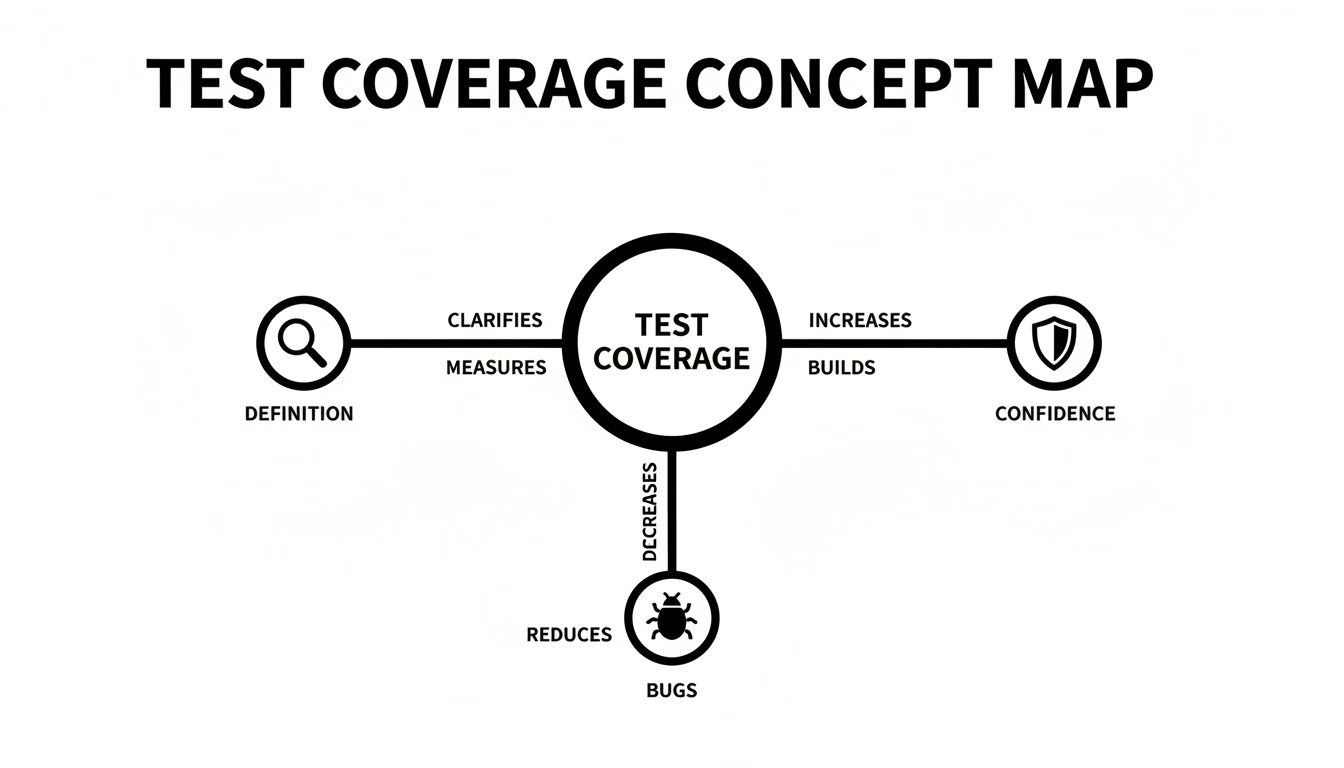
As the map illustrates, test coverage isn’t just some abstract metric; it’s a practical tool for hunting down defects before your users do.
Code coverage is the most granular layer, getting right down to the source code. It answers a simple question: “How much of our code was actually run by our automated tests?” It’s like checking the plumbing and wiring hidden in the walls of our house analogy.
It’s important to remember that this type of coverage doesn’t prove the code worked correctly. It only tells you that it was activated.
There are a few key types of code coverage, each giving you a sharper picture:
if-else statements) was tested for both its “true” and “false” outcomes. High branch coverage is a far better indicator of quality.While code coverage looks at the “how,” functional coverage is all about the “what.” This layer answers the question: “Are we testing all of our requirements and user stories?”
Back to our house, this is like making sure the kitchen has a working faucet and the bedroom window actually opens. It’s about functionality.
This is where you map your tests directly back to business requirements to prove that every feature does what it’s supposed to do. Without this, you could have 100% code coverage for a feature that completely misses the point and doesn’t solve the user’s problem.
To learn more about how to structure these different layers of testing, you can read our guide comparing the Test Pyramid vs. the Temple Pyramid Model.
Finally, we have journey coverage (sometimes called UI or end-to-end coverage). This is the highest level of validation, asking the most important question of all: “Can a user successfully complete their goal from start to finish?”
This is the final walkthrough of the house—going from the front door, through the living room, into the kitchen, and out to the backyard to ensure the entire flow feels natural and works without a hitch.
For an e-commerce site, a complete journey test would cover the entire checkout process: searching for a product, adding it to the cart, applying a promo code, entering payment details, and getting that final order confirmation.
This end-to-end perspective is crucial because it’s where you find the tricky integration bugs that unit and functional tests just can’t see. This is where tools like TestDriver really shine, letting teams generate these complex, multi-step scenarios to make sure those critical user journeys are truly solid.
Knowing the different types of test coverage is a great start, but the real work begins when you start measuring it. This is where theory turns into action, and you start getting a genuine picture of your testing effectiveness. Without the right data, you’re essentially flying blind, just guessing about your application’s stability.
The most common place to start is with code coverage metrics. These are calculated with some pretty simple formulas and give you a hard number for how much of your code is actually being run by your automated tests. Think of it as a quick health check for your test suite.
Two fundamental metrics form the bedrock of code coverage measurement. They’re straightforward, easy to calculate, and usually the first numbers teams look at.
(Lines of Code Tested / Total Lines of Code) * 100.if-else statement—has been tested for both the ‘true’ and ‘false’ outcomes. The formula is: (Decision Outcomes Tested / Total Decision Outcomes) * 100.While these numbers are useful, they only tell part of the story. It’s easy to fall into the trap of chasing a high percentage, but that can create a false sense of security. A 100% score is often a fool’s errand. Real, meaningful coverage is always about quality, not just quantity.
A perfect score doesn’t mean your software is perfect. Not even close. Your tests might execute every single line of code but completely miss a flaw in the actual business logic. That’s why the best teams I’ve worked with use a more balanced scorecard, connecting testing activity to actual quality outcomes.
One of the most powerful metrics for this is Defect Removal Efficiency (DRE). It completely shifts the focus from code execution to bug detection, answering the crucial question: “How good are we at finding bugs before our customers do?”
DRE Formula:
(Bugs Found Before Release / (Bugs Found Before Release + Bugs Found After Release)) * 100
A high DRE is a clear sign that your QA process is working. It means you’re catching problems internally, protecting your users—and your reputation—from the impact of bugs.
Taking a holistic view is vital. For teams in regulated fields like healthcare or finance, for example, diligently mapping every single requirement to a test case can be the difference between a smooth audit and a costly failure. I saw one team dramatically lift their DRE by focusing on this, which put a stop to major production incidents and painful SLA penalties.
As automation becomes more central—by 2025, 46% of teams expect automation to handle 50% or more of manual testing work—the opportunity to improve coverage grows. In fact, 72% of testers are already using it for their functional and regression suites. To get a better sense of how these trends are shaping the industry, you can explore more test coverage statistics and their impact on software development.
You can’t improve what you can’t see. In software testing, that old saying is everything. To get a real handle on test coverage, teams need specialized tools that turn a mountain of abstract data into clear, actionable insights. These tools generally fall into two camps, and each gives you a different—but equally vital—perspective on your application’s quality.
The first group is all about code coverage. These tools plug right into your development and build pipelines, watching closely to see which lines of code get hit when your automated tests run. Think of them as the inspectors on the factory floor, giving you a detailed, line-by-line report card on how far your test suite actually reaches.
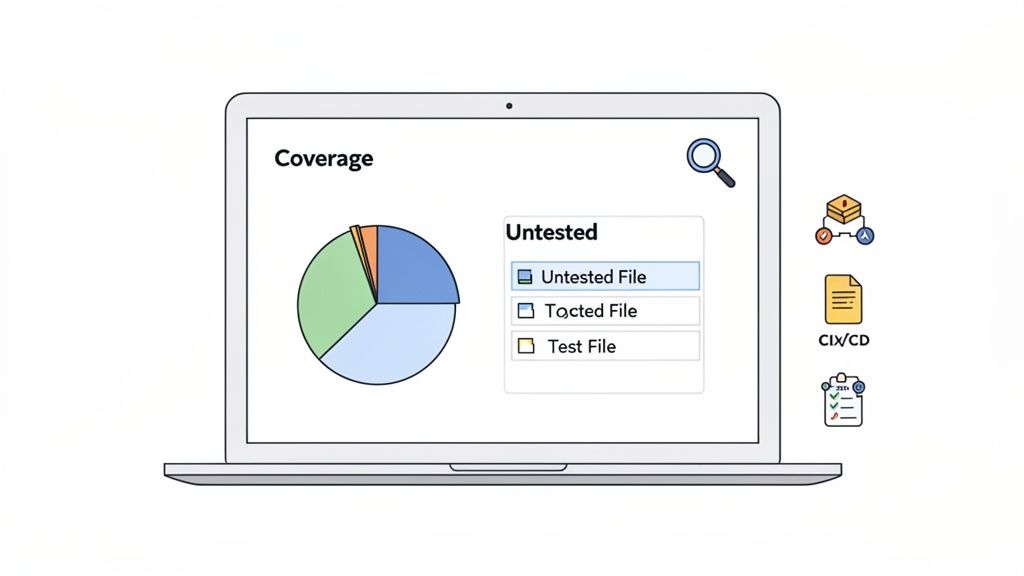
These are the go-to tools for developers and SDETs who need to find specific, surgical gaps in their unit and integration tests.
For teams that need to get granular, a few tools have become industry standards for different programming languages. Their main job is to spit out reports that show you—often with a splash of color-coding—exactly which parts of your source code have been tested and which have been missed.
When you wire these tools into your Continuous Integration/Continuous Deployment (CI/CD) pipeline, you can automate coverage checks. This creates a powerful quality gate, automatically blocking any new code from being merged if it drops the overall coverage below a certain threshold you’ve set. It’s a fantastic safety net.
The second category of tools is the test management platform. These operate at a much higher altitude, focusing less on lines of code and more on functional and requirements coverage. They help QA managers and product owners answer a completely different, but crucial, question: “Have we actually tested all the features our users are expecting?”
These platforms are the command center for all your testing activities. They link your individual test cases directly back to user stories, features, and business requirements, giving you that 30,000-foot view needed for release planning and risk assessment.
A couple of well-known examples include:
So, while code coverage tools confirm your tests are exercising the code, test management platforms help you confirm you’re running the right tests to validate business goals. A truly mature testing strategy doesn’t pick one over the other—it uses both in tandem to build a complete, multi-layered picture of software quality.
Manual testing and old-school scripted automation have a hard time keeping up. They’re often slow, break easily, and just can’t match the speed of modern development. This is where AI-driven testing really starts to make a difference, helping teams move past simply chasing a percentage and toward making sure critical user journeys are rock-solid.
It’s about shifting focus from just executing lines of code to actually validating real-world experiences.
Let’s say you’re testing an e-commerce checkout. Instead of writing dozens of fragile, specific scripts for every possible scenario, a QA engineer can give a simple, high-level prompt to an AI agent like TestDriver: ‘Test the complete checkout process for a user buying two items with a discount code.’
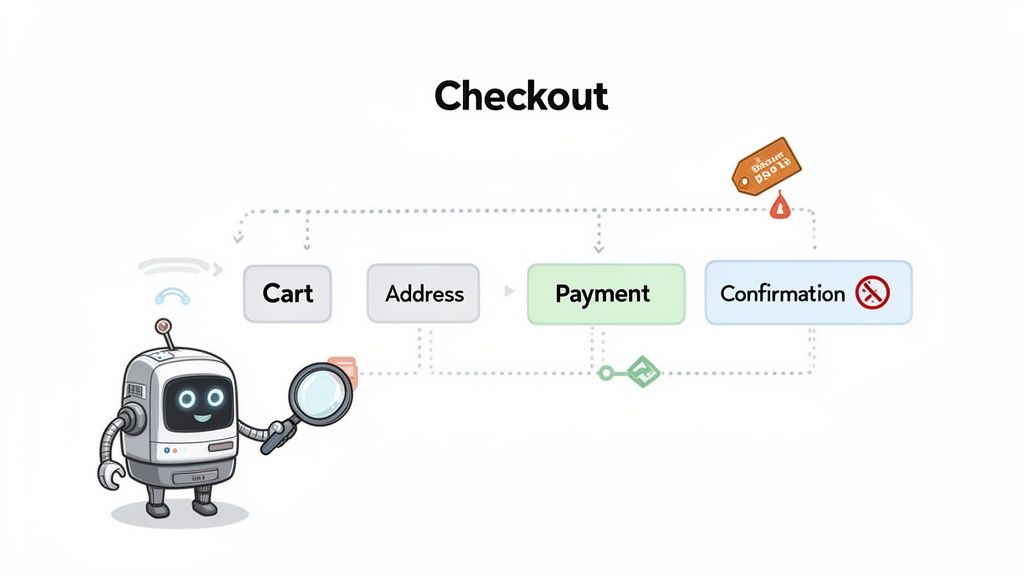
That one instruction kicks off a whole process, with the AI intelligently generating a wide variety of tests. It can cover far more ground in a fraction of the time than a manual tester ever could.
The old way of doing things often gets stuck on hitting a high code coverage number, which can give you a false sense of security. An AI agent, on the other hand, thinks more like a user—in terms of goals and outcomes. It’s not just checking if a button is clickable; it’s making sure that clicking that button actually does what the user expects it to do.
An AI agent can explore an application on its own, discovering paths and scenarios a human tester might not even think to try. This approach naturally broadens your what is test coverage strategy to include:
This method gives you deep functional and UI coverage without the manual grind, freeing up your QA team to focus on more complex, high-value testing.
By generating end-to-end tests from natural language, AI agents ensure that your testing efforts are directly tied to the user experience. This means your coverage metrics begin to reflect actual business risk rather than just lines of executed code.
The real beauty of this approach is how well it scales. As your application gets more complex, writing and maintaining a full suite of manual or scripted tests becomes a massive, time-sucking effort. An AI agent, however, can adapt to UI changes and new features with very little help from a human.
This new wave of tools changes the conversation from, “Did we hit 80% code coverage?” to, “Are we confident our users can actually do what they need to do?” It’s a fundamental shift, and it’s how you build software people can truly rely on.
To dig a little deeper, you can learn more about how AI is transforming developer test coverage and what it all means for today’s QA teams. By bringing AI into your process, you build a smarter, more resilient testing strategy that delivers genuine confidence.
Improving test coverage isn’t about chasing a mythical 100%. It’s about building a smarter, risk-based strategy that gives you real confidence in what you’re shipping. To get there, your team needs a clear playbook that values meaningful testing over empty metrics.
The first step? You can’t improve what you don’t measure.
Start by establishing a clear baseline. Run your code coverage tools to generate that first report. This is your ground zero—it shows you what’s well-tested and, more importantly, what’s dangerously exposed. Don’t just glance at the overall percentage; dig into the report to see which specific modules are lagging.
Once you know where you stand, it’s time to focus your energy. Not all code is created equal. A bug in the user login flow is a much bigger deal than a typo on the “About Us” page.
Prioritize the critical paths—things like payment processing, user authentication, and core business logic. Concentrating on these high-impact areas means you’re putting your resources where they can prevent the most damage. For a deep dive into how this works in highly regulated fields, this guide on medical device software testing is a great resource.
Next, make coverage a non-negotiable part of your development process. Integrate automated checks directly into your CI/CD pipeline. Set a reasonable threshold—say, 75% branch coverage—and configure your pipeline to fail any build that dips below it. This creates an automated quality gate, effectively stopping under-tested code from ever making it to production.
The real goal is to shift quality left. When developers and QA teams work together from the start, they build quality into the product instead of trying to inspect it in at the end.
This collaborative, automated mindset pays off. We’ve seen enterprises that focused on risk-weighted automation boost their coverage on critical workflows from 60% to 85%.
What was the result? They saw a 40% drop in production defects and a massive improvement in overall Defect Removal Efficiency. With 77% of companies now using automation, these practices are becoming standard for a reason. You can find more test automation statistics on Testlio that back this up. Adopting these habits helps build a true culture of quality, letting you release better, more reliable software.
As teams start getting serious about quality, the same questions about test coverage pop up again and again. Here are some straightforward, no-nonsense answers based on years of real-world experience.
Everyone wants a magic number, and you’ll often hear 70-80% thrown around as a good benchmark for code coverage. But honestly, chasing a high percentage for its own sake is a rookie mistake.
Think about it this way: would you rather have 95% coverage that just skims the surface of your code, or 60% coverage that absolutely hammers your most critical, high-risk features? The answer is obvious. The goal is always smart coverage, not just hitting a number. Focus on the parts of your application that simply cannot fail.
Oh, absolutely. This is one of the most important lessons a team can learn. High code coverage just means a line of code was run during a test—it says nothing about whether that test actually checked for the right thing.
You could have tests with zero meaningful assertions or tests that completely ignore weird edge cases and error handling. This is exactly why you can’t rely on just one type of coverage. You need a mix of unit tests for code coverage, plus deep functional and end-to-end tests to get a real sense of your software’s quality.
Test coverage is basically the gatekeeper in a modern CI/CD pipeline. Teams set up what we call “quality gates”—automated rules that will actually fail a build if test coverage dips below a certain threshold, say 75%.
This acts as a fantastic safety net. It physically stops new code from being merged if it hasn’t been properly tested, making quality a team-wide responsibility instead of something QA has to clean up later. It forces everyone to think about testing before they commit.
Ready to expand your coverage beyond percentages and ensure your critical user journeys are bulletproof? TestDriver lets you generate comprehensive end-to-end tests from simple prompts, helping you find and fix bugs before your users do. Discover a smarter way to test at https://testdriver.ai.
Master data driven tests with our guide on setup, best practices, and CI/CD integration. Boost your test coverage and build more reliable software.
Explore the real differences in automation vs manual software testing. This guide covers when to use each, ROI, and how to build a winning hybrid strategy.
Learn how to write a test case that's clear, effective, and ready for AI automation. This guide covers structure, examples, and pro tips.
Discover regression testing best practices to automate, prioritize risk, and stabilize test suites for faster, reliable releases.
TestDriver runs every pull request in a real desktop sandbox, finds bugs, and builds regression tests - right from your repo.